1
3
In the Event of an Alarm..............................................................................................................26
Alarm Occurs.................................................................................................................26
General Configurations ..............................................................................................................................27
Passwords ......................................................................................................................27
Set Time and Date..........................................................................................................27
System Software ............................................................................................................28
System Software Upgrade .............................................................................................28
Diagnostics .................................................................................................................................................29
PLC Status .....................................................................................................................29
PLC Data .......................................................................................................................29
Predictive Care...............................................................................................................30
Chamber Status ..............................................................................................................30
Channel Summary..........................................................................................................30
Alarm Status ..................................................................................................................30
Quick Draw (Optional)...............................................................................................................................31
Quick Draw....................................................................................................................31
Remote Communications ...........................................................................................................................33
What is it? ....................................................................................................................................33
Communications Setup ................................................................................................................33
Serial Port Setting ..........................................................................................................33
Handshaking ..................................................................................................................33
Remote Command Set..................................................................................................................34
Program & System Control............................................................................................35
Manual Control..............................................................................................................35
Program Menu Commands ............................................................................................37
Program setup ................................................................................................................37
Alarm Control ................................................................................................................38
Miscellaneous Commands .............................................................................................38
Editing Commands ........................................................................................................39
Edit Program..................................................................................................................39
Edit Fuzzy Configuration...............................................................................................40
Calibration and Preventative Maintenance.................................................................................................41
Operating Conditions .................................................................................................................................46
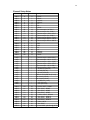
Temperature Conversions...........................................................................................................................47
°C to °F ..........................................................................................................................47
°C to °F (continued).......................................................................................................48
°F to °C ..........................................................................................................................49
°F to °C (continued).......................................................................................................50
°F to °C (continued).......................................................................................................51
Remote Access and Control of Solutions Plus (Optional) .........................................................................53
Introduction..................................................................................................................................53
Installing Remote Access Viewer ................................................................................................54
System Requirements.....................................................................................................54
Activate Java console.....................................................................................................54
Installing ........................................................................................................................54
Uninstalling....................................................................................................................54
Connecting to the Solutions Plus .................................................................................................55
VNC server ....................................................................................................................55
Connection profile .........................................................................................................55
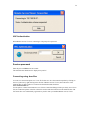
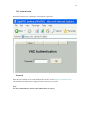
VNC Authentication ....................................................................................................................56
Connecting using .brav files.........................................................................................................56
Using Remote Access Viewer......................................................................................................57
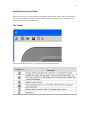
The Toolbar..................................................................................................................................57
Controlling the Solutions Plus .....................................................................................................58
Security ........................................................................................................................................58