1
53
Remote Access and Control of Solutions Plus (Optional)
Introduction
It is possible to access, reflect and control a Solutions Plus from a PC by using the VNC client program
Remote Access Viewer together with the built-in VNC server in the Solutions Plus. Remote Access
Viewer is a free remote control software derived from the software package TightVNC. It is also possible
to use a web browser as a viewer, see the section Using a Web Browser as a Viewer.
VNC (Virtual Network Computing) is a client/server software package allowing remote network access to
graphical desktops. Basically, when using VNC, it is possible to access a PC or other PC-based equipment,
for example a Solutions Plus that is connected to the Internet from any other Internet-connected PC
anywhere.
It can be very helpful to use the Remote Access function for the Solutions Plus when for example
performing remote customer support, remote control and troubleshooting.
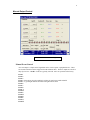
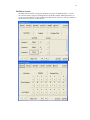
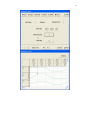
Remote Access Viewer presents an image of the Solutions Plus on the PC monitor. The image in Remote
Access Viewer is updated at regular intervals or when requested.
The Remote Access function has the same function as the actual Solutions Plus.