1
S ECTION 4
SCREENS AND SETTINGS
Instrument
Temperatures Screen
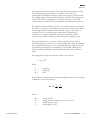
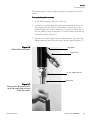
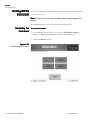
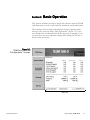
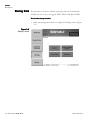
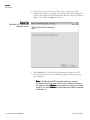
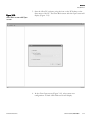
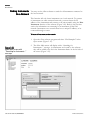
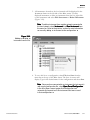
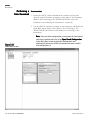
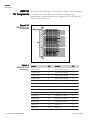
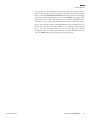
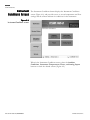
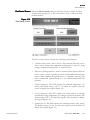
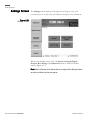
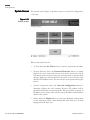
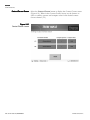
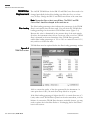
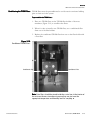
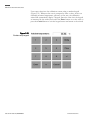
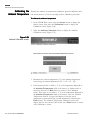
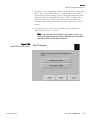
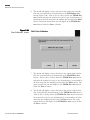
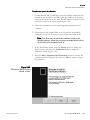
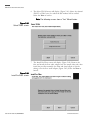
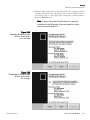
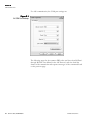
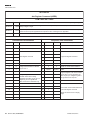
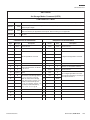
The Instrument Temperatures screen (Figure 4-14) shows the current
temperatures of the unit.
Figure 4-14.
Instrument Temperatures screen.
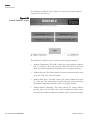
The Instrument Temperatures screen contains the following control
buttons:
4-18 OPERATING GUIDE, TEOM 1405-D
•
Cap temperature. This field contains the current value of the temperature
(°C) of the mass transducer’s cap. The default setting is 30° C. To view or
adjust the setpoint, select the button to display the keypad (Figure 4-3).
DO NOT adjust this value without contacting Thermo Scientific.
•
Case temperature. This field contains the current value of the temperature
(°C) of the mass transducer case. The default setting is 30° C. To view or
adjust the setpoint, select the button to display the keypad (Figure 4-3).
DO NOT adjust this value without contacting Thermo Scientific.
•
PM-2.5 air tube temp. This field contains the current value of the temperature (°C) of the PM-2.5 air stream. The default setting is 30° C. To view
or adjust the setpoint, select the button to display the keypad (Figure 4-3).
DO NOT adjust this value without contacting Thermo Scientific.
•
PM-Coarse air tube temp. This field contains the current value of the
temperature (°C) of the PM-Coarse air stream. The default setting is 30°
C. To view or adjust the setpoint, select the button to display the keypad
(Figure 4-3). DO NOT adjust this value without contacting Thermo
Scientific.
THERMO FISHER SCIENTIFIC