1
INTRODUCTION
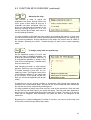
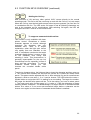
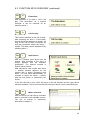
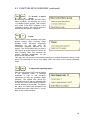
LUCY enables people who cannot handle an ordinary keyboard to use a personal
computer. There are several control methods, such as laser, mouse, trackball and
switch control. The output to the computer includes all possibilities of the normal
keyboard and the mouse.
Overview
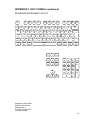
Chapter 2 gives a concise overview of the available control methods and the
recommended keyboard overlay.
Control methods
Chapter 3 addresses one by one the different control methods that can be used with
LUCY. For each control method, the most important functions are discussed.
Macros
Chapter 4 introduces the use of so-called macros. It is possible to store frequently used
words, sentences or control tasks in the memory of LUCY. Such a stored word or
sentence is called a macro. The stored item can be called back with only one or two
selections. Working with macros is simple and can save a lot of time.
Mouse output to computer
Chapter 5 treats all LUCY functions which are related to using the numerical keypad as
a mouse.
Functions and symbols overview
Chapter 6 contains an overview of all special LUCY symbols and all functions which
can be used by means of the symbol fun.
The LUCY program
In chapter 7 the use and advantages of the supplied computer program that can be
used in association with LUCY are discussed.
Installing and connecting LUCY
Chapter 8 gives an overview of the connections on the back of LUCY and describes
the installation procedure. This chapter needs only to be read at first use or when
another overlay number is chosen.
2