1
Designing, Developing and Deploying Applications
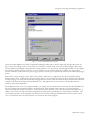
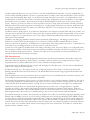
Figure 1 – Oracle Procedure Builder Syntax Palette
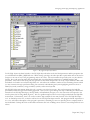
Oracle Procedure Builder also includes a sophisticated debugger which can be used to single step through code, break on a
line, or with some coding, break on a loop iteration or break on a variable value via the use of a debug trigger. Data values
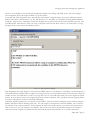
can be examined and changed as the program is running, which is a very nice feature. The debugger interface can also display
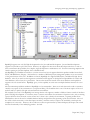
your PL/SQL module call stack (Figure 2). Also nice with this tool is its built in GUI trigger editor. The trigger editor
provides a number of radio buttons to specify trigger options, removing the requirement to memorize the correct SQL trigger
syntax.
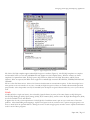
This tool has a fairly nice help system. Most of the interface windows have a help option that will automatically display
context sensitive help. Unfortunately, this level of help support is only available for aspects of the tool and not the underlying
PL/SQL language. For help with the PL/SQL language, the user needs to find the Oracle PL/SQL documentation and then
navigate to the desired area within that documentation set. This approach is no better than the one provided with our
reference environment, SQL*Plus.
The installation of this tool is very straight forward as you simply start the Oracle Installer and select Procedure Builder from
the list of products that are distributed with Oracle Developer. This installation then turns into a several mouse click
operation through the installer environment. A nice feature with this installer is that it will automatically install SQL*Net, if
needed. Other tools reviewed required that the SQL*Net environment be installed prior to that package’s installation. Also
nice is that this product can be integrated with Intersolv's PVCS Version Manager and Rational Clear Case version control
tools. Unfortunately this is the only third party tool extension that Oracle supports.
Paper 244 / Page 3