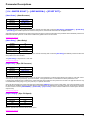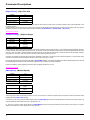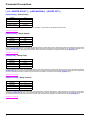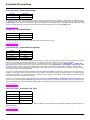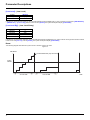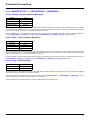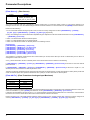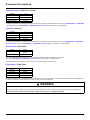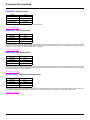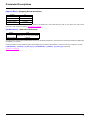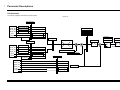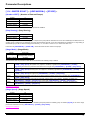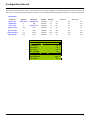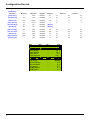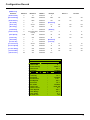
Download Parameter Descriptions
Transcript
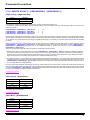
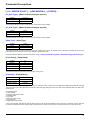
Water Solution Program Features Overview High Pressure Protection (see page 32) There are two High Pressure protection mechanisms. 1 If enabled or auto reset is selected for high pressure then DRIVE_LI3 is activated as a high pressure switch. This input accepts a normally closed input. If this input is then not active for 1 second the drive will trip. This fault will not auto reset. 2 If enabled or auto reset is selected for high pressure then the analogue pressure feedback signal can be used to protect for a high pressure condition. If a high pressure is detected and the digital protection level hasn't been exceeded (DRIVE_LI3 is still present) the system will shut down (including all external pumps). If so configured the system will auto reset. Note this will not protect against a high pressure condition if the feedback signal fails or goes open circuit. No Flow Protection (see page 32) The system can be configured in many ways to protect against low flow. Digital protection can be used as well as or instead of a flow meter if one is installed. This protection can be set to operate during pipe fill or not. If low flow is detected the system will shut down and trip. If so configured the system will auto reset. Minimum Pressure (High Flow) Protection (see page 39) If enabled the system will trip if a minimum pressure can't be met when the Variable speed pump is running at a speed greater than the one set. If minimum pressure (possible burst pipe) is sensed the system will stop and trip. This fault will not auto reset. Cavitation Protection (see page 32) The Water Solution has a Cavitation protection algorithm. Cavitation is detected by high pump speed and low motor current. When cavitation is detected, the system will stop and trip displaying [CAVITATION]. If so configured the system will auto reset. Low Level Lockout (Low Water) Protection If enabled the system will stop and trip if digital input CI_LI60 is inactive for longer than a user adjustable time. This feature is typically used for low well level or low supply tank level. During this period the status will display [LOCK OUT] (LOCK). Cycling Protection (see page 39) The Cycle Protection is designed to protect against the condition where the system fails to maintain pressure in the [READY] state and the Variable speed pump immediately restarts (ie a faulty NRV). A start is considered to have occurred every time the pump accelerates from zero speed, and the Cycle counter is incremented on each start. If cycling is sensed, the system will stop and trip displaying [CYCLING]. This fault will not auto reset. Jockey Pump (see page 58) During a period of no demand when the system has been in the [SLEEP] (SLP) state, a very low demand may cause the pump to cycle. The Jockey pump function is used to supply these very low demand requirements. Unless the pump is already running, the Jockey pump is turned on when the feedback pressure drops below the Jockey On Pressure. The Jockey pump will turn off if the feedback pressure increases above the Jockey Off Pressure or if the Variable speed pump starts. The status will display [JOCKEY ON] (JKY) while the Jockey pump is on. Priming Pump The Jockey relay can be configured for a priming pump. In this situation the relay will switch on whenever demand is present. The status will display [JOCKEY ON] (JKY) while the Jockey pump is on and the drive is off. Night and Day (see page 63) This feature is used when no jockey pump is installed but instances of small demand are expected during the night. The feature uses the Variable speed pump at a fixed speed to meet small demands. This feature will automatically disable itself if a substantial demand is sensed via repeated starts in a short period of time or a lack of response in system pressure. Please note that the internal clock does not automatically switch to daylight saving time. 15