1
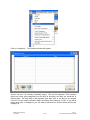
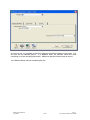
Once you have chosen ‘Find Transactions’, you will be thrown into the ‘Account’ search
option – however, from this point, you can choose to use any of the search options – the
results will all be the same.
TIP:
Which method you choose depends purely on personal
preference – the results are exactly the same.
2.6.3
Using the Card File
The Card File section is where MYOB stores the supplier, customer, employee and
personal information that has been previously entered. The ‘Card File’ feature is used to
store new information, set up employee cards, or manage and update information
currently held there.
While MYOB 15+ does not allow you to view all transactions attached to the card, it does
allow you to view any outstanding amounts owing – either as an accounts payable, or as
a receivable, whichever may be relevant. It only allows you to access basic information
such as address, and so on. To view Transactions, see Section 2.6.2.
Generally speaking, it is unnecessary to delete old cards. Past information can be very
useful to keep, as you never know when you may need it again. If recent transactions
are attached to the card, it will be impossible to delete it anyway – MYOB will not allow
you to. If you do not want a card used, your best option will be to make it ‘inactive’ – this
will be explained later. In the case of an employee card, the card can be made inactive,
and a termination date entered for good measure.
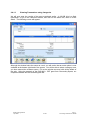
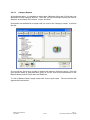
When at the Command Centre, click on the ‘Card File’ icon. The following screen will
appear:
MYOB Training Manual
April 2006
2-152
Part 2:
Processing Transactions in MYOB