1
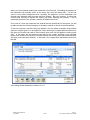
For the purpose of this exercise, our grant from Community Sports is the first of a number
that we expect to receive. We are also expecting to receive at least 12 grants this year, so
will list the category ID’s accordingly.
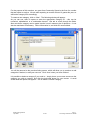
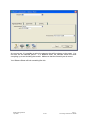
To create a new category, click on ‘New’. The following window will appear:
As you can see, there is space to enter the appropriate Category ID – this can be
numerical, alphabetical, or a combination thereof. Use tab to move through the fields.
Also note that a category can be made ‘Inactive’ once it ceases to be of relevance – it can
also be reactivated if necessary. Fill the information in, and click OK once finished.
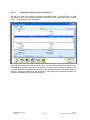
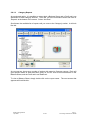
You will be returned to the previous listing screen, which will allow you to continue to add
categories if desired, or edit your new one. Click ‘close’ when you have finished.
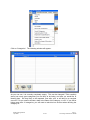
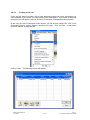
It is possible to delete a category if you need to – simply hover your mouse arrow over the
category you wish to remove, and click the right side button on your mouse. A small
screen with two options will appear – one of which is ‘Delete Category’.
MYOB Training Manual
April 2006
2-135
Part 2:
Processing Transactions in MYOB