1
CHAPTER 6. WHOLE EXOME SEQUENCING (WES)
113
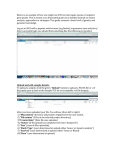
Figure 6.18: Specify which 1000 Genomes population to use for filtering out known variants.
Figure 6.19: Specify which HapMap population to use for filtering out known variants.
Figure 6.20: Check the selected parametes by pressing "Preview All Parameters".
step you can only view the parameters, it is not possible to make any changes. Choose to
save the results and click on the button labeled Finish.
Output from the Filter Somatic Variants (WES) workflow
Two types of output are generated:
• Somatic Candidate Variants Track that holds the variant data. This track is also included
in the Genome Browser View. If you hold down the Ctrl key (Cmd on Mac) while clicking on