1
A.2.6
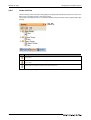
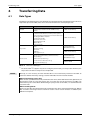
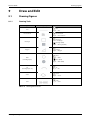
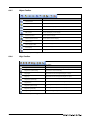
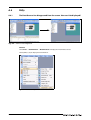
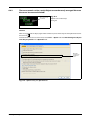
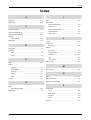
Figure Toolbar
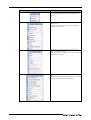
Icon and Name
Description
Line
Line is drawn.
Line FreeForm
Continuous line is drawn.
Rectangle
Rectangle is drawn.
Polygon
Polygon is drawn.
Circle
Circle is drawn.
Arc
Arc is drawn.
Sector
Sector is drawn.
Scale
Scale is drawn.
Piping
Draws a piping figure.
Text
Text is input.
Logo
Sets a logo text.
Paint
Paints with a selected color and pattern.
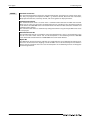
Import Image
BMP, JPEG format file is imported on the editing screen.
Import DXF
DXF format file is imported on the editing screen
Import IGES
IGES format file is imported on the editing screen
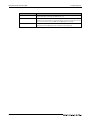
Capture rectangle
Captures the specified rectangular range area in BMP/JPEG format, and
pastes it on the screen editor.
Capture window
Captures the specified window in BMP/JPEG format, and pastes it on the
screen editor.
Tab. A-7: Description of Figure toolbar
GT Designer3 Beginner's Manual
A-9