1
Old license daemons
cannot be used!
Dymola requires support of FLEXnet Publisher version 11.9 or later. A recent version of
lmgrd.exe is part of the Dymola distribution.
If needed, the latest available license daemon can be downloaded from the website of
Flexera Software when having completed a form:
http://mktg.flexerasoftware.com/mk/get/lmgrd_reg
1.3.2
Installing the license server
This section describes the simple case where we assume there are no other FLEXnet
Publisher license daemons. We also assume that the Dymola program itself should not be
installed on the server.
To purchase a license server, the relevant host id of the computer where the license server
should run must be supplied to your Dymola distributor before purchasing the license. The
license that you will receive will contain this information. To find out the host id of that
computer, the utility program hostid.exe can be used. Please see section “Obtaining a
host id” on page 35 for more information.
1. Before installation of the license server, the Dymola license file (filename.lic) may
have to be updated with the actual name (or IP-number) of the server, if the license file
contains a line identifying the server:
SERVER server.name.here 000102DE37CD
The part server.name.here must be changed to the name of the actual server before
installing the license file. It should be noted that the last part (the hostid) cannot be
edited by the user.
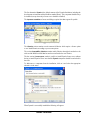
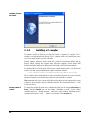
2. Install only the Dymola software component License server (see beginning of this
chapter). A folder will be created containing all needed files, default C:\Program
Files\Dymola 2012\bin.
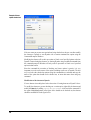
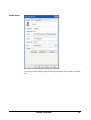
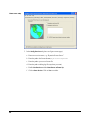
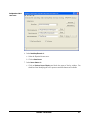
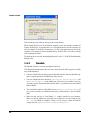
3. Start the utility program lmtools.exe (one of the above files).
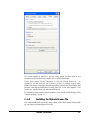
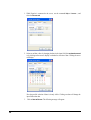
4. In the Service/License File tab:
a. Select the radio button Configuration using Services.
b. Activate LMTOOLS ignores license file path environment variables.
APPENDIX - INSTALLATION
25