1
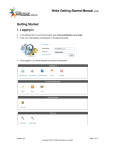
Log In to the Administration Dashboard
To update pages, you must first log in to the Administration Dashboard in WordPress.
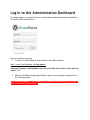
The login area is shown below.
Figure 1: WordPress Login Area
1. To log in to the dashboard, first browse to the address below:
http://www.YourSiteName.com/wp-admin/
Important: Replace YourSiteName.com with your Web site’s address then add /wpadmin/ to it.
2. When the WordPress login page displays, enter your username and password in
the fields provided.
Your Dashboard address, user name and password are located in your Welcome email you received upon payment