1
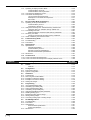
KV-E8T(P) [8-I/O expansion output unit (transistor output type)] .............. 1-48
KV-E16R [16-I/O expansion output unit (relay output type)] ...................... 1-49
KV-E16T(P) [16-I/O expansion input unit (transistor output)] .................... 1-50
1.9.4 Dimensions ....................................................................................................... 1-51
1.10
1.10.1
1.10.2
1.10.3
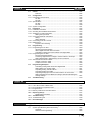
KV-E4XR/E4XT(P) (Expansion I/O Unit) ....................................................... 1-52
Part Names and Functions ............................................................................... 1-52
Input Specifications ........................................................................................... 1-53
Output Specifications ........................................................................................ 1-53
KV-E4XR (Relay output type) .................................................................... 1-53
KV-E4XT(P) (Transistor output type) ......................................................... 1-53
1.10.4 Terminal Layout Drawings and Input Circuit Diagrams .................................... 1-54
KV-E4XR (Relay output type) .................................................................... 1-54
KV-E4XT(P) (Transistor output type) ......................................................... 1-56
1.10.5 Dimensions ....................................................................................................... 1-58
1.11
1.11.1
1.11.2
1.11.3
1.11.4
Chapter 2
KV-D20 (Operator Interface Panel) ............................................................... 1-59
Part Names and Functions ............................................................................... 1-59
General Specifications ...................................................................................... 1-60
Functional Specifications .................................................................................. 1-60
Dimensions ....................................................................................................... 1-61
System Installation
Visual KV
2.1
2.1.1
2.1.2
2.1.3
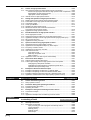
Installation Environment ............................................................................... 1-64
Installation Environment ................................................................................... 1-64
Installation Position ........................................................................................... 1-65
Installation Procedure ....................................................................................... 1-66
Expansion unit spacer ................................................................................ 1-66
2.1.4 Cautions on Wiring for Each Unit ...................................................................... 1-67
Wiring procedures for basic units ............................................................... 1-67
Cautions on wiring for I/O units .................................................................. 1-68
Terminal ..................................................................................................... 1-68
Cautions on grounding ............................................................................... 1-69
2.1.5 Contact Protection ............................................................................................ 1-69
2.2
Connecting Visual KV Series Expansion Units .......................................... 1-70
2.2.1 Visual KV Series Expansion Units .................................................................... 1-70
2.2.2 Connecting Visual KV Series Expansion Units ................................................. 1-71
Connection methods .................................................................................. 1-72
Number of connectable units ..................................................................... 1-73
2.2.3 Confirming the Connection Settings of Expansion Units .................................. 1-74
Expansion unit relay list ............................................................................. 1-74
Connection information for expansion units ............................................... 1-75
Input time constant for expansion units ..................................................... 1-76
Clearing the input value when disconnecting ............................................. 1-76
2.2.4 Transferring I/O Information between Expansion Units and the Basic Unit ...... 1-77
When inputting ........................................................................................... 1-77
In the case of output .................................................................................. 1-77
2.3
Inspection and Maintenance ......................................................................... 1-78
2.3.1 Inspection ......................................................................................................... 1-78
2.3.2 Maintenance ..................................................................................................... 1-78
Chapter 3
Access Window
Visual KV
3.1
Overview of the Access Window .................................................................. 1-80
3.1.1 What is the Access Window ............................................................................. 1-80
3.1.2 Access Window Use Examples ........................................................................ 1-80
3.2
3.2.1
3.2.2
3.2.3
3.2.4
3.2.5
Basic Operating Procedures ......................................................................... 1-81
Operation Mode ................................................................................................ 1-81
Access Window Modes ..................................................................................... 1-81
Part Names and Functions of the Access Window ........................................... 1-82
Selecting Modes and Setting/Resetting Key Lock ............................................ 1-82
Turbo Function .................................................................................................. 1-83
3.3
Digital Trimmer Mode .................................................................................... 1-84
3.3.1 Function and Operating Procedure ................................................................... 1-84
Key operation and screen display .............................................................. 1-84
Function and operating procedure ............................................................. 1-84
(13)