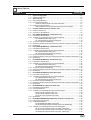
1
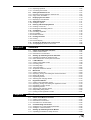
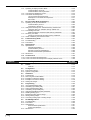
Basic ladder programs ............................................................................. 1-136
4.3.2 Examples of Ladder Programs ....................................................................... 1-143
Example of displaying user messages ..................................................... 1-143
Example of displaying messages with titles ............................................. 1-145
Example of position control ...................................................................... 1-146
Example of frequency counter ................................................................. 1-149
Example of 24-bit high-speed counter ..................................................... 1-152
Example of cam switch function ............................................................... 1-154
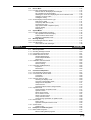
4.4
4.4.1
4.4.2
4.4.3
Chapter 5
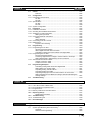
Appendix ....................................................................................................... 1-158
Troubleshooting .............................................................................................. 1-158
Available Character List .................................................................................. 1-162
Comment Draft Sheet ..................................................................................... 1-163
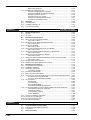
KV-300, KV-10/80 Hardware
KV-300, KV-10/80
5.1
System Configuration .................................................................................. 1-166
5.1.1 KV-300 ............................................................................................................1-166
5.1.2 KV-10/80 ......................................................................................................... 1-167
5.2
Module/Unit Specifications ......................................................................... 1-168
5.2.1 Wiring: KV-U4 Power Supply Module ............................................................. 1-168
Parts and functions .................................................................................. 1-168
5.2.2 Wiring: KV-U5 DC Power Distribution Module ................................................ 1-169
Parts and functions .................................................................................. 1-169
5.2.3 Wiring: KV-300 CPU ....................................................................................... 1-170
Parts and functions .................................................................................. 1-170
5.2.4 Wiring: KV-C16X/C32X Connector Input Module ........................................... 1-171
Parts and functions .................................................................................. 1-171
5.2.5 Wiring: KV-C32T/B16R/B16S Connector Output Module ............................... 1-172
Parts and functions .................................................................................. 1-172
5.2.6 Wiring: KV-R1A I/O Distribution Module ......................................................... 1-173
Parts and functions .................................................................................. 1-173
5.2.7 Wiring: KV-R8X/R16X/R8R/R16R/R8T/R16T I/O Terminal Modules ............. 1-174
Parts and functions .................................................................................. 1-174
5.2.8 Module Names and Functions ........................................................................ 1-175
5.2.9 Peripheral Equipment Names and Functions ................................................. 1-176
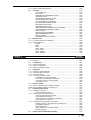
5.3
5.3.1
5.3.2
5.3.3
5.3.4
5.3.5
5.3.6
5.3.7
5.3.8
5.3.9
5.3.10
5.3.11
5.3.12
Chapter 6
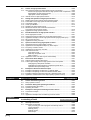
Module/Unit Connections ............................................................................ 1-178
Environmental Requirements ......................................................................... 1-178
Installation Guidelines ..................................................................................... 1-178
Assembling the System .................................................................................. 1-179
Connecting modules ................................................................................ 1-179
Mounting to the DIN Rail ................................................................................. 1-180
Removing the Terminal Block ......................................................................... 1-181
Connecting the AC Power Supply Module and DC Power Distribution Module .... 1-182
KV-U4 AC Power Supply Module ............................................................ 1-182
KV-U5 DC Power Distribution Module ..................................................... 1-182
I/O Connectors ................................................................................................1-183
KV-300 CPU ............................................................................................ 1-183
KV-C16X/C32X ........................................................................................ 1-184
KV-C32T/B16R/B16S .............................................................................. 1-185
KV-R8X/R16X/R8R/R16R/R8T/R16T ...................................................... 1-186
I/O Terminal Modules: Communication Cables and Power Distribution ......... 1-187
Transmission distance by cable type ....................................................... 1-187
Connection patterns ................................................................................. 1-187
Incorrect wiring patterns ........................................................................... 1-188
Power distribution .................................................................................... 1-188
Connector Assembly Instructions ................................................................... 1-189
KV-300 CPU I/O Indicators ............................................................................. 1-191
KV-10/80 Expansion Units .............................................................................. 1-192
Mounting Environment .................................................................................... 1-194
Handheld Programmer
6.1
Using the Handheld Programmer ............................................................... 1-196
6.1.1 Outline of the Handheld Programmer ............................................................. 1-196
6.1.2 Precautions .....................................................................................................1-198
6.2
(15)
Basic Operations .........................................................................................1-200