1
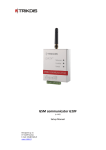
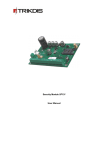
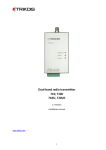
Remote control of the module In order to change the status of output OUT1, send an SMS message to module SIM card number. Examples of SMS messages are given in the table. Notes: If the table Wireless programming phones is empty, the module will change its output status after receiving an SMS message from any phone. If telephone numbers are entered into this table, module output status can be changed only from these phones; Output status can be changed when the operating mode for output OUT1 is set to Remote PGM control SMS; SMS message should be written in capital letters only! SMS message text OUTPUT ˽ 1234 ˽ ON OUTPUT ˽ 1234 ˽ OFF OUTPUT ˽ 1234 ˽ PULSE=005 RESET ˽ 1234 Description Output status is changed to ON Output status is changed to OFF Output status is changed to ON for a time period entered in seconds Module is restarted Note Instead of numbers 1234 enter the Administrator or a User code. Symbol „˽“ indicates a space in SMS message text. Technical parameters Power supply voltage Used current GSM modem frequency Memory Inputs Output Setting configuration Operating environment Dimensions DC 12,6 ± 3 V 60–100 mA (stand-by) Up to 250 mA (transmitting) 850 / 900 / 1800 MHz Up to 60 messages 4+1, NC type 1 OC type, commutating a direct 1 A current with 30 V voltage Through the USB port From -10 °C to 50 °C, with relative air humidity 80% with +20 °C 65 x 79 x 25 mm Package contents Module G10C Adhesive fastening tape (10 cm) 1 pc. 1 pc. Note: GSM antennas of desired type are collected by the additional request. - 11 -