1
Flash Control
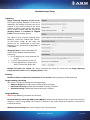
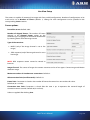
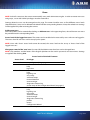
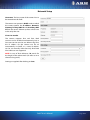
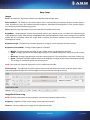
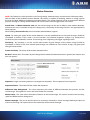
In the Flash Control section, various parameters of the camera illumination can be set.
If one of the automatic brightness control modes is active, its flashing parameters can be adjusted and saved here.
Flash Intensity: By this parameter, the light output of the camera illuminator can be adjusted.
NOTE: In case of 1.3MP camera models, adjusting Flash Intensity and Frame Parity Flashing are not supported –
they can only be turned on/off.
If ‘Enable/Disable’ is not selected, this value stands for the illuminating light output for all frames. Otherwise, this
value is valid on even frames only.
Frame Parity Flashing
NOTE: The use of this function is required only under such special circumstances when the recognition of both
reflective and non-reflective number plates is necessary.
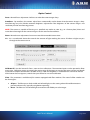
This option can be used to setup the camera for reading both reflective and non-reflective license plates. This task
is realized by switching to lower and higher light output between odd and even frames. With this illuminating
technique, the camera captures images with more and less intensive illumination. The former images will be
suitable for the recognition of non-reflective license plates, while the latter ones are for reflective plates.
If ‘Enable/Disable’ is selected, this value stands for the illuminating light output for odd frames and is represented
as a percentage of the Flash Intensity value.
E.g. if Flash Intensity is set to 50 and Frame Parity Flashing is set to 20 then the camera will flash with 50% power
on even frames and 10% (20% of the 50%) on odd frames.
NOTE: To assign Flash Intensity and Frame Parity Flashing values for brightness modes/light conditions, check
‘Enable Auto Brightness’ on the Brightness Control Tab.
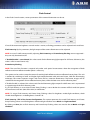
Flash Intensity / FPF of the Current Configuration: This option represents the saved Flash Intensity and Frame
Parity Flashing values saved for brightness mode and light condition set at Mode and Light condition.
By clicking on Save, the set Flash Intensity and Frame Parity Flashing values are saved to the set Mode and Light
condition.
ParkIT User’s Manual
Page 21/41