1
DcoderMan_EN
20.06.2002
16:24 Uhr
Seite 21
ENGLISH
4. Select “Poly” or “Mono” in the Amplifier section, depending on if you’d like the
Vocoder to be monophonic or polyphonic.
5. Make sure you have selected “Synth”as your Vocoder signal in the Routing
section.
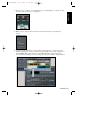
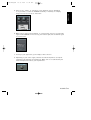
6. Hit Play in your application, you’re ready to have some fun… but you won’t be
hearing anything yet. First, you need to assign a MIDI track in your sequencer to
the D-CODER MIDI input! How this is handled depends on your sequencer’s
VST instrument handling. In the following, you will find a Cubase setup example.
D-CODER
/ 21