1
Chapter 6 : Tools and Techniques
Using Find
Use Find to search for folders and tasks in resource windows and in projects. The tasks in
the resource windows contain many abbreviations. Because of this, it is often easier to
search for the folders that would contain the tasks, rather than for the specific task. A
complete list of the abbreviations and their meanings is provided in Appendix B. You can also
type the abbreviation into the Index tab of the Help dialog box in order to find the term. Or you
can type a term in order to find its abbreviation.
For more information on Help, see Chapter 3.
Find Dialog Box
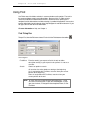
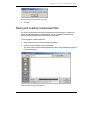
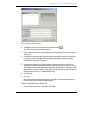
To open Find, from the Edit menu choose Find or click the Find button on the toolbar
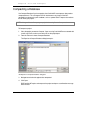
Find dialog box
Find What
Enter the word(s) you expect to find in the task or folder
description exactly as you expect it to be spelled. It is not case
sensitive.
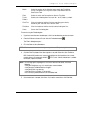
Search
Choose an option to search:
All: searches the entire database starting at the beginning
Up: in conjunction with Find Next, searches from your current
position to the beginning
Down: in conjunction with Find Next, searches from your
current position to the end
NOTE: To search from your current position to the end for tasks: 1. Click
on a task in the sheet panel; 2. Open the Find dialog box; 3. Enter
your search criteria; 4. Change the Search option to Down; 5. Click
Find Next.
84
BSD CostLink/AE User Manual
.