1
3
Configuring the Switch
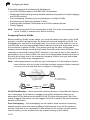
Forwarding Tagged/Untagged Frames
If you want to create a small port-based VLAN for devices attached directly to a
single switch, you can assign ports to the same untagged VLAN. However, to
participate in a VLAN group that crosses several switches, you should create a
VLAN for that group and enable tagging on all ports.
Ports can be assigned to multiple tagged VLANs, but are only allowed one untagged
VLAN. Each port on the switch is capable of passing tagged or untagged frames.
When forwarding a frame from this switch along a path that contains any
VLAN-aware devices, the switch should include VLAN tags. When forwarding a
frame from this switch along a path that does not contain any VLAN-aware devices
(including the destination host), the switch must first strip off the VLAN tag before
forwarding the frame. When the switch receives a tagged frame, it will pass this
frame onto the VLAN(s) indicated by the frame tag. However, when this switch
receives an untagged frame from a VLAN-unaware device, it first decides where to
forward the frame, and then inserts a VLAN tag reflecting the ingress port’s default
VID.
Enabling or Disabling GVRP (Global Setting)
GARP VLAN Registration Protocol (GVRP) defines a way for switches to exchange
VLAN information in order to register VLAN members on ports across the network.
VLANs are dynamically configured based on join messages issued by host devices
and propagated throughout the network. GVRP must be enabled to permit automatic
VLAN registration, and to support VLANs which extend beyond the local switch.
(Default: Disabled)
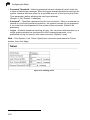
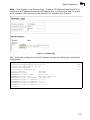
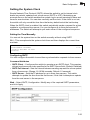
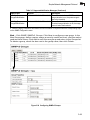
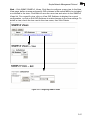
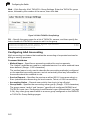
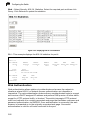
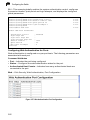
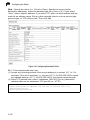
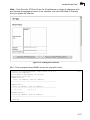
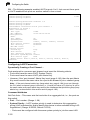
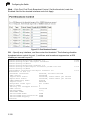
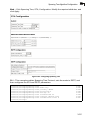
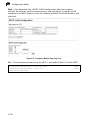
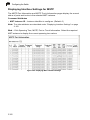
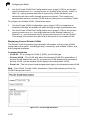
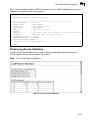
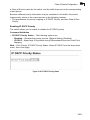
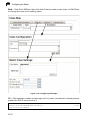
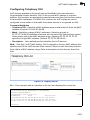
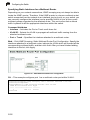
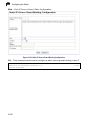
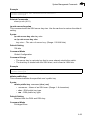
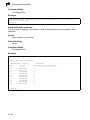
Web – Click VLAN, 802.1Q VLAN, GVRP Status. Enable or disable GVRP, click
Apply
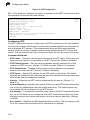
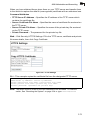
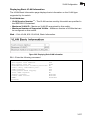
Figure 3-98 Globally Enabling GVRP
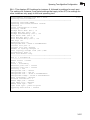
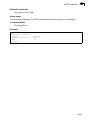
CLI – This example enables GVRP for the switch.
Console(config)#bridge-ext gvrp
Console(config)#
3-166
4-168