1
SWMT ADMINISTRATION INSTRUCTIONS
March 31, 2003
TEST DAYS
Session One
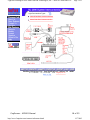
1. Prior to subject arrival in the test room, plug a fully charged battery into the Adaptor, and ensure the
Adaptor is connected to the tinyamps.
2. Insert the patient’s floppy disk, make note of the computer used on the case report form.
3. When the subject arrives, move the reference (A1 & A2), and ground electrodes from the Alice jack
box and plug them into the SWMT jack box. Securely plug the SWMT jack box into the tinyamps,
and velcro the tinyamps to the jack box. Ensure the jackbox and tinyamps are positioned comfortably
for the patient, and that all the electrode wires are bundled out of the patient’s way. Tell the patient:
Do you remember the 1-back and 2-back tasks? Today when you do these tasks, we are going
to record your brain waves at the same time. It will take a couple of minutes for the program to
check all the connections.
4. Launch the CMRecorder program from the shortcut on the desktop.
5. Ensure the correct subject identification number appears in the subject selection dialog.
6. Answer No to the edit subject demographic information query.
7. The Select Session Code dialog will appear. Do not update the session number. The first session of
the first test day should be session 1.
8. The program will automatically check the hardware connections, calibrate the amplifier gains, and
check the subject impedances. If any hardware problems are detected, informative warning messages
will appear. You will be warned of any impedance problems detected after the Subject Day-specific
questionnaire.
9. Have the patient complete the Subject Day-specific questionnaire.
10. If impedance problems were detected during the hardware check, warning messages will occur. You
may wish to tell the subject:
It seems that some electrodes do not have a very good connection. The electrodes need to
be securely attached to the head, with gel in between your scalp and the electrode. Poor
connections can occur if hair is in the way, or if the electrode is not sitting flat against the
head. I am going to try to fix the problem.
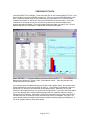
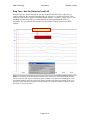
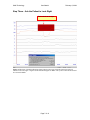
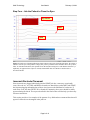
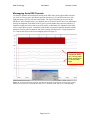
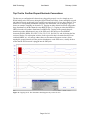
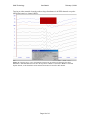
11. The EEG traces will then appear. Perform the biological calibration / signal check – (evaluate the
EEG while patient blinks and moves eyes to ensure electrodes are plugged in correctly and signal
quality is good). Since this is the first time the patient will see their EEG during this task, use this
opportunity to stress how important it is that the patient remain still during the test. After you have
completed the biocalibration steps, but before you press Yes to continue, tell the patient:
These traces are the signals that are coming from your head. If you blink, you can see
these big bumps in the electrodes over your eyes and the front of your head. The signals
that come from the brain are much, much smaller than this (if alpha is recognizable in the
traces you may want to point that out to your subject as an example of activity from the brain). If
you move, or grit your teeth, or scratch at an electrode, you can see how much this
disturbs the traces. That is why it is very important for you to sit as still as possible while
you are doing the tasks. When you move your eyes around, big disturbances occur on the
electrodes beside your eyes (indicate the disturbances on BPF9, Fp1 and Fp2 when the patient
moves the eyes). So it is important that you always keep your eyes on the stimulus in the
middle of the screen – that stimulus will also remind you of which task you are doing. In
the 1-back task, the stimulus will be the number 1, in the 2-back task it will be the number
2. In both tasks, it is important to keep your eyes on that number in the middle of the
screen. Do not move your eyes to look at the dots during the task. You can blink normally.
Page 6 of 10