1
<param value="n-acetyl-aspartate++0++0++0++5++2.6112500++0.34797200++-84.292700" name="fitt_PriorLine008"/>
<param value="n-acetyl-aspartate++0++0++0++6++2.6464100++0.40218600++128.61300" name="fitt_PriorLine009"/>
<param value="n-acetyl-aspartate++0++0++0++7++2.7379800++0.14213500++-158.19000" name="fitt_PriorLine010"/>
<param value="n-acetyl-aspartate++0++0++0++8++2.7731400++0.10540700++119.90000" name="fitt_PriorLine011"/>
</PRIOR_METABOLITE_INFORMATION>
The “value” attribute contains a string with eight parts: unique_name, index1, index2, index3,
ppm, area, phase. The three index values are integers and not currently used in MIDAS, but are
reserved for future expansion. The unique_name value is a unique text name for the metabolite.
The area, ppm and phase values are floating point value. Area is normalized to the number of
spins in the metabolite. Phase values are in degrees. All values in the “value” string are separated
by “++” characters. The “name” attribute is used internally to sort prior values.
Users can use whatever prior information sources they want, so long as it provides data in a
format that matches the required XML format.
5.
Using Vespa-Simulation to Create Prior Information
The Vespa-Simulation program (http://scion.duhs.duke.edu/vespa)is recommended to create the
prior information used in the FITT program. Vespa-Simulation allows you to create pulse
sequences using Python code that can access the GAMMA spectral simulation library. Using
these sequences, users can run spectral simulations and create prior metabolite information that
can be used as basis sets in FITT. Vespa-Simulation has an output utility that can save its results
to a file in both FITT 1.7 and FITT 0.2.x formats.
The VESPA program provides information on running the simulation. Here we make some
recommendations for using the Vespa-Simulation output utility to create prior information basis
sets for use in MIDAS:
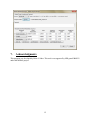
1. In the Mixed Metabolite Output dialog, use the Scale widget on each metabolite entry to
ensure that the areas for all singlets are set appropriately. For example, if tCholine(which uses a
CH3 group) was used in a simulation, you should set the Scale value to 3.0, this will ensure that
the choline peak that is output has an area value corresponding to 9 protons, rather than the 3 that
was used to simulate it.
2. Use the Add Metabolite Mixture button to pop up another dialog that you can use to create a
mix of simulated metabolites. For example, you can create a mixture of NAA and NAAG using
this dialog by setting the relative NAA area to 1.0 and NAAG area to 0.15. You can similarly use
this to create Glx and other mixtures for your basis set.
6.
Vespa-Simulation User Manual Appendix C
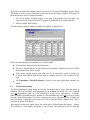
For convenience, we include here the relevant sections from the Vespa-Simulation User Manual
Appendix C on how to output prior information for use in MIDAS 1.7 and 2.x
Appendix C. Mixed Metabolite Output
5