1
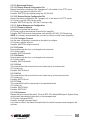
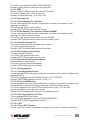
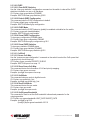
2.3.3.22 SNMP
2.3.3.22.1 Show rmon Statistics
To show rmon statistics IFNAME status.
CLI Syntax: show rmon statistics [IFNAME]
Example: SWITCH# show rmon statistics gi1/0/1
2.3.3.22.2 Show snmp-Server Community
To show snmp-server community.
CLI Syntax: show snmp-server community
Example: SWITCH# show snmp-server community
2.3.3.22.3 snmp-Server Host
This command sets the SNMP host information.
CLI Syntax: snmp-server host A.B.C.D
Example: (config)# snmp-server host 192.168.8.31
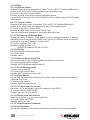
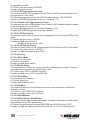
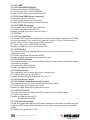
2.3.3.23 Filter
2.3.3.23.1 Deny Any Host
Use this deny MAC access list configuration command on the switch to prevent non-IP traffic
from being forwarded if the conditions are matched. Use the “no” form of this command to
remove a deny condition from the named MAC access list.
CLI Syntax: deny any host MACADDR [VLANID]
Example: (config)# deny any host c2f3.220a.12f4 1
2.3.3.23.2 Filter Set
This command defines an extended MAC access list using a name (enter access-list
configuration mode).
CLI Syntax: mac access-list extended WORD
Example: (config)# mac access-list extended mac_acl_1
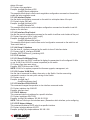
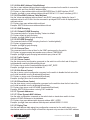
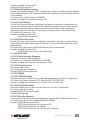
2.3.3.23.3 Filter Conditions
This command specifies one or more conditions (denied or permitted) to decide if the packet
is forwarded or dropped.
CLI Syntax: (permit|deny) any any
Example: (config)# permit any any
2.3.3.23.4 Filter Attach
This command is used to assign filter rule for a specific port.
CLI Syntax: mac access-group WORD in
Example: (config-if)# mac access-group mac_acl_1 in
2.3.3.24 Port Access Control
2.3.3.24.1 Default System Authentication Control
This command sets dot1x system authentication control to default.
CLI Syntax: default dot1x system-auth-control
Example: (config)# default dot1x system-auth-control
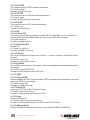
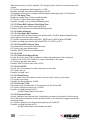
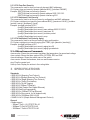
2.3.3.24.2 Dot1x Default
This command resets the configurable 802.1x parameters to the default values.
CLI Syntax: dot1x default
Example: (config)# interface gi1/0/1
(config-if)# dot1x default
2.3.3.24.3 Dot1x Guest-vlan
Use the dot1x guest-vlan interface configuration command on the switch to specify an active
VLAN as an 802.1X guest VLAN. Use the “no” form of this command to return to the default
setting.
CLI Syntax: dot1x guest-vlan <1-255>
48
COMMAND LINE INTERFACE