1
CONTENTS
Introduction .........................................................................................................................................................................3
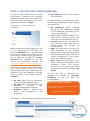
Step 1: Log into the user dashboard...........................................................................................................................4
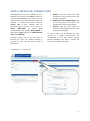
Step 2: Setting up a Project Site....................................................................................................................................5
Step 3: Designing the project management structure ........................................................................................7
Step 4: Adding and managing project members ...................................................................................................8
Step 4A: Adding project members..........................................................................................................................8
Step 4B: Managing project members ....................................................................................................................9
Step 5: Using the document library ......................................................................................................................... 10
Step 5A: Manage your folders ............................................................................................................................... 11
Step 5B: Manage your documents ....................................................................................................................... 12
Step 6: Using the document viewer ......................................................................................................................... 13
Step 7: Activating version control and notifica-tions....................................................................................... 14
Step 8: Manage Aspects and permissions ............................................................................................................. 16
Step 9: Using tags ............................................................................................................................................................ 17
Step 10: Starting a workflow ...................................................................................................................................... 18
Step 11: Starting a discussion .................................................................................................................................... 19
Step 12: Using and synchronising the calendar ................................................................................................. 20
Step 13: Uploading, downloading and merging of (3D) models .................................................................. 21
Step 13A: Managing your projects and users ................................................................................................. 22
Step 13B: Check in and check out models ........................................................................................................ 25
Step 13C: Using The BIM Surfer ........................................................................................................................... 27
Need more Help? ............................................................................................................................................................. 28
2