1
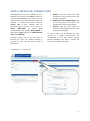
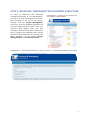
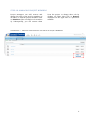
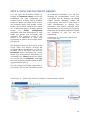
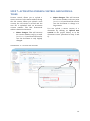
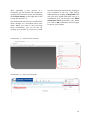
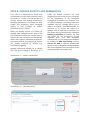
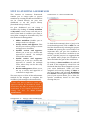
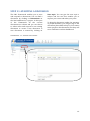
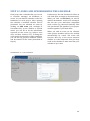
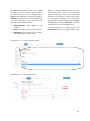
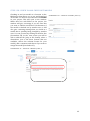
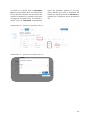
STEP 4: ADDING AND MANAGING PROJECT MEMBERS Project sites are created to share information among parties of interest. Therefore creators of a project site, or managers, are able to add or remove project members. This enables you to always safeguard the confidentiality of your projects. To add site members you can click on Invite on the top right in the Site Dashboard. You will now be confronted with a screen where you can either add existing members of the C & C Framework or invite external users. As a project manager you can remove and change the role of each member continuously. Roles that can be added to project members are: Manager: full rights to all content. Collaborator: full rights on their own content, but they cannot delete content of other members. Contributor: full rights on their own content, but they cannot edit/delete content of other members. Consumer: cannot create own content: read-only member. Although this process works intuitively, both steps will be further explained in Step 4A and Step 4B. STEP 4A: ADDING PROJECT MEMBERS You can search for existing members of the Framework by filling in their name under Members in a specific project environment and click on search. Subsequently, you can add the requested member to your list of invitations by clicking on Add. You can repeat this process for each member you want to invite. Furthermore, you can select a different role for each member (see Step 4 for a description). Send your invitations by clicking on Invite. You can also add external members by filling in their first name, last name and email address (blue rectangle). After you clicked on Add, they will receive an invitation by e-mail. SCREENSHOT 8 - INVITING PROJECT MEMBERS 8