1
Scanning
Desktop operators may prefer to have the Live View rotated if the scanner is
facing the operator. Click Rotate
to change the Live View if needed.
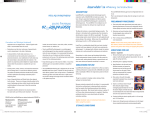
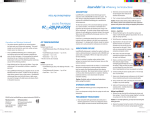
Begin at the location of the circle in the diagram below.
Move in half tooth (or smaller) increments and take
overlapping scans. Use small rotations at the corners of the
diagram. As you go down the buccal and lingual sides, the
wand can be held at close to 90°.
4
1 Turn OFF bright lights; they can interfere with scanning.
2 Scan.
3 Rotate and evaluate the model using Highlight
Low Data Areas.
4 Take more scans to fill in any low data areas (dark blue/purple) on the
prep and interproximal areas.
5 Trim Model if needed.
6 If an Impression was scanned of the prep or Clone, click
Impression Mode which inverts the scans to look like
a traditional model. This is NOT used on scans of a bite
registration.
Scan Occlusal Data (See next page)
Scanning Pattern
Scanned Model
Customer Support: 800.537.6070