1
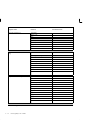
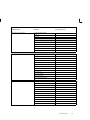
provided specifically for each transaction to create a plan. See
Collection Transaction Templates: page 5 – 10.
The collection plan(s) that you set up for use with Work in Process
transactions are similar to other collection plans. For example, you can:
• Add user–defined collection elements, such as collection
elements that capture the names or serial numbers of equipment
at particular operation steps.
• Add context elements to a plan and define them as
non–displayed. See: Reference Information/Context Collection
Elements: page 3 – 8 and Collection Transactions and Context
Element Relationships: page 5 – 41
• Add actions specific to Work in Process, such as the ”Place the
Job on Hold” action, then define the rules under which the
actions are applied. See: Quality Actions: page 3 – 25..
• Add message, alert, and user–defined actions. See: Application
Specific Actions: page 3 – 27, Message Actions: page 3 – 25, Alert
Actions: page 3 – 26, and User–Defined Actions: page 3 – 27
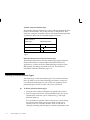
Collection Triggers for Transactions
After you set up the collection plan for the transaction, you must
associate it with the transaction. See: Associating Transactions with
Collection Plans: page 5 – 46. At the same time, you can define one or
more unique collection triggers for the plan, which will enable you to
specify the conditions under which quality data is collected during the
transaction.
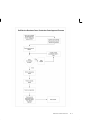
Setting up Routings
You can use triggers to tie very specific points in your routing to
quality data collection, thus it is important to understand how to set up
collection triggers in conjunction with your routing. For detailed
information on how to set up routings for Quality data collection
during transactions, including examples of four different routings with
diagrams, see: Setting up Routings for Quality Data Collection: page
11 – 10.
Mandatory and Background Data Collection
As with other collection plans, you can make quality data entry
mandatory by setting the Mandatory option. If quality collection is
mandatory, the user must save at least one quality data record before
Work in Process Data Collection
11 – 3