1
Contents
Contents
1
2
2.1
3
4
5
5.1
6
6.1
6.2
6.3
7
8
9
Introduction
Getting Started
Quick Start
Overview
Your VS-202YC 2x1:2 s-Video Switcher / DA
Connecting the VS-202YC 2x1:2 s-Video Switcher / DA
Connecting a PC
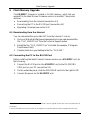
Flash Memory Upgrade
Downloading from the Internet
Connecting the PC to the RS-232 Port
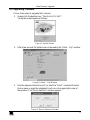
Upgrading Firmware
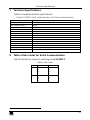
Technical Specifications
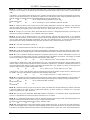
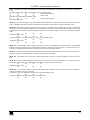
Table of Hex Codes for Serial Communication
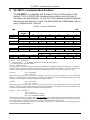
VS-202YC Communication Protocol
1
1
1
3
4
6
7
8
8
8
9
13
13
14
Figures
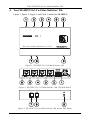
Figure 1: VS-202YC 2x1:2 s-Video Switcher / DA
Figure 2: VS-202YC 2x1:2 s-Video Switcher / DA (Top Side Panel)
Figure 3: VS-202YC 2x1:2 s-Video Switcher / DA (Lower Side Panel)
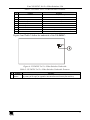
Figure 4: VS-202YC 2x1:2 s-Video Switcher Underside
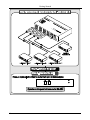
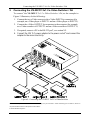
Figure 5: Connecting the VS-202YC 2x1:2 s-Video Switcher
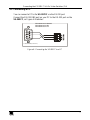
Figure 6: Connecting the VS-202YC to a PC
Figure 7: Splash Screen
Figure 8: Atmel – Flip Window
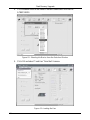
Figure 9: Device Selection Window
Figure 10: Selecting the Device from the Selection Window
Figure 11: Loading the Hex
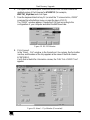
Figure 12: RS-232 Window
Figure 13: Atmel – Flip Window (Connected)
Figure 14: Atmel – Flip Window (Operation Completed)
4
4
4
5
6
7
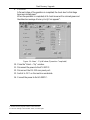
9
9
9
10
10
11
11
12
Tables
Table 1: VS-202YC 2x1:2 s-Video Switcher Features
Table 2: VS-202YC 2x1:2 s-Video Switcher Underside Features
Table 3: VS-202YC 2x1:2 s-Video Switcher / DA Technical Specifications
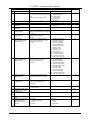
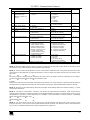
Table 4: Hex Codes
Table 5: Protocol Definitions
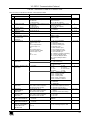
Table 6: Instruction Codes for Protocol 2000
5
5
13
13
14
15
i