1
MEDIWARE
5.3
Edsim++ Models
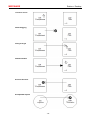
Symbol Categories
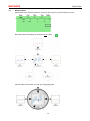
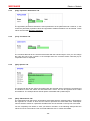
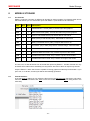
Symbols are the building blocks of an object and are used in equations defined within that object.
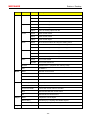
We discriminate between the following symbol categories.
Type
Subtype
Description
Constants
Event Constants
Invariant symbols used in event equations
Option Constants
Invariant symbols used for setting object options
Fittable Parameters
Time-invariant symbols that can be fitted
Non-Fittable Parameters
Time-invariant symbols that cannot be fitted
Interpolated Variables
Time variant symbols that must interpolated
Differential Variables
Time variant symbols that must be integrated
Parameters
Variables
5.4
Editing Model Properties
5.4.1
[Obj]: Object Tab
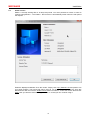
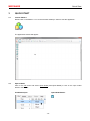
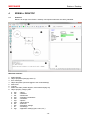
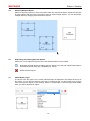
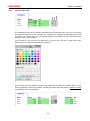
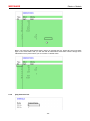
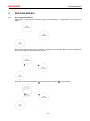
Here you can specify the name and molecular weight of the substance. You can mark an object as
being an “interactant” so that it can be discriminated from another object of the same type
participating in an interaction. Also the display color can be set here.
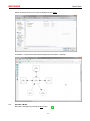
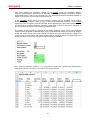
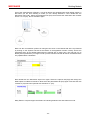
Objects can be synchronized to events occurring in other objects (the synchronization object). This
sync mechanism is typically used to reset a calculated AUC or average concentration using events
occurring in an input object.
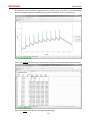
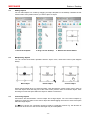
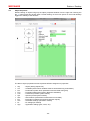
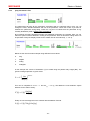
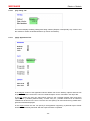
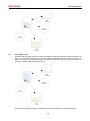
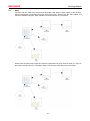
Some objects support events. A number of event sequences can be entered in the event table. The
timing of these sequences may overlap each other, allowing for very complex time tables. The
example above represent an infusion dosing schedule in which 100 mg (Dose) is given at time 4 h
(Tnul) for a duration of 1 h (Tdur) with an interval time of 8 h (Tint). In total 10 dosages are given
(Ndos). These event values are considered to be a special kind of constants (event constants).
-25-