1
Contents
Contents
1 Product Support and Maintenance
.......................................................................................................4
1.1 Product Support .............................................................................................................................................................4
1.2 Maintenance ..................................................................................................................................................................5
2 Overview of the Sensor
.........................................................................................................................6
2.1 Installation ......................................................................................................................................................................6
2.1.1 Components .......................................................................................................................................................6
2.1.2 Cable Connections .............................................................................................................................................9
2.1.3 Installing and Connecting the Sensor
.............................................................................................................14
2.2 Live Mode Overview ....................................................................................................................................................16
2.2.1 Read/No Read, Pass/Fail, Match/No Match ....................................................................................................17
2.2.2 Trigger Modes ..................................................................................................................................................17
2.2.3 Compare Data ..................................................................................................................................................17
2.2.4 Output 1 and Output 2
....................................................................................................................................17
2.2.5 Remote Teach .................................................................................................................................................18
2.3 iVu Emulator ................................................................................................................................................................18
3 Main Menu Reference
..........................................................................................................................19
3.1 Main Menu ...................................................................................................................................................................19
3.2 System Menu ...............................................................................................................................................................20
3.2.1 Sensor Mode ....................................................................................................................................................21
3.2.2 Sensor Configuration .......................................................................................................................................21
3.2.3 Sensor Information ...........................................................................................................................................22
3.2.4 Lock Sensor .....................................................................................................................................................23
3.2.5 Communications Menu ....................................................................................................................................23
3.2.6 Discrete I/O ......................................................................................................................................................27
3.2.7 Display Settings ...............................................................................................................................................29
3.2.8 Reboot Sensor .................................................................................................................................................30
3.2.9 Firmware Update .............................................................................................................................................30
3.3 Imager Menu ................................................................................................................................................................31
3.3.1 Auto Exposure .................................................................................................................................................31
3.3.2 Exposure ..........................................................................................................................................................31
3.3.3 Gain .................................................................................................................................................................32
3.3.4 Trigger ..............................................................................................................................................................32
3.3.5 Focus ...............................................................................................................................................................33
3.3.6 Strobe ..............................................................................................................................................................34
3.3.7 FOV ..................................................................................................................................................................35
3.4 Inspection Menu ..........................................................................................................................................................36
3.4.1 Barcode Menu ..................................................................................................................................................36
3.5 Logs Menu ...................................................................................................................................................................41
3.5.1 Inspection Logs ................................................................................................................................................42
3.5.2 System Logs ....................................................................................................................................................44
3.5.3 Communication Logs .......................................................................................................................................44
4 Display Modes
......................................................................................................................................45
4.1 Display/Hide Annotations .............................................................................................................................................45
4.1.1 Inspection Statistics .........................................................................................................................................46
4.1.2 Inspection Results ............................................................................................................................................46
4.1.3 Barcode Viewer ................................................................................................................................................47
5 Setting up for an Inspection
................................................................................................................48
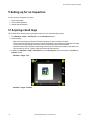
5.1 Acquiring a Good Image ..............................................................................................................................................48
5.2 Setting Up a Barcode Application ................................................................................................................................51
5.3 Setting up for Data Compare .......................................................................................................................................52
2
Rev. A