1
 Teledyne LeCroy Corporation
Format of Traffic Generation Files
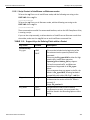
11.12.1 Script Control of Intelliframe vs Bitstream modes
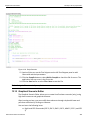
To force the .utg file to run in IntelliFrame mode, add the following text string to the FIRST LINE of the .utg file. ;intelliframe=ON
To force the .utg file to run in Bitstream mode, add the following text string to the FIRST LINE of the .utg file. ;intelliframe=OFF
These commands are useful if an automated interface, such as the USB Compliance Suite, is running a script.
If you run the script manually, to allow selection of IntelliFrame or Bitstream mode from the toolbar, make sure the .utg file has no such Intelliframe command line.
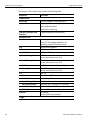
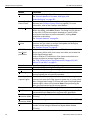
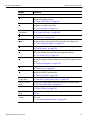
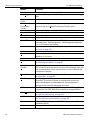
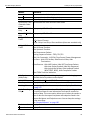
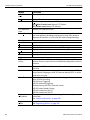
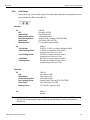
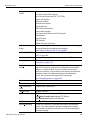
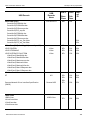
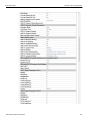
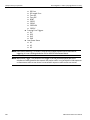
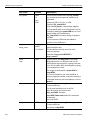
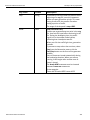
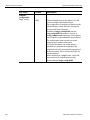
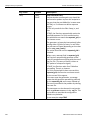
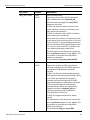
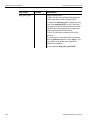
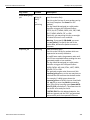
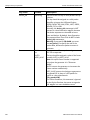
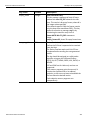
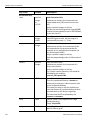
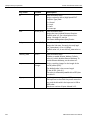
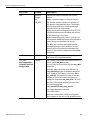
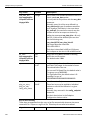
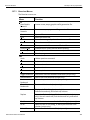
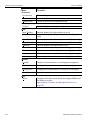
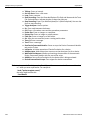
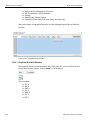
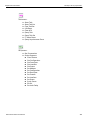
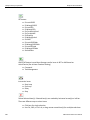
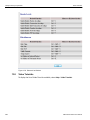
TABLE 11.2: Support Keys for Defining Fields within a Packet
Key Code
Format
Description
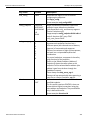
file_type
UPAS
CHIEF
file_version
integer
file_mode
HOST
DEVICE
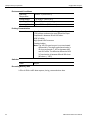
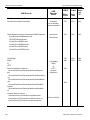
This must be included at the beginning of the file to determine the speed of packets to be generated.
Value must be file_type=UPAS to allow for High speed traffic, IntelliFrame operation, expected_pid and device_pid key support. Full and Low speed traffic, and Bitstream operation are supported on all file_type= values. If this statement does not appear in the file, the default is file_type=CHIEF, allowing backward compatibility with older USB Chief™ .usb files.
This must be included after the file_type= key to determine the version of this file. Value is currently 3.
Usage: file_version=3
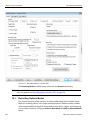
Sets generation mode to host or device. For generation to work, this must match the selection found in the Recording Options > Misc dialog.
File Control Keys
USB Protocol Suite User Manual
331