1
F Start-Up Wizard
F
Start-Up Wizard
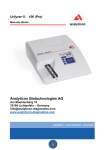
The first time your DocUReader 2 analyzer is turned on, it will take you
through a quick set up procedure. This procedure will allow you to select the
basic functions of the analyzer so you can use the analyzer with your choice of
settings.
The Start-Up Wizard will allow you to select the following settings:
•
Language
•
Date and time ( K.2 Date, time)
•
System security ( K.14.2 Modifying security settings)
o
Change ‘supervisor’ operator password
(optional: depends on selected security level)
•
Testing workflow ( G.2.2 Customization of testing)
•
Printout ( K.3 Printout)
•
QC ( I.1QC Options)
o
Add operators ( K.14.5 User management)
(optional: depends on selected security level)
If you wish to skip the wizard and perform it another time, press Skip on the
second screen.
If you require further instructions regarding how to change the settings see
K Instrument Settings.
At the end of wizard press Start to finish the wizard.
You can review all settings on the 'Options » View' settings screen. All
settings, including connectivity ('Output') can be changed at 'Options »
Settings' screens.
27 / 85