1
A Introduction
A Introduction
Due to software changes, some screens on the instrument may appear
slightly different from those in this manual.
What does the analyzer do?
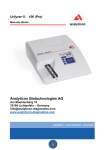
The DocUReader 2 analyzer is a lightweight instrument for reading LabStrip
U11 Plus urinalysis strips. It is a reflectance photometer that analyzes the
intensity and color of light reflected from the reagent areas of the strip. It is
designed for In Vitro Diagnostic (IVD) use by qualified physicians and
laboratory staff; however no special training is required to operate the
instrument.
The analyzer can be set up to be as simple or sophisticated as you prefer. You
may simply insert a dipped urinalysis strip into the analyzer and the result will
be reported. By modifying the user options the measurements can be
automatically started, printed and transferred.
Alternatively, you have the option to enter the Sample ID, Patient ID, and
color, clarity of the specimen manually. This added information will be reported
along with the test results. The system also allows full customization to
determine which fields appear on the printouts. You can also enable the user
management features, thus the Operator ID is also recorded with the test
results. The advanced security functions may also prevent unauthorized use
through configurable settings. Remember, these features can be set
independently.
The touch screen displays instructions and prompts you through the operation
of the analyzer. In addition, you enter information through the touch screen.
The optional barcode reader and external keyboard are also available for
accurate data entry to reduce transcription errors.
Do I have to calibrate?
You do not have to do anything to calibrate. The instrument performs a system
test each time it is turned on. Then, each time a test is run, the instrument
automatically checks and corrects its performance through the independent
internal sensor.
5 / 85