1
Flex.View V3.1 Help Manual
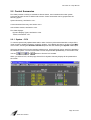
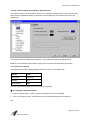
2.1 Alarm/Event Status Notification
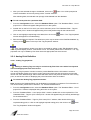
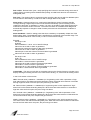
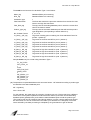
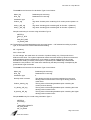
Flex.View uses both audible and visible indicators to denote alarm status, changes of state and
operator designated point information to display information pertinent to the system and your
application. Alarm/Event Status Notifications can be grouped into the following types:
Display Indicators, see Section 2.1.1.
Audible Alarm Types, see Section 2.1.2.
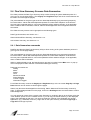
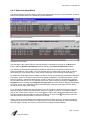
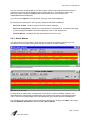
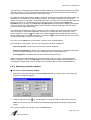
2.1.1 Display Indicators
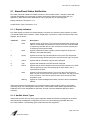
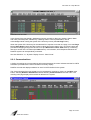
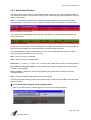
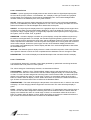
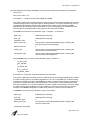
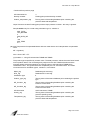
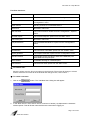
Flex.View display processes use several display conventions to alert the system operator to certain,
non-standard data value conditions. These "display alert" conventions, used in all relevant Flex.View
displays, are as follows:
Character
Color
Description
>
white
signifies control in progress. The control issued designator remains until
either a control failed is received from the I/O driver, the controlled state
is reported by the field device or the control time-out timer expires prior
to reporting of the expected state.
I
white
signifies Instrument Failure (outside of set EU range for the point as
defined in the Database Editor).
C
purple
signifies a Control Tag has been placed on the point This will prevent
controls from being issued on the point until the Control Tag is removed.
I
yellow
signifies that an Information Tag has been assigned.
#
cyan
signifies that a Manual Overwrite has been assigned.
A
yellow
signifies that an Alarm Disabled command has been placed on the point.
This will prevent the value from displaying an alarm state if one is
reported from the field.
*
white
signifies a communications failure. This occurs when the remote unit
does not reply to the scanner's request for information, the reply is found
to be erroneous, or the remote unit has been removed from the data
acquisition cycle.
flashing
signifies an unacknowledged alarm state. All other colors are database
defined.
Valid numerical data representations of non-alarmed points and/or analog values in "acceptable
operating range" are colored green whereas valid, "normal state" status data is represented in the
database record color designated for that state. All other colors are database defined for alarm
violations.
2.1.2 Audible Alarm Types
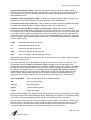
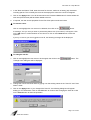
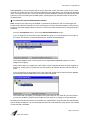
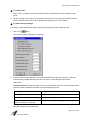
Alarms/events within the Flex.View system represent predefined software messages that are either
specified during the database configuration process or are automatically generated within the
Flex.View software. The following types of alarms/events are supported:
Page 44 of 249
5000-0001-0040-E