1
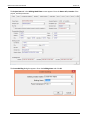
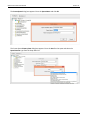
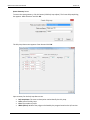
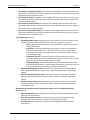
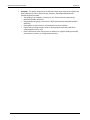
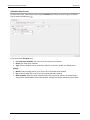
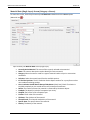
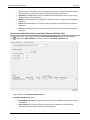
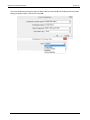
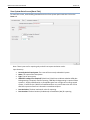
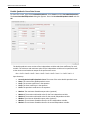
CBECC-Com 2013 User Manual Version 3c Door Construction Data Screen To access this screen, under Project name right click on DoorConstructions and scroll down to Create. Then click DoorConstruction. Make selections in the Create DoorConstruction dialog box, and click OK. Input summary for Door Construction Data: Currently Active Door Construction: The name of the currently selected door construction. Name: The name or description used to identify the door construction. Cert. Method: Select the Certification Method. Options are DefaultPerformance or NRFCRated. Open: Select the exterior door operation. Options are Swinging and NonSwinging. Type: The type of door. Types are InsulatedSingleLayerSectionalMetal, InsulatedSwingingMetal, UninsulatedDoubleLayerMetal, UninsulatedSingleLayerMetal, UninsulatedSingleLayerRollupMetal, WoodOther, and WoodThick. UFactor: The rate of heat transfer of the door. For CEC Default method, this value gets automatically populated depending on user selections for Open and Type fields. (User input required for NFRC-rated method.) 98