1
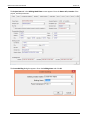
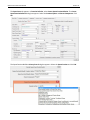
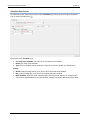
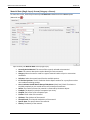
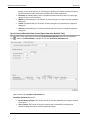
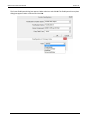
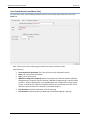
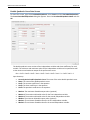
CBECC-Com 2013 User Manual Version 3c Air System Data Screen (Exhaust) To access this screen, under Building data double click an air system option (Air System icon Type field, select Exhaust. ). In the Input Summary: Currently Active Air System: The name of the currently selected Air System. Name: The name of the Exhaust Air System. Type: Select the type of air system, a unique descriptor that identifies high level attributes of a HVAC system. Status: Defines system status as New, Existing, or Altered. System Type: The type of exhaust system. This input is used to default assumptions for system controls and power. Options available are Laboratory, Commercial Kitchen and Parking Garage exhaust systems and can only be assigned to thermal zones comprised of the applicable SpaceFunction categories. Count: The number of duplicate systems represented by the current system. The number of duplicate systems can only be >1 when all attributes of the system are the same. If Count is specified to be >1, all parameters (capacities, power, etc.) should be specified for the single piece of equipment. The ruleset applies multipliers for the final simulation. Control: Control Type for the Exhaust System. Options available are COContol, NoCOControl. Description: A brief description of the Air System that summarizes its essential characteristics. Availability Schedule: Select the name of the Availability schedule for the Air System. 134