1
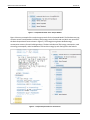
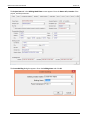
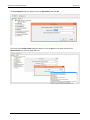
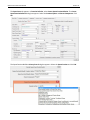
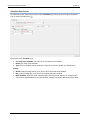
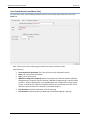
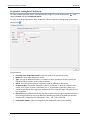
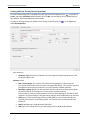
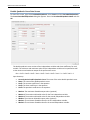
CBECC-Com 2013 User Manual Version 3c Heating Coil Data Screen (Heat Pump) To create a new Heating Coil, in the Mechanical tab right click on Air Segment or Terminal Unit, scroll down to Create, and select CoilHeating. In the CoilHeating Primary Data dialog box, select HeatPump in the Type field, and click OK. To access an existing Heat Pump, double click a heating coil option (Heating Coil icon ). Input Summary: Currently Active Heating Coil: The name of the currently selected heating coil. Name: The name of the heating coil. Type: Select the type of heating coil. Options are Resistance, Furnace, HeatPump, and HotWater. Status: Defines heating coil as New or Existing. Component Qty: The number of components. Fuel Source: The fuel driving the heating coil. Capacity (For single system/terminal if Component Qty > 1) section Num. Heating Stages: The number of heating stages for a furnace or heat pump heating coil. This applies to heating coils with more than one stage of heating. This system is typically a packaged unit with multiple heat pump compressors or a furnace with multiple firing rates. Net Capacity (Btu/h): The net heating capacity of the coil at AHRI conditions without adjustments for fan heat. Not a user input. 156