1
An Independent Publication for
co
C'>
C'>
.....
....Q)
.0
E
::l
Z
It)
Q)
E
::l
~
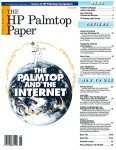
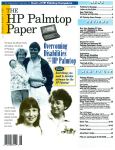
Users of HP Palmtop Computers
U.S. $7.95
'IlHE
P Palmtop
aper
Publisher's Message .. . ......... . ..... 1
Letters to the Editor ................... 4
New Third Party
Products and Services ...... . .......... 5
New HP Web Site Announcement. ....... 9
User to User ...................... . . 10
E-mail as the next ''killer app;' Why the HP 700LX; The HP
Palmtop Paper looks at the World Wide Web.
Wireless Communications
with the HP Palmtop ........... . .... . . 12
Ifs getting so easy to send and receive e-mail on your
Palmtop - you no longer need to be close to a phone.
The AIlPoints Wireless PC
Card and RadioMaii Service ........... 19
The AUPoints wireless PC Card and RadioMaii service get your messages across - wirelessly!
AIlPoints CardlWyndMaii Service ....... 22
A wireless messaging solution for the HP Palmtop.
Communicating Wirelessly
with the HP 200LX . .. ................ 23
There are a number of wireless services that work
with your Palmtop - how do you know which one is
right for you?
USing the HP Palmtop
with a Ham Radio ................... . 27
This user connects his Palmtop to other computer
systems via a Ham radio.
HP OmniGo 700LX Corner ............. 33
This is the first of a continuing column for users of
HP's new OmniGo 700LX. Gilles Kohl will look at developments in the 700LX, answer common questions, and
give some useful tips.
Palmtop Wisdom .................... 2-3
Use "boilerplates" to save hours of paperwork; Keep
your Palmtop "desk" clean; Promote increased wisdom
in the world.
User Profile:
Keeping Pastoral Peace
with the HP Palmtop ................ . . 37
This Archbishop schedules business and prayer meetings on his HP 200LX.
HP Palmtop Paper User Survey ........ . .. 41
User Profile:
On the Road with the HP Palmtop. ...... 42
This Palmtop trucker tracks tlip details with his HP
Palmtop.
E-Mail
Palmtop Names .............. . .. . ....... 45
or Fax
Anyvvhere
For many, their Palmtop has become a close companion - worthy of his/her own name.
Using the HP 200LX and
Laplmk with Windows95 .............. 47
Basic Tips ....................... 51·52
08
Quick Tips .... . .................. 53·55
Advertiser's Index.. . ................. 56
Files on July/August 96 ON DISK ....... 56
o
7447083112
9
The Only
HP Palmtop Upgrade
That Has It All.
To get the most from your HP 100/200LX palmtop, you need 3 advanced upgrades on 1 convenient PCMCIA card. First, you need to send and
receive both faxes and data at an exceptional 14,400 bps speed. Second, you need fax/modem software that operates easily with the same HP
function keys and commands you already use ... without the hassle of downloading software and without consuming precious hard disk space.
Third, you need Flash memory for fast, easy access to all your software applications and for efficiently storing data. Plus you need to fax
from and receive faxes into your Flash memory for extra convenience. And, most of all, you need the flexibility to use all your upgrade
features together or independently, without inserting and removing separate fax/modem and memory cards. Now you can have it
all with ThinFax 1414LXM.
ALL THE ADVANCED UPGRADE FEATURES YOU NEED ••. ON 1 CONVENIENT PCMCIA CARD.
EXP's award-winning MiniFax™ software. High-speed fax/modem. 2 or 4 MB Flash memory.
They're all built into the ThinFax 1414LXM card. That's why ThinFax 1414LXM is the
~ upgrade that's a must for your HP palmtop. So call the toll-free number
today for complete ThinFax 1414LXM specifications and the name of
an EXP dealer near you.
eRII: 714453-1020 or FRX: 714453-1319
bttp://UJUJUJ.expnet.com
EKr=J
MOBILE COMPUTING EXPERTISE IS BUILT INTO OUR NAME.
Publisher's Message
The HP Palmtop Paper
Whether you travel across town or
around the world, keeping in touch
is a challenge. Away from the office,
you may need to quote prices to a
customer, exchange information with
a colleague, communicate with your
husband or wife about picking up
the kids. Enter the HP Palmtop. Add
a special communications device and
a wireless service and you can be
almost anywhere and stay in touch
without the hassles of trying to find a
phone to make a modem connection.
We have devoted this issue to
wireless technology and the HP
Palmtop. In it you'll find background
information as well as concrete solutions. As you read, you will discover
that each solution has its strengths
and limitations, however, you will be
better equipped to find a solution
Hal Goldstein
that will work for you.
Frankly, for some time the whole
field of wireless technology sounded
like gobbledy-gook to me. Since wireless technology is pretty much outside
our reach in the small rural home of Thaddeus Computing, I haven't put
much attention in this area. However, my trip to an HP OmniGo 700LX conference in London opened my eyes (see my User to User column). While I
was there I was unable to make a modem connection at my hotel, and I
needed to receive some crucial information from the home office. During a
break outside the meeting hall, someone loaned me their PCMCIA cellular
modem card and cellular phone. With a few keystrokes I was able to get my
e-mail!
There are basically five elements to setting up a wireless system: hardware platform (Palmtop), software, communications device, service
provider, and wireless network. Service providers attempt to create packages so consumers don't have to sort through all the options. However, a
basic understanding of the possibilities is still necessary for you to make the
best choice. To that end, read David Shier's wireless overview (page 12) and
Frank Nagle's hands-on discussion (page 23) to get a sense of the whole.
Then read about the AllPoints/WyndMail and RadioMail combinations, the
latest about the HP 700LX communicator, and about Ham Radio and the
Palmtop.
Our How to Use section is a fun read. First learn how a trucker and an
Archbishop use their Palmtops. Then discover that many of us have grown
so fond of our Palmtops that we have given them names, some very creative.
Finally, please take the time to fax back our Reader Survey (page 41). We
can best serve you if we know what you like and don't like about our publication. Whether you tell us to leave The HP Palmtop Paper exactly as it is or
make radical suggestions for change, your input will help us do a better job
meeting your Palmtop needs.
P.S. Hope to see you at the Anaheim HP Handheld conference (page 7). We
will be giving away autographed copies of our new book PC in Your Pocket.
Volume five / Issue four
July/August 1996
Executive Editor/Publisher
Hal Goldstein
Managing Editor
Richard Hall
Associate Editors
Paul Merrill
Carol de Giere
Technical Editor
Tom Gibson
Department Editors
Ed Keefe
Carl Merkle
Wayne Kneeskem
Contributing Writers
Mike Fine
Rick Hurtle
Peter Jordan
AviMeshar
Frank P. Nagle
Phillip Nichols
David Shier
Randolph W. Sly
Advertisin~arketing
Brian 1.'eitzman
Margaret Martin
Tiffany Lisk
Circulation
Sharon Dilmore
David Brooks
SharonUoyd
Jolene Philllps
Executive Advisor
Rita Goldstein
The HP Palmtop Paper (ISSN 10656189)
is published by Thaddeus Computing
Inc., at 57 East Broadway Avenue,
Fairfield, IA 52556. Periodical postage
paid at Fairfield, Iowa. Subscription
rates payable in U.S. dollars, cliecks
drawn on a U.S. bank, or by credit card
- one year: $39; two years: $69. Postage:
U.S. and U.S. possessions free; Canada,
Mexico add $6 per year; other countries
add $18 per year. Published bi-monthly
plus two bonus issues, one in April and
one in November. Please allow four to
six weeks for receipt of first issue.
Executive, Editorial, Circulation,
Marketing and Advertising Offices: P.O.
Box 869, Fairfield, IA 52556. Telephone:
(515) 472-6330, FAX: (515) 472-1879.
Copyright 1996, Thaddeus Computin~,
Inc., aIr rights reserved. No part of thls
. publication may be reproduced without
written permission. Reasonable efforts
are made to provide accurate and useful
information, but the reader must make
his or her own investigations and decisions; the Publisher and Editorial Staff
cannot assume any responsibility or liability for the use of information contained herein.
POSTMASTER: Please send any
address changes to The HP Palmtop
Paper, Attn: Thaddeus Computing, Inc.,
P.O. Box 869, Fairfield, IA 52556.
THEHPPALMTOPPAPER JULY/AUGUST 1996 1
[Tips by Associate Editor Carol de Giere
unless otherwise indicated.]
TIME MANAGEMENT
Use "boilerplate"
to save hours of paperwork
"Boilerplating" is an efficiency
lover's dream, ideally suited to
computers. Whenever you insert a
standardized block of text into a
document and then personalize it,
you are taking advantage of this
time-saving technique. For example,
let's say you are a tax consultant and
you keep getting the same question
about capital gains tax over and
over again. If you're smart, you
answer it once and save the answer
as a Memo document. Whenever
you get the question again, you
open a new document in Memo,
type in: "Dear John, thanks for the
question on capital gains tax .... "
Then press IMENU I Eile Insert, select
the document that has the answer
and press IENTERI. Go through the
finished document once and adjust
the stock answer if needed to fit the
letter you are writing. Then all you
have to do is print out the new document, or save it and give it to your
assistant to print out and send off.
ON THE HP PALMTOP
There are a number of Palmtop
approaches to boilerplating. The
example above shows how you
might save boilerplate as Memo
documents. You could also create a
custom Database or use the NoteTaker application to save boilerplate. Going back to our tax consultant example, he or she might open
NoteTaker, press
to add an item,
and enter Capital Gains in the Title
rm
field and the answer to the question
in the Note field. Whenever the consultant needed specific boilerplate,
he or she would open NoteTaker,
highlight the question or topic in the
All Notes field, press ~ to go to the
Notes field, and use the Palmtop'S
Copy and Paste features to copy the
answer to a Memo document. They
might also create a system macro
that automates the process.
APPLY BOILERPLATING
TO OTHER USES
Any expert consultant can receive
hundreds of requests for information. Stock answers kept on the
Palmtop as boilerplate save time
and let a consultant answer more
requests for information.
A real estate investor or agent
writing a contract can pull out a
database of standard clauses for
modifying a contract. A professor
with 100's of essays to read and give
feedback on, can store an assortment of often-used comments and
cut them into his or her written
feedback quickly and easily.
The concept of boilerplating can
be used with spreadsheet templates
or database files as well as text documents. In any case, the trick is to
identify blocks of text, formulas and
formats that you use over and over
again, and save them as a boilerplate for future use.
Keep your Palmtop "desk" clean
As barnacles grow on a boat, so stuff
aggregates about our offices - and
on our Palmtops. In the physical
and electronic world, clutter hampers our effectiveness and our fulfillment.
The solution is to regularly clean
up, throw out and organize. Experts
2 THE HP PALMTOP PAPER JULY/AUGUST 1996
advise that you schedule a filing session once a week to deal with piles
of paper and unwanted mail on
your desk or in your in-box. Lessen
the incoming volume of mail by taking the time to get off mailing lists.
They also advise to clean up your
desk at the end of each day, throw
away anything you haven't used in
six months, and create storage
spaces for your nonessential, but
treasured barnacles.
KEEPING THE PALMTOP CLEAN
Most of this advice applies to your
Palmtop. Make a weekly appointment for yourself to finish up and
clean off past appointments and
ToDos. If you are signed up for several online news groups you may
have to wade through hundreds of
non-essential messages. Look carefully at the news groups you are
signed up for and eliminate the ones
you don't really need, read, or
respond to.
Additional advice on the subject
was given by Conrad Cox, leader of
a Users Group in San Francisco.
Conrad wrote this advice in the
Users Group newsletter:
"When the new year comes, people who use paper appointment
books and planners can throw them
out the window of their high rise.
On my Palmtop, I extract the previous year's activity from my
Appointment Book file. I review
each PhoneBook entry and delete
any that are no longer needed. I use
Filer to review the files on my
Palmtop's C drive and A drive. I
delete files for applications that I no
longer use. Most of the other
Palmtop users in our group extract
their old appointments more frequently. This helps reduce the size
of the appointment file, so the
Appointment Book's response time
is faster. The same is true with files
for PhoneBook, Database and other
built-in applications."
Rich Hall, Managing Editor for
The HP Palmtop Paper, advises to go
through the category field of
PhoneBook, NoteTaker and Database and rethink your categories.
Combine categories into new and
comprehensive ones. Eliminate categories you don't use. This will make
the Subset and Sort features work
faster.
Rich echoes Conrad's advice on
Filer. He periodically reviews all
files on his Palmtop. If he no longer
needs a file, he deletes it. If he thinks
he'll need it in the next three
months, he keeps it on his Palmtop.
If he thinks he may need it sometime in the future, or is not sure
whether he will or not, he backs it
up to a floppy disk and removes it
from the Palmtop.
Rich advises that you be careful
when you delete application files.
Check your AppManager screen
first and delete the icons for programs you no longer want. Make a
list of the icons you deleted, and the
ones you intend to keep. Consult the
list when your delete the application
files with Filer.
HAND forum, Internet sites, HP
technical support personnel, and
most importantly, subscribers to The
HP Palmtop Paper.
Keep an entry in your NoteTaker
file dedicated to fellow Palmtop
users. Next time you have a good
idea about something, jot it down
and send it in to us. Ideas could
include:
Promote increased
wisdom in the world
o
A good idea is usually created by an
individual and used by society to
move forward and better mankind.
Look at any profession or scientific
discipline, any philosophy or theology, any business. Good ideas are
created by people like you or I and
shared within and beyond the organization to the benefit of society.
The HP Paltmop Paper is the
product of this process. The editors
do very little writing (but a lot of
editing) to bring you the best of the
experts. Articles and tips come from
members of CompuServe's HP
o
o
o
How to do something better on
the Palmtop,
A challenge you overcame using
the Palmtop,
A product you've discovered that
makes the Palmtop even better,
Some wonderful bit of personal
wisdom that you can use the
Palmtop to actualize.
This approach can and should be
used in other areas of life. It's the
small, good contributions that add
up over the long haul, making life
better for you, your family, friends
and the world.
QU ==-
==- ;-~1X ™ often,
QUICK/LX learns the words you type most
gg g.=;-;
: s£
then suggests them after you type just
5
...s.
•
~
i/§-=-.
~...s. ~
a few characters. The suggestions are
•
1jrpmg aldfior the HP Palmtop
Your Palmtop Access to the World™
displayed in a box on the screen. You can
ignore the suggestion and keep on typing, or
accept it with thepressofa single key, and
QUICK/LX WIll fimsh the word. QUlCK/LX can
:1=.
=
also be used to correct your most common
Now you can have the world of electronic communications in the palm of your hand with acCIS ~ and
CompuServeo. acCIS automatically uploads and
downloads messages quickly. You can read
and write messages off line, saving on
connect charges and phone bills. acCIS is
the only CompuServe access program that is
designed specifically for your HP Palmtop computer. By using acCIS to join the HPHAND forum on
CompuServe you can correspond directly with palmtop
experts and programmers from around the world and easily download
software directly to your Palmtop. In addition to the Palmtop version,
you get a copy of acCIS for your desktop or laptop PC at no extra cost.
bD\~: ~~:r~~r::~s D!D:;a~ thu sugggstion whQrl
'suggestion made by
Example qfusing QUICK/LX in MEMO
typos! QUICK/LX works in
programs under the System
Manager and in text-mode DOS
applications. QUlCK/LX can
even be used to enter Macros
that work in both the System
Manager and DOS (unlike the
built-in System Macros.,
QUICK/LX also comes with a
DOS version for your desktop
computer.
QUICK/LX: $39
Now E-Mail & Faxing is Wireless & Effortless!
With the Personal Messenger IOOD ~
PC Card from Motorola and the Ardis
and RadioMail servic.es, you are free
to roam around the country and still
stay in touch!
You can send faxes and have full
two -way E-Mail capability all
with~ut wires, access numbers,
speCIal setup stnngs, long
distance or roaming charges.
Rad".oMa".1
ABC/LX adds intelligence to battery charging in the HP Palmtop,
51
plus it provides excellent information about battery conditions and
charging. With ABCILX you can simply forget about your batteries!
SHIER Systems & Software, Inc.
920 Hampshire Road, Suite A
Westlake Village, CA 91361
Phone: 805-371-9391
Fax: 805-371-9454
CIS: [74777,2477]
Call for
ourlatest ~~~ ~
CATALOG of
~~
Palmtop Products
E-_0-I.~
~
Visit us on the "Web" @ : http:\\www.shier.com
~~ ~
Telephone CordCard - Only $7.95
Also available from SHIER Systems & Software:
Custom cables to connect your HP Palmtop Computer to a wide variety of serial
peripherals. Examples include: Pocket modems, serial printers (including the
Citizen PN60 and Pentax Pocketlet.) Prices start at $35 - call for details.
THEHPPALMTOPPAPER JULY/AUGUST 1996 3
Letters
Australians Track
Water Systems on
the Palmtop
Goulburn-Murray Water is a
~ti.lity .involved in providing
IrngatIon and drainage to a
large area of the north central part of Victoria in
Australia. The irrigation
systems contain some 60,000
assets. As part of asset management HP Palmtops have
been used in the role of data
loggers. A simple Lotus 1-23 file was set up on the
Palmtops and four members
of my team trudged along
some 3440 km of channels
and 2000 km of drains, log-
ging physical features and
assessing the condition
rating of the channels,
drains, and associated
structures. This information was subsequently
automatically loaded into a
computerized Asset Management System.
Generally the Palmtops
behaved very well under the
exposed conditions. However, one mishap did occur
when one of the team members forgot to be a "good
soldier" and took his
Palmtop with him when he
fell into a drain. I must say
that I didn't exclaim "gee,
golly, gosh" when I found
out that he had lost some
five days of data.
Victor Zurawski
Executive Engineer,
Distribution Assets Group
Goulburn-Murray Water
Unfreezing the
Palmtop
Recently my Palmtop froze
up (on a Friday evening of
course!) and I was able to
access the information on
how to reset it (Icmq-ISHIFT,~) from a recent HP
Palmtop Paper. I felt extremely thankful as I would otherwise have had to wait until
the following Monday to
talk to HP's technical folks
to resolve the situation.
Anonymous phone caller
Chess for the
HP 200LX
If you do not mind spending
the money, Fritz 2.0 is a very
good chess program that
works on the HP 200LX. It
Everything's Included!
Just connect and let
MacLinkPlus do the rest!
-;G
"'----4'.,.",
Backup your HP on your Mac ...
With just a click of the mouse all your HP files are
stored on your Mac!
Don't retype all those names...
MacLinkPlus can mo,:,e all of your contact information from applications like
TouchBase or ACT! nght to your Palmtop and back!
Call (80~) .406-6504 o~ (203) 268-0030 for special pricing
or VlSlt our Web slte at http://www.dataviz.com
55Cofporate Drive' Trumbull CT 06611
4 THEHPPALMTOPPAPER JULY/AUGUST 1996
includes some great features, including game analysis, game databases, solve
for mate, set-up positions,
etc. It plays a pretty decent
game (probably rates
around 2000) . It definitely
beats me on a regular basis,
but that's not saying much.
I like to use it to follow
games out of the newspaper
or work out chess problems.
It's available from Chessbase USE for $49.95 (phone:
800-524-3527 or 301-7337541; Fax: 301-797-6269).
I definitely feel like I have
gotten my money's worth.
Fred Rice/Chi
76274 [email protected].
Palmtops are Rugged
I read Steven Leibson's let-
ter about attaching grip
strips in the Vol. 5, No 2
1996 issue of The HP Palmtop
Paper. I had exactly the same
experience as he did when I
opened the box, but the
Palmtop did fall on the
floor! Since then it has also
survived a 3-foot drop onto
solid concrete with no ill
effects (so far).
My last Palmtop was a
95LX which survived 2
glasses of water and 1 cup of
coffee being (accidentally,
and not at the same time)
poured over the keyboard .
When this happened I
immediately turned the
Palmtop upside down and
put tissue paper between
the lid and keyboard to soak
up the liquid. My 95LX gave
up the ghost about 3 months
after the coffee treatment
(may just have been the caffeine). However, my experience is that the Palmtop
seems to be more rugged
than it looks!
William Martin
Hong Kong
This section lists new products
of interest to users of the HP
Palmtop pes . New Products
includes descriptions of hardware, software, books, videos,
training and service offerings.
Prices listed in this section are
suggested retail. You may be
able to get the products for less
if you shop around.
Editorial Staff
HP Palmtop Paper
nications programs, database software, fonts and font
managers, programming
languages and garnes,
among others.
All software may be
legally used, but not all will
be eligible for registration
with the manufacturer, and
therefore technical support
may not be available.
Pricing: ...................Varies
CONTACT: Recycled Software,
HARDWARE
WIRELESS
COMMUNICATIONS
BIF PahoSUdion. Plus
Slip your Palmtop into the
R/F PalmStation Plus docking station to get an instant
wireless connection from
virtually anywhere.
The PalmStation Plus
includes a wireless modern
and a wireline modern . It
also has an RS 232 serial II a
port to connect to a computer. It operates 10 to 12 hours
before recharging is necessary. It doesn't use a
100/ 200LX card slot, leaving
that free for the card.
Pricing: ... . ....... . ....... $1495
CONTACT: EdI.lCALC, 27953 Cabot
Ref., Laguna Niguel, CA 92677, USA;
Phone: 800-385-9376 or 714-5820942. Fax: 714-582-1445.
HP
Inc., P.O. Box 33999, Las Vegas,
Nevada, 89133-3999, USA; Phone:
800-851-2425 or 702-655-5666; Fax:
702-655-5662.
SPECIALIZED
Building Inspedion
This CRW Associates software turns the HP Palmtop
PALMTOP USER GROUPS
Those interested in participating in an HP Palmtop users group should contact the
following individuals. Send us contact information formatted as below nyou wish to
be added as a contact for a users group in your area.
JAPAN- HP Palmtop users in Japan, contact Georga P. Eschatt. £/rimae 1-11-10.
KOtiyama C~ Fukushima Prat, JAPAN ~. Phone: 040-12.(/fJ9fJ(}; Fax: 0249-21·
I/Q5O. (Languages: Getman. English 8!Id.Japanese)
HP Palmtop Worldwide User Group News - send material about User Group
activities to Ahmet G. Odsik at the Turkish User Gfl)lJP (see contact information
below).
Kanses (USA) - 9511001200LX users in Kansas, contact: Man'etha Wilson, P'Q
Box 1151, Manhallan, KS 68502-0012; Phone: 913-532-9775.
ARGENTINA - 1001200l.X users in Algentina, contact Mi{peI Angel Misseri, E-meJI:
[email protected] •
MEXICO - Palmtop users in Mexico, contact: Jose Palino, Ave. Trssvina y Reles
#2103, Chihuahua, Chi". CP. 31240, MEXICO; Phone: (14) 2$-50-43; Fax: (14) 8101-75; Intemet palinotlmailinterred.com.mx GR... Frsncisco Dricio; Phone: (3)
664-1317; CompuSarve 10: {74174, 1442}
Atlanta, GA (USA) - Palmtop users in the Atlanta area, contact: A.K. Avas/hi, Phone:
Minneapolis, MN (USA) - HP Palmtop users in the MinneapolislSt. Paul area, contact:
Beth Silvetwater. p.a Box 27044, MiIneepoIis. MN 55427; Phone: 612-541-5831,' Fax:
612-541-5636; E-mail: 73502.3645@CCITIptJS(JIIie.com
770471-1389.
Cleveland, OH (USA) - 95LX11001200l.X users in the Cleveland area. contact Ctmg
de Fasse/fe, alo MEM, Inc., 4702 East 35S/i1 St, WiJ/cughby; OH44094.
boston, MA (USA) - 95LX11001200LX users in the Boston area. contact 8tyan
KmIll/lamSr; Phone: 617-J74-!l6tXJ x 197 (wor/<); Fax: 617-374-9620; Ccmpu$eMJ 10:
{70444.41J
BRAZIL - 9511001200LX usets in Brazil, contact: MafC()$ L. Pedroza, R1/8 Train
647Ap 104-8, 59021J..15ONa/aJ, RN-BRAZlL;Phone:5564211-6162.
Charleston, SC (USA) - 9511001200l.X users in South Carolina, contact: Ron fIIveJs,
P'Q Box 31284, Charfastcn, SC 2fJtI17-1264; Phone: tJa:!.864.6444,. Ccmpu$eMJ 10:
{75O:?3,44J
Denver, CO (USA) - 95LX11001200LX users in the Denver area, contact Bill
Hoeltgen, 5944 S. Kipling, Suite 300. Lilllelon, CO 80127; Phone: 303·
933-0023; Fax: 303-971-tJ341. Group meets quarterly.
DetroH, MI (USA) - 95LX1100/200LX users In the Detro~ area, contact: JeffZom,
29311 Ara-net, Fanning/on Hills, MI48334-2815; Phone: 31J.481J-I855 or Louis
Peeples, St Clair Shores, M148080; Phone: 313-m-9390.
FRANCE - HP Palmtop users in France, contact Olivier 0eUa Valle, 178 roe du
MaredIal LecIetc, 94410 SainI-MatJtice, FRANCE; Phone: (I) 43 531J5 67; ConpuServe
10:(101533, l(J()j
GERMANY I LUXEMBOURG - Not an officiaJ user group but this in<ivIWaI is wiDing
to help HP Palmtop users with questions or technlcaJ problellis; contact: Gilles Koh/,'
CompuServe 10: [IOO114,3146J; P"one: <49-721-69-36-55 (aher 6 p.m. Central
Eutr1p8/Jl1lime).
R~yled
Software
Recycled Software, Inc. sells
used software as allowed by
the License Agreement
included with the software.
Software in stock
include business and training software, graphics and
design programs, reference
texts on CD-ROM, commu-
los Angeles, CA (USA) - 95LX110C\'200LX users in the LA area. contact: OsveShier
at 805-371-9391; Fax.' 805-371-9391; E-mai/" davidtlshier.com,· Web site:
hl1p:ltwww.shier.com for f1II)'8 infrxma/kJn.
Arlington, VA I Washington, DC (USA) - 95LXJ1001200l.X users in the Allington,
VA I Washington, DC area, contact: Rick Shaddock, alo Computer Instroctors
CoipoIaIion, 2320South £ads, Mington, VA, ~ Phone; 1fJ3.48fJ.2222.
GERMANY - HP PaJmtO!"Omnillook users in Germany, contact: Edi8!t Ptinz, Obete
MtJhIstr. 58a, 642910anns1adf. GERMANY; PhotIeIFax: -f49 6151376065.
SOFTWARE
into a hand-held data collection unit for building
inspectors. This unique
package interfaces the
Palmtop with Builders
Square Permit Management
software so that field inspectors have everything they
need for rapid field-to-office
data collection.
The hand-held unit
provides the building
inspector with instant access
GREECE - HP Palmtop users in Greece, contact: Stavros O. Zacharakos,
SofOC/eous 33, Athens 15126, GREECE; Phone: (+3-01) 8050041; Mobile Phone:
(+3) 093-254-71724hrs.; Fax: (+3-01) 8050041... OR ... John Tatsiramos, alo
TAFARM, 70AhdIitserIisSlreet 11146-GalaISi, GREECE;Phone:(0I)29.11.4/JI,· Fax:
(01!29.28.174.
New JerseyiNew York (USA) - 95LX11001200LX users In the New Jersey/New
York area, contact: Stanley Dobrowski, 169 Spnngfield Avenue, Rutherford, N./,
0707(J-.1642; CIS 10: {7671',2302J; Phone: 201-807-5857 (work).
Oklahoma Ctty, OK (USA) - 9511001200LX users in the Oklahoma cny area,
contact: Richard B. Meek, 1804 Huntington, Oklahoma City. OK 73116; Residential
Phone: 405-642-/267.
PANAMA I LATIN AMERICA - HP Palmtop users in Panama or latin Amenca,
contact; Avirsn Yani" P. 0. Box 31002 Colon Frse Zone, REPUBLIC OFPANAMA;
Phone: 507-4410442; Fax: 507-4410473.
PHIUPPINES - HP Palmtop users in the Philippines, contact Carlos: Ca/iwanJ, 2nd.
ffocr, OHMC Bldg., 109 Nep/une St, £JeI..Ait; Makafi ~ PHlLJPPlNES; Phone: (632)
8906229 /0 36, extensions 120& 121,' Fax: (632) 9285635;lnlemel la' lewl tlmeiI.ph.net
PhoenIx and Tuscon, AZ (USA) - HP Palmtop users in the PhoanixlTuscon area.
contact: Coiy L. Curtis. P'Q Box ~ Phoenix, AZ 85lJ63.3502; Phone: 602-9309661,' Fax602·9:K).iJ554,- CISlO/1021)10.632), ETl/aJ:paImtopstlSII;rfinIGcom
PORTUGAL - 95LX1100/200LX users in Portugal, contact: PPTI.IG, Rua da
SFI.IAp, A·8, 2810 Laranjeiro. PORTUGAL; PhoneIFax: 351+2597216; Intemet.
sulp/anotlindividua£eunetpl
Richmond, VA (USA) - 95LX11001200LX usets in the Central Virginia area, c0ntact: John Haske/t, 7102 TlIrse Chopt Road, Richmond, VA 2J226.3615; CIS 10:
{7075O,1243} Of Phone: 804-288-6073 (worf<).
San DIego, CA (USA) -
10C\'200LX users in the San Diego area. contact: lkJn IW8ms
at619452-8287or61!J.548816/J,' EnIaI: riJnwtlcls.com forf1ll)'8 infonnaIion.
San Francisco, CA (USA) - Users in the Bay Area of Northem CaJiiomia, contact:
Corirad Car e-maJ '6161/.467t1fXJ1T1!!tJS1J1'com
TURKEY - HP Palmtop users in Turkey, contact: Ahmel G. Ozisil<, Soyak Bines;,
Buyukdere Cad 36, Mecidiyekoy. Istanbul8029O, TURKEY; Phone: (212) 275 09
10 (ext. 309); Fax.' (212) 211 5761; E·ma;!· [email protected]./ror aozisik
@ibm.naJ
HOLLANDIBELGIUM - HP 95LX1100/2OQLX users In the low countries, contact:
PROMPT HP..r;C, Mister G. Dong$. POSIbus 1081, 1500 AS Zaandam, HOLLANO;
Phone: +31756704205; E-mail: 74064.173t1fXJ1T1!!tJS1J1.com
UKRAINE - HP Palmtop users In the Ukraine, Odessa, Kiev, Cnmea regions,
contact: I.inetsliYy V. O/eg, I, Varverol'SAy Spusk, Nikolaev, 327iJl5, UKRAINE;
Phona: (051) 38-73-51 36-73-13; Fax: (051) 24-41·25.
INDONESIA - HP Handheld users (HP 75C, 110, 48, 12, 100/200LX) in
Indonesia, contact: Oirk H. Eversbert, alo P. T. Auslindo Milrslama, Mr. Elman
Sunama. J! Gunung Sahan 216E, Jakatta 10610. INDONESIA.
UNfTED KINGDOM - HP PaJmtop users in the United Kingdom, contact: Michael A
Brown, M84 Group, 33 AIbuJy AV8IIIJ8, IsIewoi1h, MIIkIesex, rn7 SHY, UK.; Phone:
ITALY - 951100l200LX users In Italy, contact: S/efanoG~/i, Via £: Toli, 13-60123
Ancona, ITAL Y,' Phone: 071-36645 Of 071-200916; Fax: 071-200916; IntemetlO:
sg~/i(jm/Jcx. va!it
0181-647-3777; Fax:0181-5682402. or
Osvkl Hodges, HPCC Mem/JefsIJ#J Sacrelaty, 8 Slnifforri Ccutt SaHsbuty Road.
F8!T1/xxrJtJgt1, Hanpshire G1.I1147AJ. 1.11( w.miertli:.ac.uk
5 THE HP PALMTOP PAPER JULY / AUGUST 1996
to all open permits and
inspection history as well as
allowing him/her to record
the new inspections.
Pricing: ...................$1,500
(Including HP 200LX, software, 4MB
flash card, and more. )
CONTACT: CRW Associates,
14980 Via Tazon Suite 320, San
Diego, CA 92127, USA; Phone: 619451-3030; Fax: 619-451-3810.
Photographer's
DataGuide
Photographer's DataGuide
replaces information provided by a number of technical
publications and tables.
Available in 100/200LX format, DataGuide provides
calculation functions, f /stops, filter recommendations, and lots more.
The program covers all
major still film formats from
35mm to 8 x 10 in/20 x 25
cm. Data for 16 fixed focal
length or zoom lenses can be
stored. One section describes
128 pieces of equipment.
The Cinematography
module covers film formats
from 8mm to 70mm plus
four video formats. It provides information on depth
of field, hyperfocal distance,
angle of view, supplemental
lenses, film length and running times, projection, light
source conversion, circle of
confusion, shutter calculations, equipment listing, and
conversion tables.
Almanacs for various
countries show data useful
for outdoor photography or
for anyone who needs to
consider natural lighting.
Available: ............ August, 1996
Pricing: (in Pounds Sterling, valid until
December 1, 1996.)
Camera: .................. 60£
Darkroom: ............... .40£
Cinematography: ........... 80£
Almanacs: ... ....... .40£ each.
CONTACT: Doug/as Software,
Sarum Lodge, Main Road, Littleton,
Winchester, Hants, S022 6QS, United
Kingdom; Phone: 44 (0) 1962880495;
Fax: 44 (0) 1962854400.
Point of Sale
A~~ounting SystelD
Wincorp International sells
a Palmtop-based system to
automate Van and Truck
sales. It electronically captures invoice, cash and
inventory data at the point
of sale. The accounting cycle
includes the transfer of
orders, transfer of inventory,
point-of-sale invoice, and
printing of receipts, as well
as end-of-day transfers of
data (for inventory, cash
and sales). The system is
portable and attaches to a
thermal printer. It interfaces
with most DOS/Windows
Accounting applications.
Training and customized
options are available.
Pricing: .... . . ..... ...... . .$2,400
(Not including Palmtop and memory
card.)
CONTACT: Wincorp
International, Inc., 10050 NW
116th Way, Suite 11, Medley,
FL 33178, USA; Phone: 305887-4000; Fax: 305-887-4400;
E-mail: [email protected]
TilDeTra~ker/LX
TimeTracker /LX by D&A
Software addresses the
needs of individuals and
companies that need to keep
track of time - to bill clients
for work done by time, productivity, or for people curious to know "where their
time disappeared." TimeTracker /LX was designed
for the HP LX platform and
uses the familiar GUI display style of the built-in
applications. The program
relates individual time
records with activitiy types,
and can use any number of
attributes/ categories, allowing you to "slice" the data
and view it from many perspectives: "How much time
was spent for Client X?",
"how much time was spent
for Client Y doing activity
type Z?" etc.
6 THEHPPALMTOPPAPER JULY/ AUGUST 1996
The product has two
modes. The standard mode
provides a strong model for
time tracking. The Advanced Mode provides
more flexibility for different
types of needs. Example
database templates come
with the product and may
be used or build onto.
A built-in report "language" allows you to quickly create different reports by
describing them via the
report specifications. The
formats can range from simple Feed files into Lotus
Spreadsheets (CDF format)
to a report that can be printed and mailed as an invoice
to a client. Several report
formats come with the product, to be used as is, or modified to meet your needs.
Pricing: .................. $129.00
CONTACT: See Contact information for VOL TILX be/ow.
UTILITIES'
VOLT/LX Assists
Battery Users
VOLT/LX meets the needs
of those Palmtop users who
do NOT use rechargeable
batteries. The voltage is displayed on the label of the F1
key, where normally the
label "Help" appears, without affecting the function of
the F1 key. Pressing F1 will
display the Help screens as
before. VOLT/LX also displays the hours the battery
has been used.
VOLT /LX contains all
the features needed to monitor the status of nonrechargeable batteries. A
$:5.00 coupon is attached to
upgrade to ABC/LX vl.O.
VOLT /LX is produced by
D&A Software Inc.
Pricing: .... ....... . ....... $ 9.95
CONTACT USA: Shier Systems &
Sohware, 920 Hampshire Road, Suite
A, Westlake Village, CA 91361, USA;
Phone: 805-311-9391; Fax: 805-3119454; [email protected]
CONTACT Europe and Asia :
Runde/ Datentechnik, Rappenstr. 20,
13033 Goeppingen, Germany; Phone:
+49 (01161) 14107,' Fax: +49 (01161)
24413; E-mail.' [email protected]
Sharewarel
Freeware
Freeware GalDes
The following games were
written specifically for the
HP 100LX and 200LX Palmtops, or have been adapted
for it with specific Palmtop
instructions, and so their
graphics and strategies are
Palmtop-appropriate.
Blackjack - BJ.ZIP ij simulates Vegas-style blackjack
where you play against a
dealer.
Dominoes - DOMINOES
.ZIP ij is version 1.5 of the
classic game of Dominoes.
Since it was designed just
for the Palmtop, the graphics are scaled right and easy
to see. The simple interface
lets you point at the domino
you want to play using the
F-keys. With practice, you
should be able to beat the
computer at least one-third
of the time. New to this version is the choice of
"Beginner Mode" or "Expert
Mode." The program can
evaluate your game and
offers tips for improvement.
Yahtzee - YAHTZEE.ZIP
ij is version 1.1 of the popular Yahtzee game. The
game is easy to see as well
as to use on the Palmtop.
The size of the .EXE file is
less than 10K. New to this
version is the one hundred
point bonus for all Yahtzees
after the first one. In this
ver: ;')n, only one person
plays, trying to score as high
as possible.
FreeCell Solitaire - FREECELL.ZIP Ii version 1.2 lets
you arrange stacks of cards
in descending order and
alternating color, while trying to build up suit foundations using the four "cells"
as temporary storage. The
game features smart autoplay and a 200-move memory allowing you to back up.
Klondike solitaire
KLONDIKE . ZIP Ii is the
card game that most folks
refer to as simply "solitaire."
New to this version are:
* Backup using the backspace key, up to 200 moves.
* Smart auto-play to the
foundations.
Update:
HP Handheld '96
Conference & Show
August 24 & 25, 1996
Door prizes will be given away at the annual HP Handheld '96
Conference and Show, held this year on August 24 & 25 at the
Anaheim Marriott Hotel, located walking distance from Disneyland in Anaheim, California, U.S.A.
The conference will include presentations and discussions on
the HP Palmtops, OmniGo organizer and HP calculators.
Presentations and discussions will cover general user topics,
hardware and programming issues, and include a round table
discussion with HP personnel. A vendor show will display handheld related products.
The keynote speaker will be Kheng-Joo Khaw, General
Manager of HP's Asia Pacific Personal Computer Division, the
division responsible for designing, manufacturing and marketing
all HP handheld products, from high-end calculators to HP
Palmtops and OmniGo organizers.
Saturday night's conference highlights will include a reception with HP personnel.
* Move partial stacks of
cards if you like.
More shareware!
freeware galDes
Golf - GOLF.ZIP Ii version 1.6 lets you draw cards
graphically, and play by hitting the Function key that
aligns with the card you
want to play. New to this
version is faster card drawing, as well as some other
minor improvements.
Sokoban
42-LX - 42-LX.ZIP Ii is a
bidding-type game similar
to bridge, pinochle and
spades, except that 42LX.ZIP is played with dominoes. You bid on how many
points you think you and
your partner together can
catch.
CONTACT: The above seven
games are available on The Palmtop
Paper ON DISK and also from: Curtis
Cameron; E-mail address: [email protected], or in the Internet at:
hup://users .aol.comlfreewhI44/
HP-SOK.ZIP Ii is a version
of Sokoban written for the
HP 100/ 200LX using the
PAL library. It allows the
player to create personal
game levels. This version
corrects an error on one of
the game levels and also
allows the player to toggle
between done and undone
levels.
Type: .............. Postcard-ware
Available: In library 11 of HPHAND on
CompuServe or on the HP Palmtop
Paper ON DISK. Contact: Allan
Schoepp, 70314.1400@compuserve
.com
P{; BelDote {;ontrol
PCREMOTE.ZIP Ii is a tiny
text-based remote control
utility to control one PC
from another.
Registration prices:
Advanced - $99
At the door - $150
Registration contact:
Shier Systems & Sohware, 920 Hampshire Road, Suite A29,
Westlake Village, CA, 91361, U.S.A.; Phone: 805-371-9391; Fax:
805-371-9454; Internet [email protected]
WEB Site: Up-to-date conference information will be maintained on the web page at htlp:llwww.shier.com!-hhc96.
Program information:
Contact: Attn: Richard Nelson, EduCALC, 27953 Cabot
Road, Laguna Niguel, CA 92677, USA,' Phone: 714-582-2637
ext. 106.
THE HP PALMTOP PAPER JULY/AUGUST 1996 7
Knowledge Products From Thaddeus
The HP Palmtop Paper
Each issue contains 100's of ideas to increase your personal effectiveness.
The HP Palmtop Paper
Subscribe today and receive:
• 6 issues of The HP Palmtop Paper
• Bonus issue: Best Palmtop Tips
(Each Spring)
• Bonus issue: PC Card Review
(Each Fall)
• Subscriber PowerDisk
(Each Fall)
"The HP Palmtop Paper
has saved me countless
hours offrustration"
Steve Mitchell
Middleburg, Indiana
Order back issues of The HP Palmtop Paper while they last
Like the HP Palmtop? There's plenty of useful information already published.
HP 95LX users will especially benefit from thirteen 1991-93 issues, and HP
lOOLX and HP 200LX users will appreciate the twelve 1994-95 issues. Included
is a Subscriber PowerDisk for each year.
The HP Palmtop Paper On Disk
"Best Tips On Disk" comes free with The HP
Palmtop Paper On Disk subscription
Get a supplemental disk containing all the great freeware and
shareware you read about in each The HP Palmtop Paper.
This supplement to The HP Palmtop Paper also contains detailed information from advertisers plus the full text of The HP Palmtop Paper for text
search.
Best Tips On Disk: Free or can be ordered separately.
Each year we compile the best palmtop tips and the best freeware and
shareware and put it on two 1.44 Meg floppy disks. Included FREE only with
your The HP Palmtop Paper On Disk subscription, or can be purchased
separately.
Subscribe to: HP OmniGo World
Like The HP Palmtop Paper? The same editorial team creates
the quarterly publication HP OmniGo World.
Bonuses include:
• 3 OmniGo Extras catalogs per year • 3 Bonus Special Reports
• Graffiti ™ stick'em guides to help you learn the handwriting recognition
language fast
HP OmniGo World
Thaddeus
Computing
INC.
Publisher: The HP Palmtop Paper and HP OmniGo World
57 East Broadway, Fairfield, IA 52556
800-373-6114 • (515) 472-6330
Fax: (515) 472-1879· E-Mail:[email protected]
continued on page 49
Type: . . . ........ ....... Freeware
Available: Now in library 9 of HPHAND
on CompuServe or on the HP Palmtop
Paper ON DISK . Contact: Beverly
Howard, 75533 .1712@compuserve
.com
Type: . . .. ... .. . ........ Freeware
Available: Now in library 11 of
HPHAND on CompuServe or on the
HP Palmtop Paper ON DISK. Contact:
Andreas Garzotto, [email protected]
New HP Web site gives
consumers real-life look at
handheld-computing advantages
(Browse www.hp.com/handheldfor HP handheld information.)
Windows File
Transfer
DOS CODlIDands
for Graphi~s
WINFILER.ZIP i j facilitates
transfer between HP 200LX
and Windows 95. The program was written for Win95
only and won't work with
Win3.x. The author invites
your suggestions.
PCX_VIEW.ZIP i j contains
simple DOS commands to
display .PCX graphics. It
provides simple utilities to
crop and invert images. All
were written by Brian Steel
in 8086 assembler code, so
they are very small and efficient.
Type: .... ..... .. ...... Shareware
Available: Now in library 9 of HPHAND
on CompuServe or on the HP Palmtop
Paper ON DISK. Contact: Tom
Hollenberger, [email protected]
Database Viewer
DBV.ZIP i j contains DBView, a database viewer for
GDB/PDB database files,
having the same graphic
environment as the built-in
database application. DBView can run in DOS, and
has better searching capabilities. DBView is a freeware
PAL application.
Type: ..... .. .... . ...... Freeware
Available : Now in library 11 of
HPHAND on CompuServe or on the
HP Palmtop Paper ON DISK. Contact:
Harry Konstas, 72540.620 @compuserve.com
PAL Text Editor
PE.ZIP i j contains PalEdit, a
PAL based text editor that
has almost the same look
and feel of the built-in
Memo editor. It does not
support formatted texts, but
is much more powerful as a
text editor. It handles multiple open files, unlimited file
length, lines that are up to
32000 characters, binary file
editing, and incremental
searches. It supports most
EMAC commands and is
expandable through DOS
filters.
Type: .... . . .. . ..... .. . .Freeware
Available: Now in library 11 of
HPHAND on CompuServe or on the
HP Palmtop Paper ON DISK. Contact:
Brian Steel , [email protected]
S~ientifi~ Cal~ulator
UCALC.ZIP i j contains
Ultimate Calculator v3.0c
graphic scientific calculator.
It includes an expression
evaluator with many builtin functions, operators,
numerical notations, and
modes. You can input user
variables and functions . It
solves and plots equations,
does integrations and summations. Supports hex and
binary notations. Radian
and degree modes included.
Has a resizable TSR window. Online help available.
Type: . ... .. . ..........Shareware
Available: Now in library 11 of
HPHAND on CompuServe or on the
HP Palmtop Paper ON DISK. Contact:
Daniel Corbier, [email protected]
CONFERENCES,
UPGRADES
and UPDATES
PDA Fonun August 21
The Second Annual Utility
Industy Handheld and PDA
Forum will cover field automa-
Hewlett-Packard has launched a new Web site dedicated to its line of
handheld computers and calculators. The new Web site is based on the
theme of "Power in the Palm of Your Hand." The site provides consumers with detailed product information, downloadable software and
aplets, while creatively illustrating how HP's handheld computers can
enhance the mobile professional's work and personal life. HP uses a day
in the life of a mobile professional to show, with illustrated examples,
how consumers can use handheld computers in ways they may not have
considered.
"We've packed this new Web site with useful information for consumers to better understand how handheld computers can make their
lives easier," said Kheng Joo Khaw, General Manager of HP's Asia
Pacific Personal Computer Division. "Whether they currently own a
handheld computer or are considering a purchase in the near future,
they will find our Web site useful - it provides a real-life look at how
HP's line of electronic organizers, Palmtop PCs and calculators can
assist them in their daily lives - whether at home, in the office or anywhere in between."
In addition to obtaining detailed product information and specifications from the new Web site, consumers can register their HP handheld
products on-line, receive technical assistance and documentation, and
read customer success stories and the latest press releases. Also
included on the Web site are industry awards, an animated on-line product demo, a calculator shopping guide and hypertext links that take consumers to product reviews, articles and other Web sites that support
HP's handheld products.
tion in the Utility Industry,
August 21-23, 1996 at the
Marriott, Inner Harbor Baltimore, MD, U.S.A.
The Fourm is designed to
let Utility Industry professiOnals
share the successes, failures and
opportunities of field automation with peers and the vendor
community. Vendors will also
have exhibit tables.
Pricing: .. .. ...... .. ... ... ...$995
(For 2 and 1/2 days. 25% off for four or
more people with the same affiliation)
CONTACT: World Market
Strategies LTD/PDA Inc., 4309 17th
SI., San FranciSCO, CA 94114, USA;
Phone: 415- 252-8008; Fax: 415-2528055; E-mail: [email protected]
Free ~opy of
Software Carousel
with 4MB Upgrade
Notebook Supply Warehouse (NSW) is offering a
free copy of Software
Carousel with every 4 MB
upgrade for the HP 200LX.
Software Carousel is a powerful multi-task software
package which eliminates
the need for EMM drivers.
Pricing: . ..... . .......... ... $299
Includes memory upgrade/Software
Carousel and installation by NSW).
Self-install ..... .. ........... $249
Including 1 connector (only recommended for those with high technical skill.)
CONTACT: Notebook Supply
Warehouse, 13100 Alton Parkway
#154-281, Irvine, CA 92118, USA;
Phone: 800-566-6832 or 114-1538810; Fax: 114-153-8812.
W~
Not Available
The Websters Spell Checker
sold by Thaddeus Computing has been sold out
and is no longer available.
THEHPPALMTOPPAPER JULY/AUGUST 1996 9
IRELESS COMMUNICATIONS ON YOUR HP PALMTOP
User to User
E-mail is the next "killer app;" Why the HP 700LX;
The HP Palmtop Paper looks at the World Wide Web.
By Hal Goldstein
!
spent much of June traveling
and attending Palmtop-related
conferences. First to London to
attend an OmniGo 700LX communicator developer's conference.
Then to Chicago to attend the
American Booksellers Convention
and promote our book PC in your
Pocket. Finally I traveled to New
Yor k and visited the PC EXPO
computer show. I came away with
the following three conclusions:
1. E-mail is the current "killer"
application.
2. Wireless communications is
finally about ready to take off.
3. The HP Palmtop Paper better get
its Web site up ... and soon.
E-mail: The "killer" application
Ever since the VisiCalc spreadsheet
application brought the Apple II to
corporate America, the computer
industry has been on the look out
for "killer apps." A killer app is a
software application that many
people need and results in people
buying computer hardware.
The Internet with its information, innovation, and glitter will be
responsible for the sale of many
new computers. However, it is email that will help universalize
computer and modem sales.
(Actually it is the Internet that provides a common protocol that lets
everyone talk to each other. No
matter the source of an e-mail
address - internal corporate email, America Online, CompuServe, or Internet, - we can send
each other messages.)
"What's your e-mail address?"
has become a common query. Email is inexpensive and gives us
easy access to one another no matter the time zone. It allows for
quick response, but we choose
when to respond.
Businesses large and small are
more productive and effective using
e-mail. For example, we implemented an internal cc:MAIL system for
our small business of 18 people. The
result is much freer communications and a better flow of information. We hooked up our cc:MAIL
system to the outside world
through our local Internet service
provider. Now any of our people
can be in touch with anyone in the
outside world with an e-mail
address. Clearing up subscription
problems with a subscriber in Hong
Kong or Paris becomes much easier.
Communicating with HP Singapore
is almost effortless despite the time
and geographical distance.
There are compelling personal
as well as business reasons to have
an e-mail address. One of our
employees can now easily communicate with her son in the military
in Bosnia. My wife has family in
Uruguay we hope to be in touch
with. Even my young son wants an
e-mail address to talk to his buddies at school.
E-mail as a killer app means
more than desktop sales. There are
important implications of this email phenomenon for the HP
Palmtop and for wireless communications. Getting and sending email on the road becomes increasingly vital. Doing so on a small
10 THEHPPALMTOPPAPER JULY/ AUGUST 1996
device such as a Palmtop means
not having to lug around a
portable computer. Being able to
send and receive e-mail wirelessly
without having to make a physical
connection using a phone cord can
save one's sanity and even one's
back. (Those who have traveled
with a bag of connectors and couplers and struggled moving heavy
hotel furniture to make the physical connection know what I mean).
HP is quite aware of the potential of the wireless modem I HP
Palmtop combination. Almost since
the HP 95LX was introduced in
1991, HP encouraged such solutions as RadioMail and a wireless
serial modem by offering a special
connecting cradle on its price list.
That combination helped customers from airports to ballparks.
However, relatively high
monthly charges and coverage problems have impeded the proliferation
of various wireless I Palmtop combinations. As prices fall, coverage
improves, and e-mail becomes more
universal, sales will increase.
Wireless solutions
The London conference on the
OmniGo 700LX communicator
woke me up to the importance of
wireless technologies and the convergence of phones and computers.
The OmniGo 700LX depends on
the digital cellular GSM network,
available in Europe and parts of
Asia but not in the U.S. The
OmniGo 700LX is actually a fusion
of the HP 200LX and a Nokia cellu-
lar phone with fax software and
additionall1ardware.
Given different modem standards, anyone who has tried to get
e-mail traveling in Europe might
view the advance of wireless technology as a minor miracle. Europe
is well-covered with cellular networks. Prices of service have come
down such that you see teenagers
walking London streets with cellular phones. All these forces are converging to make the OmniGo
700LX the right product at the right
time and place.
One of the reasons HP selected
Nokia over the competition is Short
Message Service (SMS). SMS allows
160-character messages sent to any
GSM-compatible phone. You can
use the Palmtop or a phone operator
to send the message. In addition, the
HP OmniGo 700LX communicator
lets you create, send, receive and
forward faxes wirelessly. You can
also, of course, connect to your company network to access e-mail or
transfer files.
What about the 700LX
and the U.S?
It is unclear whether the HP
OmniGo 700LX and the underlying
GSM network that supports it will
be universally available in the U.S.
any time soon. We understand the
GSM network is available in the
Washington, DC area, in Hawaii,
and in parts of California. HP will
probably make the OmniGo 700LX
available in these areas sometime
by the end of this year.
In the meantime HP and strategic partners are pursuing other
solutions with more universal coverage. (See the review of the Wynd,
AllPoints combination on page 19 of
this issue.) This solution is said to
include 90% of the U.s. population
and prices are coming down.
Unfortunately, we are based in
a small rural town in the central
part of the U.S. This means that
Wynd and other coverage is
unavailable to us. That means we
need to depend on you, our reader,
to report back on what you like
and don't like about going wireless
with the Palmtop. In the meantime
we trust the information provided
in this issue on wireless products
will get you started.
The Web· Where are we?
At all three June shows I attended,
the Web was an important topic.
Most everybody agrees that the
Internet is the future, a whole new
kind of human interconnectivity.
Internet technologies and possibilities evolve monthly. As a publishing company, we should have a
site.
In general, no matter what the
product or project, our challenge as
a small company is to provide a
useful quality product or service
while making a profit as soon as
possible. There is not much room
for expensive mistakes or testing.
We have to do whatever we do
right the first time (or at least the
second time).
You, our HP Palmtop Paper customer, tend to be on the leading
technical edge, which means it is
likely that you spend some time on
the Net. Our challenge is to design
a web site that you find useful, that
you want to come back to, and that
pays for itself. That means our site
probably needs to provide a combination of Palmtop knowledge,
information about Palmtop products, Palmtop freeware and shareware, and links to other Palmtop
sites. At the same time it must have
a strong interactive marketing element to it to sell our products and
services such as our magazine, our
disks, our CD and our book.
Creating a web site has finally
moved to the top of my list. We
should have something up by the
end of the year. Your input, feedback, and help will be most welcome.
We certainly live in exciting
and changing times.
The MagicRAM Flash Storage Solution '
V' Low cost, high capacity storage
V' No batteries required
V'
V'
V'
V'
V'
V'
V'
V'
V'
2MB Flash Card
4MB Flash Card
8MB Flash Card
16MB Flash Card
20MB Flash Card
40MB Flash Card
80MB Flash Card
Super low power usage for longer palmtop battery life
50% less power draining than ATA Flash Cards
High performance solid state technology
Faster than ATA Flash Cards
Write protect switch
Withstands 10000 of shock
Rugged stainless steel covers for maximum protection
4MB to 80MB using pre-loaded Stacker data compression
Lifetime warranty
(up
(up
(up
(up
(up
(up
(up
to 2MB)
to 4MB)
to 8MB)
to 16MB)
to 20MB)
to 40MB)
to 80MB)
$89.00
$129.00
$179.00
$279.00
$349.00
$549.00
$1199.00
Distributor
and Dealer
Inquiries
Welcome
To Order Call: 1·800·272·6242
1850 B"~ly Blvd., Lo, A"g,'~, CA 90057 USA
~
__
Tel: 213-413-9999 Fax: 213-413-0828
~~
e-mail: m a g i c r a m @ p a c i f i c n e t . n e t i l t l
Internet: http://www.magicram.com
~ ~J
MaglcRAM
IS
a trademark of MaglcRAM. Inc Stacker IS a trademark of Stae ElectrOnICs, Inc
"G Ie"'"
THEHPPALMTOPPAPER JULY / AUGUST 1996 11
IRELESS COMMUNICATIONS ON YOUR HP PALMTOP
Wireless Communications
with the HP Palmtop
It's getting so easy to send and receive e-mail on your Palmtop
you no longer need to be close to a phone!
By David Shier
I
had just used my cellular phone
to call for a tow truck when my
Sky tel 2-way pager started to
buzz . Tom Rundel and I were
returning to Southern California
from a PDA developer's conference
in San Mateo (Northern California).
My car had been overheating on
the way up to the conference and
finally broke down. Two friends in
a separate car (Dave Marsh and
Richard Nelson from EduCALC)
had left after us. They were aware
of the overheating and Dave used
his Sky tel 2-Way pager and HP
200LX to send a message to see
how we were doing.
I sent a reply telling them that
we were stuck in Salinas and waiting for a tow to the Ford dealer. An
hour later, I had just finished signing the paper work when I heard a
familiar voice call out my name. I
turned around to see Dave and
Richard. Fortunately, the car only
took an hour or two to fix, but if it
had been more serious, Dave and
Richard would have given us a
ride home.
That's the way wireless messaging is supposed to work. Unfortunately, the reality for many people is that they never get a chance
to enjoy such events because the
current wireless market seems to
be a confusing collection of "buzzwords" and options. How can you
possibly select a system for your-
self without getting a graduate
degree in wireless technology?
Since I found myself in the
same situation, I will attempt to
sort all this out for you in this article. I've included a glossary of
wireless terms, but you shouldn't
need them all in order to select the
system that's right for you.
Types of wireless systems
While there are dozens of wireless
communications options available
for your Palmtop, we can easily
separate them into five categories:
One-way pagers, two-way pagers,
cellular-compatible modems, digital cellular systems, and finally
radio modems.
Within these five major categories, you will find numerous
vendors, each offering unique services and pricing options .
However, by first choosing which
of the five basic categories is right
for you, it will be much easier to
12 THEHP PALMTOPPAPER JULY/ AUGUST 1996
make a decision among the vendors in that category.
One-way pagers
By far, the simplest of the wireless
devices are alpha-numeric pagers,
which come in models that can be
connected to the Palmtop via the
serial port or as PC Cards. Pagers
that can connect to the Palmtop all
support receiving text messages.
These messages can be sent using
software you install on an office
PC, via e-mail or by calling the service provider and dictating the
message to an operator.
Hewlett Packard's Starlink
card is an example of this type of
device. Pagers are inexpensive to
purchase (or lease) and the monthly service charges are typically as
low as $20 for local service and less
than $100 for national service complete with news, sports and stock
portfolio messaging.
Pagers have other advantages.
ABOUT THE AUTHOR
David Shier is a former software engineer and marketing/sales director in the electronics industry. He is
now President of Shier Systems & Software, Inc., and a
principal in D&A Software, Inc. Together these companies develop and market products and applications for
the Palmtop computer market. David can be reached
at: Phone: 805-371-9391; Fax: 805-371-9454; E-mail:
[email protected];Website: http://www.shier.com
HP Palmtop,,_Cellular Phone,
OmnibooK and OmniGo
Futuro 90
Futuro 20 $ 43.95 (HP Palmtop)
Futuro 25 $ 43.95 (OmniGo)
When your hands need to be 'ree ...
use this case on your belt or
shoulder strap
Futuro 30 $ 39.95
Protect your palmtop with this zippered case,
and carry it In your suit pocket
-Dimensions: 6.5' X 3.75' X 1.25'
(16.5 X 9.5 X 3.2 ems)
Futuro 50 $ 44.95
This practical and small case
Is Ideal for your palmtop.
-Dimensions: 6.88' X 4.25' X 1.50'
(17.5 X 10.8 X 3.8 ems)
$86.99
Ideal as a traveling companion or hand bag.
Has a pUll-out strap and detachable shoulder
strap. Holds:
Palmtop, Omn/Go. Cellular phones.
1 pen and many more thIngs
· Dlmenslons: 7' x 4.5 ' x 2 '
(l7.7x 11.5x5cms)
-Dimensions (F20): 7.S· x 3.7" x 1.4'
(19 x 9.4 x 3.5 ems)
(F25) : 6.5 ' x 4.2' x 1.4 '
(16 .5 x 10.5 x 3 .5 ems)
Futuro 55 $ 52.95
The Most Complete Executive Solution
refs l!'aU~~~~~a!:~a':~~~~c!smtoPfaflY
designed for the Executive. If has six :C::;'or
credit cards or PCMCIA cards, an elastic
compartment for 2 AA batteries, can hold a
wireless paging receiver, and many essential
gr;,:1i~Pze~~~~7;d! ~/~/:::l:'=f,,'t,°~~n
be tucked away when not needed.
2-AA
Converlyour
OmnlGo Inlo a Personal
r;:H:f/,,:s,:~~fu~'t::~";1se.
Turn It ON/OFF without
taking it out of the case.
Dfmensions:
6.5" X 3.75" X IS
(16.5 X 9.5 X 3.8 ems)
o
Futuro 60 $54.95
Protect your palmtop with this small
and beautiful case
- Dimensions: 6.5' X 3.75' X 1.75'
(16.5 X 9.5 X 4.4 ems)
- Regular $ 60.00
Futuro 75 $ 49.95
Designed do cony your po/mop
with 0 pager or connecttvtty pock
-Olmonslonf: 9.15· X U ' X 1.75·
(2.4.1XllAXUcms)
· Rogulol' $SS.OO
Futuro 100 $64.95
Ideol for travelinil and meeffngs. Also fits
electronic organizers, OmniGos and
Calculators
-Dimensions: 8' x 6 ' x 2 ·
(20.3 x 15.2 x 5.1 ems)
fora fUll_of your
purchase price
Available
WIRELESS: Wireless review
They are simple to operate and
most (with the exception of the
Starlink card) can display messages
without being connected to the
Palmtop. Pagers are currently the
one practical wireless tool for
always getting immediate notification that someone has sent you a
message. They are on all the time,
and alert you when a message
comes in. Because of their size and
battery life, it is very easy to carry
them with you all the time. Because
of this, even if you use another
wireless device, you may still want
to use a pager to receive notification that you have a new message.
One of the most interesting features of the HP Starlink pager is its
ability to receive from your office
updates to your Palmtop's Appointment Book. This makes the
Starlink worth considering for sales
and service representatives that
often get schedule changes dictated
from the home office.
Of course, pagers have one
major disadvantage: they can only
receive messages. If you want to
reply or originate your own messages, then you will need to use
something else.
Two-way pagers
If you like the features of a pager,
but would also like to reply, then
the two-way pager could be right
for you. Currently, the only national two-way pager service is offered
by Sky tel using the Motorola
Tango Pager unit. You can purchase a Skytell Palmtop Connectivity Kit from Sky tel that comes
with a special cable to connect the
pager to the Palmtop. The kit also
includes System-Manager compliant communications software, and
a case to hold the Palmtop, pager,
cable and a few small accessories
- all for less than $50.00.
The pager can receive alphanumeric messages of up to 512
characters. There are 16 short
replies built into the pager which
you can send without connecting
to the Palmtop. They include messages such as YES/OK, NO, TRAFFIC DELAY, NEED MORE INFO,
etc .. Personally, I think they could
have done a better job of selecting
the messages: many are redundant
and there isn't a THANK YOU
reply in the bunch. So if you want
to respond to that helpful message
which is getting you out of a jam
with a friendly 'thanks,' you will
have to connect the pager to the
Palmtop and write your reply
there.
When connected to the
Palmtop, you can generate replies
of up to 95 characters. Your pager
has an Internet address, which is
the pager's PIN number with
@skytel.com added to the end. This
lets anyone on the Internet send
you e-mail messages. You can then
write a reply to that message and
send it wirelessly. Unfortunately,
Skytel does not provide a means of
entering an arbitrary Internet
address, so you can't generate an email message to anyone that hasn't
sent you a message first. Also, the
return path for replying to messages sent to you are only kept by
the Skytel system for a few weeks.
After that, you can't send a reply.
Still, even with these limitations, the two-way pager has
proven very useful. Even when
you don't connect it to the
Palmtop, the Tango has features
that a normal pager can't duplicate.
Most importantly, the Tango sends
an acknowledgement when a page
is received. If the Sky tel network
doesn't receive a confirming
'answer-back' from your unit, it
will resend the page. This allows
someone sending you a page to
know that it was received.
One way I use the Tango is to
verify that our company's e-mail
server is operating properly. We
set up a separate e-mail address
which automatically forwards messages to my pager. That means that
every time a message is received in
this address, it is automatically forwarded to my pager. If I want to
14 THE HP PALMTOP PAPER JULY / AUGUST 1996
check to see if the server is running, I use my pager to send a message to this address. If everything
is working, the message is forward
back to my pager, confirming that
the system is operating.
Cellular-compatible modems
Using a conventional modem with
a cellular phone seems like a simple solution to wireless communications. All you should have to d o
is connect your Palmtop to the
phone via the modem and use your
communications program to log
onto your online service. The problem with this approach is that cellular phones don't always provide
a continuous signal.
The cellular phone network is
divided into "cells." Each cell has
one or more transmitter/receiver
that handles the calls in a certain
geographical area. When you move
out of one area and into another, a
computer that monitors this
switches you to the cell of the area
you are moving into. The problem
is that sometimes there is a
momentary loss of signal and this
can cause the modem to drop the
connection.
Standard modems are not
designed to tolerate a signal loss.
Some cellular phone users have
successfully connected to online
services using their Palmtop, cell
phone and standard modem, provided they are stationary.
Cellular-ready modems are
designed to tolerate momentary
signal loss, but even with these
modems, data connections are tenuous at best. Also, unlike other
wireless communications methods,
when using a cellular phone, you
pay by the minute for the connection time. All other wireless systems either charge by the amount
of data being transferred, or in
some cases provide unlimited
usage for a fixed monthly fee. Also,
if you move outside of the area serviced by your cellular provider,
you will need to pay a roaming
charge (around $5/day) plus the
charges for the calls themselves.
Still, if you already have a cellular phone and a modem for your
Palmtop, and you only need wireless communications occasionally,
then this might be a cost effective
alternative.
One nice feature of using a cellular connection is that you can use
the same software and e-mail system that you use with conventional
phone lines. This avoids the need
for two or more e-mail addresses,
which is necessary with the pagers
and radio modems (with the exception of the Ricochet modem discussed below.)
Digital cellular systems:
The HP OmniGo 700LX
The 700LX is basically an HP
200LX with a built-in PC card
modem and a docking cradle on
the top for a Nokia digital cellular
phone. The 700LX provides faxing
and e-mail using a feature of GSM
digital cellular service known as
Short Messaging Service or SMS.
This service, and therefore the
700LX itself, is currently available
only in Europe and parts of Asia
and the Pacific Rim. Because the
U.S.A. is currently fighting over
competing digital cellular technologies, we don't expect to see the
700LX released here for quite some
time.
The HP 700LX has been discussed in previous Palmtop Paper
articles, so I won't go into a lot of
detail here (see November 1December 95 issue, page 29).
However, I will briefly compare
the 700LX to the other wireless
technologies. The SMS service provides much of the same features of
the radio modems, plus the advantage of cellular voice service.
According the Gilles Kohl, incoming SMS messages are first stored
on the Nokia phone, and then
TechRAM™
DiskDock™
4MB Upgrade
Low-cost Backup or Auxiliary Storage
System using PCMCIA Technology
Attention 200LX users you can
increase your internal RAM to a total
of 5MBs. Some newer machines can
actually achieve 6MBs.
• Backup your Notebook or Laptop
with a high-speed, low cost
2-1/2" Hard Drive
• Great for systems requiring
security
• Removable-portable-compact
• PCMCIA to IDE interface
Free up the PCMCIA slot for
modem or other use!
Pricing:
4MB TechRAM & TechSpeed Kits ..... $375
4MB TechRAM Kit... ... ...... ...... .... .. ... ...$350
TechSpeed Kit .... ..... ..... .............. ..... ..$50
Connector...... .... .. ..... ..... ..... ............... $10
Shipping not included
Visa & Mastercard Accepted
Warranties:
1 year parts, 30 day money back guarantee, 60
day palmtop warranty (Physical
damage excluded, U.S. Only)
Check out our w eb page for more
details and latest prices.
Quantity disco unts available.
transferred, on the push of a button, to the Palmtop. This allows
you to receive messages even when
the Palmtop is off. The number of
messages that your phone can store
is limited, but only if you don't
retrieve them using the Palmtop.
On the Palmtop, messages are
stored in a database. You can also
export to file (making archiving of
old messages easy). As soon as you
retrieve SMS to the Palmtop, they
get deleted in the phone, making
room for more incoming messages.
A nice feature of the OmniGo
700LX is the ability to automatically dial a phone number selected
from the Palmtop's PhoneBook
application. Since GSM and SMS
services are not currently available
in the USA, it's difficult to compare
the cost of using the 700LX to the
radio modem services available
from Ardis and RAM Mobile Data.
There are a few cities in the nation
where GSM service is becoming
available, specifically Washington,
PalmTop Adaptor
External Power
• Enables Notebooks and
Laptops to use devices
requiring more power, i.e.
PCMCIA Hard Disks
Sorry 95LX users no memory upgrade options are
available at this time.The use of the upgrade kits
will void your HP warranty.
Times2 Tech
\05 Maple Street· Maylene,AI. 35114
~,-"""'~ Email: [email protected]
Web: http://www.bhm.tis.net/-mack
Phone: 20;.62()'1408
Fax: 20;.62().5205
European Customers see Runde! Datentechnik ad
THE HP PALMTOP PAPER JULY/AUGUST 1996 15
WIRELESS: Wireless review
Glossary of wireless terms
Below is a glossary of tenns you may come across as you
read and learn about wireless communications.
Wide Web. For wireless communications, the most important part of the Internet is electronic mail.
Baud - A measure of the speed at which a modem communicates. Although there are some subtle differences, generally baud and bps are now used interchangeably. The tenn
Baud is actually obsoleted by bps.
ISP (Internet Service Provider) - A company that provides
customers access to the Internet. RadioMail and Wynd are
examples ofISP's for wireless Internet service.
bps (bits per second) - The number of "bits" (ones and
zeros) transmitted per second, which can generally be divided by ten to get the character transmission rate. That is,
9,600bps means about 960 bytes or characters per second.
CDMA (Code Division Multiple Access) - One of two
digital technologies being tested by cellular service
providers as a possible eventual replacement to the current
analog system of cellular call transmission. Digital technology allows data to be transmitted in bursts intennixed with
voice calls. However, digital cellular services require special hardware (phones and/or modems) for data connections. (See also GSM and TDMA.)
CDPD (Cellular Digital Packet Data) - A method of transmitting short bursts of data in between voice calls on the
analog cellular network. Developed by a consortium of cellular carriers, CDPD is commercially available in only a
few areas in the U.S.A. CDPD requires special radio
modems and software.
E-mail - Electronic Mail is the method of sending information electronically as opposed to using pen, paper and
stamps. Wireless systems allow you to receive, and in most
cases send, e-mail to anyone with an address on the
Internet.
Internet - A large international communication network
that connects government agencies, technical universities
and commercial customers. The Internet is currently growing at more than 30% per month. The Internet includes
access to e-mail, news group bulletin boards, and the World
DC and San Diego, California.
However, unless your mobile messaging needs are confined within
your local area, the radio modem
services appear to be your only
viable alternative for the foreseeable future.
GSM (Global System for Mobiles or sometimes Group
Special Mobile) - The European and Asian digital cellular
system standard. This is the technology used by the HP
OmniGo 700 communicator. It is a subset ofTDMA.
K (Kilo, or one thousand). In data communications, IK is
actually 1,024 which is an even power of 2. Specifically 2
to the 10th power.
Modem (MOdulatorIDEModulator) - The device that
converts data into tones, and back again, to allow transmission over standard phone lines. The tenn has been expanded
to include radio modems and other devices which simply
allow a computer to send and receive remote data (even
when no actual modulation may take place.)
SMS (Short Messaging System) - The data transmission
service used in the OmniGo 700LX to send and receive email and faxes . SMS is an optional service provided by
GSM cellular companies.
TDMA (Time Division Multiple Access) - One of two
digital technologies being tested by cellular service
providers as a possible eventual replacement to the current
analog system of cellular call transmission in the U.S.A.
WWW (World Wide Web, or simply "The Web") - A
part of the Internet which contains multi-media documents
that have links from one to another, making the relationship
of infonnation that is common between documents easily
accessible and completely independent of physical location.
The data on the Web usually contains pictures (and sometimes sound and video) in addition to text. Some wireless
services allow you to retrieve the text portion of Web pages.
Radio modems
I really don't care for the term
'radio modem.' To me, this seems
to imply a modem that you can use
the same way you use a regular
modem, but only wirelessly. With
16 THEHPPALMTOPPAPER JULY/ AUGUST 1996
the exception of the Ricochet
modem (discussed below), this is
not the case. Radio modems communicate only with their own special services. There are two major
radio networks in the USA: Ardis
and RAM Mobile Data. While these
two systems are not compatible
with each other, they are very similar in function. Both allow you to
communicate from one radio
modem to another. Also, both offer
optional services that provide you
an Internet address and news stock
quotes or even access to text from
World Wide Web sites. These
added services are from RadioMail
or WyndMail.
Radio modems are available as
external units (affectionately
known as 'bricks') or as PC Cards
from Motorola and MegaHertz.
The
Motorola
Personal
Messenger 1000 is used with the
Ardis network, while the MegaHertz AllPoints Modem works
with RAM Mobile Data. The two
networks have slightly different
coverage areas, so it's a good idea
to check the service availability in
the areas you most often visit.
A great advantage of these
radio modems is their ease of use.
There's no logging in, roaming, no
access numbers, simply plug the
modem into the Palmtop and run
the RadioMail software. If you are
within range of the network regardless of where you are in the
country - your e-mail will be sent
to you automatically and you can
send your own. No other system is
easier. If you are out of the service
area, or if the modem is off, the network will save your messages and
send them to you when you turn
the modem back on. Thus, you
never lose your e-mail.
A new feature of the RadioMail
service is a text-based Web server.
By sending the Web page address
(known as the URL) to the RadioWeb e-mail address, you will get
an e-mail message in return that
contains the text from the Web
Page. Of course, you only see plain
text without any of the graphics,
and the speed and cost prohibit
this method from being practical
for 'web surfing' (moving aimlessly
from link to link) but it is very useful for retrieving specific information wirelessly.
THE RICOCHET SYSTEM
A new player in the wireless business is the Ricochet modem. This is
an external modem that can wirelessly communicate using standard
software. This is a distinct difference from the other radio modems,
which require proprietary software
to run. Instead, the Ricochet
modem accepts standard'A T' commands that make it look like a normal modem to the Palmtop and the
software.
The Ricochet modem gets its
name from the way the wireless
network is set up: Your modem
communicates to a transmitter /receiver mounted on a near-by
street light pole. This unit then
relays your communications to the
next pole-mounted unit, until it
finds its way to one connected to
the wired network. This has the
advantage that the pole-mounted
units don't need any expensive
wiring in order to bounce your signal to the next one. The disadvantage is that the Ricochet system
needs lots of these pole-mounted
units - one every half mile or so.
This means that the Ricochet is not
practical for rural areas.
Still, the Ricochet is fast (up to
Wireless E-mail,
FAX, Paging and
Nationwide Internet Service
from your
Palmtop!
~
~
@MOTOROLA
PERSONAL
MESSENGER
NO CELLULAR CHARGES
NATIONWIDE SERVICE AS
LOW AS $19.95 PER MONTH
CALL NOW:
800-350-0373
or e-mail:
[email protected]
for information
ARDIS~
L;;is ..... :;~!!.gi~
WIRELESS COMMUNICATIONS
~
THEHPPALMTOPPAPER JULY/AUGUST 1996 17
WIRELESS: Wireless review
28.8Kbps, but more typically about
9600bps) and can be used with software that the others can't. For
example, I simply configured our
acCIS program to dial the special
CompuServe access number provided by Ricochet, and specified
COM Port I, then I was able to
wirelessly connect to CompuServe
and collect my e-mail and send out
replies.
Another unique feature of the
Ricochet modem is that there are
no connect-time charges! For a flat
monthly fee you get the modem
and unlimited access to the
Internet.
Unfortunately, with its NiMH
rechargeable battery and cable, the
Ricochet modem is heavy, plus the
cabling needed to connect it to the
Palmtop is unwieldy. Of course, if
you're a regular reader of the
Palmtop Paper, it won't surprise
you to know that my company
(SHIER Systems) is now making
cable to directly connect the
Ricochet modems to the HP
Palmtop.
The only other disappointment
is the coverage area for Ricochet.
Currently, they have 'wired' a
number of university campuses
around the USA, and most of the
San Francisco Bay area. Seattle
Washington is scheduled for late
1996 and Washington, DC in 1997.
However, for those lucky
enough to be within Ricochet's
coverage area, its system and the
Palmtop can be a very liberating
combination. A case in point is Ms.
Anne Mitchell, an attorney in Palo
Alto, California who runs Father's
Rights and Equity Exchange
(F.R.E.E.), a national father's rights
advocacy group.
According to Mitchell, "The
portability and versatility of the
200LX with the Ricochet wireless
modem has really freed me from
being chained to the desk and computer." Because the vast majority of
the work Mitchell does takes place
in e-mail communications with
others all around the country, often
requiring nearly instant response,
she said "I had days where I was in
front of my computer for, quite literally, 16 hours straight. Now I can
go wherever I want, and always
have immediate access to my email."
Mitchell's enthusiasm for her
HP 200LX and Ricochet modem is
clearly evident, as she told me "I
can finally leave the office for an
afternoon, and even go out to
lunch! I affectionately refer to the
local Starbucks as "my branch
office."
The Ideal solution
With all these competing technologies, the question remains "Which
is the best?" The answer greatly
depends on your needs and location. Personally, I feel a combination of a conventional alphanumeric pager - to provide an
immediate alert of an incoming
message, and a radio modem - to
read the full text and write replies
or faxes, is the most usable at this
point in time.
Wha t I'd like to see in the
future is a unit the size of the
Tango two-way pager (or even
smaller) with the features of the
Ricochet modem - especially the
unlimited Internet access for a flat
fee. Such a unit could replace my
pager, modem and radio modem,
and could clip to my belt. Of
course it would need coverage in
most locations around the country
and even around the world - perhaps using satellite communications. I hope that such a device is
not too many years away.
However, now that I've had a taste
of what wireless communications
can offer today, I would never consider waiting for something new.
While each type of technology has
its limitations, they all provide
18 THE HP PALMTOP PAPER JULY / AUGUST 1996
means of staying in touch and
being productive, whenever and
wherever the need arises - and
after all, isn't that why we have
these wonderful Palmtops in the
first place?
Pricing and Contact
Information for products
mentioned in this article
All prices are manufacturer's suggested
retail price. It may be possible to purchase
the product for less at third-party vendors.
Skytel 2-way Wireless Pager-$60/month
CONTACT: Skytel, P.o. Box 2469, Jackson, MS
39225-2469, USA; Phone: 800-395-5260; Fax:
601-944-1300; W. W. w.. hffp:llwww.skytel.com
Motorola Tango Pager
Pager provided by Skytel, included in monthly
price (see above).
SkyTeVHP Palmtop
Connectivity Cable - $49.95
CONTACT: Skytel, P.O. Box 2469, Jackson, MS
39225-2469, USA; Phone: 800-395-5260; Fax:
601-944-1300; W. W. W" hffp:llwww.skytel.com
Ardis Radio Network
CONTACT: ARDIS, 300 Knightsbridge Parkway,
Lincolnshire, IL 60060, USA; Phone: 800-4941128 or 841-913-1215; Fax: 841-913-4100.
RAM Mobile Data
See Products Mentioned section in article "The
AI/Points Wireless PC Card and RadioMail
Service, 'page 19)
RadioMail- $Varies
CONTACT: RadioMail, 2600 Campus Or., Suite
115, San Mateo, CA 94403, USA; Phone: 800591-6245 Dept NT3,' Fax: 415-286-1805,' E-mail."
info@radiomai/.net; W W. W" http: www.radiomail.net
Motorola Personal
Messenger 1000 - $499
CONTACT: Contact your local Motorola resel/er.
AIiPoints Wireless Modem
(See Products Mentioned section in article "The
AI/Points Wireless PC Card and RadioMail
Service, •page 19)
Ricochet Wireless Modem - $Varies
CONTACT: Metricom, 980 University Ave. Los
Gatos, CA 95030, USA; Phone: 888-4NO-WIRES
(888-466-9413); Fax: 408-354-5141; WWW
hffp:llwww.ricochetnet
IRELESS COMMUNICATIONS ON YOUR HP PALMTOP
The AIIPoints Wireless PC Card
and RadioMail Service
The AIIPoints wireless PC Card and
RadioMaii service get your message
across - Wirelessly!
By Mike Fine
Y
Ou're sitting in the Captain's
chair on the bridge of Star
Trek's Starship Enterprise
and realize that you need to have
an immediate meeting with your
senior officers. You tap the small
Communications badge on your
chest, a subtle beep indicates that
you may speak. You announce the
time and place of the meeting and
the individuals involved. As you
walk to the turbo-lift that will take
you to the meeting room, multiple
responses of "Yes Captain!" come
from the Com badge's tiny speaker,
indicating that all are on their way.
O.K. ... so our technology has
not quite reached the point of the
technology displayed in the popular Star Trek science fiction series,
set 500 years in the future. But the
way technology is advancing, we'll
be there a lot sooner than 500 years
from now.
One of the products that turns
your HP Palmtop into a slightly
larger communications device with
the capabilities of the Star Trek
Com badge is the Megahertz
AllPoints Wireless PC Card. You'll
also need a messaging service and
can use either the RadioMail wireless messaging service or Wynd
Communications' WyndMail with
the AllPoints/Palmtop combo .
With these combos you can send
and receive email, send faxes,
and people can
send you messages through a
dispatch service.
AIiPoints Wireless Type II PC Card
The AllPoints
is a Type II PC
cellular service, the more expensive
Card built to operate on the RAM
"roaming charges" accumulate as
Mobile Data Wireless Network.
soon as you move out of your desRAM's service is based on the
ignated "home" area . The RAM
Mobitex technology which was iniMobile Data Wireless network has
tially developed by the Ericsson
no additional charges associated
company. This technology uses a
with when and where you connect.
network of radio towers around
Whether you are on the bus going
the country.
to work or sitting in a meeting, you
[Editor's note: For more on the
have access to your e-mail. The
AllPoints/Wynd combination, see the
RAM network covers 92% of the
article "AIIPoints Card/WyndMail
population of the United States and
Service" on page 22 of this issue.]
includes all the major metropolitan
areas. Pull out your HP Palmtop
No Roaming Charges
and get your e-mail in Minneapolis
on Monday, in Dallas on WedUnlike cellular, the radio service
nesday, and fax a friend from
has no roaming restrictions. With
Philadelphia on Friday.
ABOUT THE AUTHOR
Mike Fine is a technology "junkie." In his position as Beta Test Supervisor for
US Robotics-Megahertz, Mike has had the opportunity to explore exciting new
developments in the mobile and wireless arenas. In addition, he has been a
technical writer for Iomega Corporation and sold shoes for Nordstrom.
Currently he is nursing an addiction to the X-Files and Newcastle Brown Ale.
Mike's e-mail [email protected] .
THEHPPALMTOPPAPER JULY / AUGUST 1996 19
WIRELESS: AI/Points
The AllPoints' lightweight,
portable PCMCIA Type II design
fits conveniently into the HP
Palmtop's PC Card slot. Its small,
2-inch retractable gold antenna can
be fully extended to 6 inches when
you want to connect to the RAM
network, and conveniently stores
flat when the unit is not in use.
Since the card uses a standard 5MB
connection (the industry standard
for antenna connectors), you can
remove the antenna and replace it
with a more sensitive antenna if
you are in an area with less than
perfect coverage.
Low Power Consumption
You don't have to worry about
AllPoints draining your HP
Palmtop batteries. It comes with its
own 9-volt NiCd rechargeable battery, which almost eliminates any
draw on your AA batteries (the
draw is only 12mA (milli-Amps».
The NiCd battery gives the
AllPoints up to 30 hours of operation, and you can get up to 40
hours on a non-rechargeable alkaline battery. This allows a generous
amount of sending and receiving
messages before you need to
recharge or replace the AllPoints'
battery. And since the card uses the
PCMCIA (PC Card) design, a
rechargeable battery can be
charged while AllPoints is in a
Palmtop that is connected to an AC
power adapter.
Designed small
for your HP Palmtop
The AllPoints design works well
with the HP 200LX. Installed, the
card adds 2.25 inches to the length
and half an inch to the height of
your HP Palmtop (see photo on
previous page). The width of the
card is less than the width of the
Palmtop. The card works well in
your palm or on a desktop with the
antenna extended vertically.
Running RadloMaii & WyndMal1
software on your HP 200LX
Once the RadioMail or WyndMail
communications software is installed on your Palmtop, you'll
need to modify your Palmtop's
AUTOEXECBAT file to configure
your Palmtop for PC Card support.
Open AUTOEXECBAT in Memo
and remove "REM" from in front
of the line beginning with "ClC"
Save the file, insert the AllPoints
into the slot and reboot your
Palmtop by pressing (CTRLJ-(AE!)JDELJ. Now open the RadioMail or
Wynd Mail software and it will
immediately accesses the RAM network and start downloading any
mail you have waiting.
The RadioMail & WyndMail
servers support 'store and forward'
messaging, which means that
RadioMail & WyndMail stores
your messages until you signal
them to download the messages to
your address. You can also choose
to have RadioMail or WyndMail
automatically forward your e-mail
to another destination. To save
money, the best way to send messages is to write them off line and
upload them when you are ready
to send them.
RadioMaii features
The RadioMail software allows you
to easily access e-mail addresses from
it's built-in phonebook (not the
Palmtop's PhoneBook). RadioMail's
extensive folder system can store up
to 500 messages, including unfinished messages for future use. In
addition, RadioMaillets you add personalized signatures or pre-written
text to your messages. Once installed,
the program consume about 220K of
your Palmtop's memory.
Faxing - Compose a message as
you would an e-mail, but replace
the e-mail address with a fax number. Send it and it's forwarded to
the fax number you list.
20 THEHPPALMTOPPAPER JULY / AUGUST 1996
Pricing and Contact
Information for products
mentioned in this article
All prices are manufacturer's suggested
retail price. It may be possible to purchase
the product for less at third-party vendors.
Megahertz AIiPoints
Wireless PC Card - $499
Contact: U.S. Robotics Mobile Communications Corporation, 605 N., 5600 VI. (P. 0.
Box 16020), Salt Lake City, UT 84116,
USA; Phone: 800-527-8677 or 801-3207000; Fax: 801-320-6022.
RAM Mobile
Data Service - $Varies
Contact: RAM Mobile Data, 10 Woodbridge
Center Dr., Woodbridge, NJ 07095, USA;
Phone: 800-726-3210 or 908-602-5500;
Fax: 908-602-5495,' Email.- raminfo@ram.
com; Web: http://www.ram-wireless.com
RadioMail's Custom Fax Messaging feature lets you add your
own custom fax cover sheet headers and pre-set fax specifications.
This allows you to personalize
your faxes and create a more professional image.
Dispatch Service - If you are one
of those people who is never near a
phone, friends or colleagues can call
important messages into the
RadioMail Message Center. The
information is typed into text by
operators and immediately sent to
you. This is an excellent solution for
contacts who don't have e-mail or
are away from the office and need
to get a critical message sent to you
quickly.
WyndMallfeatures
Please see the article beginning on
page 22 "AllPoints Card/WyndMail Service" for a description of
Wynd Mail features.
Gives You an Instant Link to Desktop Quicken and Quicken ExpensAbl,
Fop The Ultimate In Pepsonal Financial ConlPOI
You already have Pocket Quicken on your Palmtop PC, so you can capture information about your
everyday expenses - and more - as you go.
But you'll gain even more power over your
finances when you send your data directly
to Quicken®or Quicken ExpensAble™
on your desktop using Pocket Quicken ConnectTM •
There's no double entry, so Pocket Quicken Connect is a breeze to use.
With Quicken, you have instant access to reports, graphs, budgets and more to give you valuable insight into your personal
finances. Plus, when you send your business expenses to Quicken
ExpensAble, you'll have a printed expense report in a flash.
Quicken:
,-
Price
Pocket Quicken Connect for Windows _ _ _ _ _ _ _ _ _ _ _ _ _ _ _829.95
(Plus Shipping and Handling)
To Order Pocket Quicken Connect, Call Anytime Toll Free
1-800-243-4850 Ext. 810 583
(6am to tpm Mountain time, Monday through Friday. 60 day money back guarantee.)
If you have an HP 100LX Palmtop PC and you want to order Pocket Quicken, just
call 1-800-243-4650. Pocket Quicken is $69.95, plus shipping and handling. Please call for details.
System Requirements: IBM 386 33MHZ or higher or 100% IBM compatible computer with enough RAM to run Quicken or ExpensAble for
Windows. Windows 3.1 or higher, Quicken 3.0 or higher, 750K of hard disk space and one COM port on your computer.
© 1995 Intuit Inc. Pocket Quicken, Pocket Quicken Connect, the Pocket Quicken Connect Logo and ExpensAble are trademarks of Intuit
Inc. Quicken is a registered trademark of Intuit Inc.
Beyond limitations
The AllPoints, the HP 200LX and
either RadioMail or WyndMail are
an excellent combination, but these
wireless solutions have their limitations. The most obvious issue is the
limited amount of available HP
Palmtop memory . Since the
AllPoints card does not have any
memory storage space of its own,
and it uses the HP Palmtop's only
available Type II PC Card slot
(there is no place for that handy
SRAM card), you are restricted to
using the built-in memory on the
HPPalmtop.
[Editor's note: Some companies
offer "upgrades" that will increase the
200LX's internal memory to 4MB, but
these upgrades are not supported by
HP. For more information, see Vo1.5,
No.2, (March/April) 1996, pages 18
and 22.]
To help overcome this limitation the RadioMail and WyndMail
software can be set to keep messages to a minimum size, and messages can also be forwarded automatically to another destination as
mentioned earlier. Your HP Palmtop can comfortably handle a message 25K in size, about two and a
half typed pages. Another issue is
the insertion and removal of the
card. The Palmtop is not designed
for quick swapping of PC Cards.
Insertion of the AllPoints card
needs to be performed while the
unit is off!.
We're not quite at the level of the
Startrek Communications badge,
but we're getting close. The
RadioMail/WyndMail features
along with the Megahertz
AllPoints card turns your HP
200LX into a rather large, but still
portable communications badge.
It's a little big yet to stick on your
Starfleet uniform, but it will slip in
your pocket and let you send a fax.
I've never seen anyone on the
Startrek send a fax!
THE HP PALMTOP PAPER JULY I AUGUST 1996 21
IRELESS COMMUNICATIONS ON YOUR HP PALMTOP
AllPoints Card/WyndMAIL Service
Wireless messaging solution for the HP Palmtop.
By Rich Hall
H
p just announced that as of
September 1, 1996 a test
program will be run
through selected HP dealers that
will offer an integrated wireless
messaging solution for the HP
Palmtop. The system includes the
HP 200LX, a Megahertz AllPoints
Wireless PC Card, and WyndMail
messaging service operating over
the RAM Mobile Data Mobitex network. The WyndMail messaging
software will be configured for the
HP Palmtop and the system will
allow Palmtop users to easily send
and receive e-mail, faxes and paging wirelessly.
The previous article by Mike
Fine describes the AllPoints
Wireless PC Card and its use with
the RadioMail and WyndMail
wireless messaging services. The
WyndMail! AllPoints system offers
features that include the ability to:
Project: Vision
Gives
You
Planning In Your Palm For $99
For HP 100/200 and DOS based PC's
Features Include:
Free Demo Pc D;
• One Hour Learning Curve
sk
• Uses 300K with Max file size from 80K to lMEG.
• Logic Networks, Tunelines, Resource Histograms
• Critical Path, Milestones, Variable Zoom
• Mouse and keyboard operated for portability
• NEW!
to MS . MPX Files
. . 1I.. ClA
.-uuII~n.n9
Ltd.
2673 Terrace Ave. North Vancouver, Be
Canada V7R 1HS
Tel: 604-980-9991
Fax: 604-985-5597
o Send and receive wireless
Internet e-mail.
o Send a fax message from the
Palmtop to anywhere in the world,
and access a personal library of
electronically stored documents
that can be merged with your fax.
o Send and receive paging information; operator dispatch to the
200LX is available. Create your
own paging message on the 200LX
and send it to any common paging
network.
o Send text-to-speech and speechto-text messages. When you send
an e-mail message using this
option it transmits the message to
the recipient over phone lines in a
computer-generated voice.
o Filter messages so that you
receive certain messages immediately and have others held by
WyndMail for tetrieval at a more
convenient time (filter by size, content, or sender).
ORe-route your e-mail to any
other WyndMail Internet address
(useful for when you are on the
road).
o Access Wynd Mail service via a
standard modem. This lets you
access e-mail from a standard
phone line when you are out of
wireless transmission / reception
range, or the wireless modem is not
available. It is a more cost effective
way to download e-mail and larger
files. HP recommends that you use
your AC adapter when using this
dial-up mode.
22 THEHPPALMTOPPAPER JULY/ AUGUST 1996
o Attach files to e-mail, allowing
you to send and receive spreadsheets, database updates and other
critical information.
o Access e-mail addresses in your
Palmtop's PhoneBook. Modify
PhoneBook and add a category
called "Internet." The Phone Book' s
Internet listings will appear in the
Wynd address book.
As mentioned earlier, the integrated solution will be available from
selected HP dealers September 1,
1996. Wynd Communications will
make the Palmtop configured
WyndMail software available July
15. Contact WyndMail if additional
information is required and mention the Hewlett-Packard Wireless
Communications Bundle.
Pricing and Contact
Information for products
mentioned in this article
All prices are manufacturer's suggested
retail price. It may be possible to purchase
the product for less at third-party vendors.
Integrated WyndMaillAIIPoints
1200LX wireless solution - $varies
The price of this integrated solution varies, depending on the hardware
you already have and how much you
use the service.
For more information on the integrated
system, contact: Wynd Communications,
4251 S. Higuera, Bldg. 800, San Luis
Obispo, CA 93401, USA; Phone: 800-5499800 or 805-781-6000; Fax: 805-781-6001;
Web: http://www.wynd.net/wynd.
IRELESS COMMUNICATIONS ON YOUR HP PALMTOP
Communicating Wirelessly
with the HP 200LX
There are a number of wireless services that work with the Palmtop how do you know which one is right for you?
By F. P. Nagle
E
ver since I first had the HP
95LX, I've looked for the
"perfect" communications
system. The 95LX provided me
with the ability to use an external
modem to connect to a phone jack
and communicate with the computer systems at work and with
CompuServe. It also gave me some
Internet e-mail capabilities. This
was a big step up from having to
use a desktop or a "luggable" computer for these functions, but the
Palmtop'S serial port was not 100%
compatible with a standard serial
port and the Palmtop could not
connect with all modems.
The HP 100LX and 200LX
improved on the communications
ability of the Palmtop, and came
with a more standard serial port
that worked with a wider range of
external modems. In addition, the
100/200LX came with a more standard PC card slot that could accept
a wide range of PC Card modems.
It became easier to use faster, more
portable modems with the HP
Palmtop, but you still had to physically connect up to a phone line.
Wireless communications
and the HP Palmtop
During the past year and a half I've
been "beta" testing wireless com-
munications software with the
Palmtop. I first tested an Ericsson
Mobidem (wireless modem) along
with a wireless e-mail software and
service from Wynd Communications. The Mobidem is a small,
external wireless modem that is
used primarily with laptop and
desktop systems, but also works
with the Palmtop.
Wynd was developing the
System Manager compliant wireless communications software for
use on the HP 200LX. I approached
them at a conference held in San
Jose, California and indicated my
willingness to work with them on
any beta tests they had in mind. I
purchased the Mobidem modem,
and was provided beta software by
Wynd. Now I was wireless!
I normally received my e-mail
via Microsoft Mail on my desktop
computer at work. I was able to use
an add-in product with my desktop to re-direct incoming mail to
my wireless account. I had my mail
forwarded to my Wynd account,
excluding messages with attachments. I excluded attachments
since they tended to be spreadsheets or Word documents. These
documents are very large and take
a lot of time to transmit, costing me
more in service charges. In addition, I rarely need them on my
Palmtop. This setup worked quite
well, and provided me with access
to e-mail anywhere, anytime.
In addition to my full time job,
my wife and I have a financial services business. In the financial services business it is important to
stay on top of market information
to provide up-to-date information
on investments. I was able to subscribe to a stock quote service on
the Internet (contact www.quote.com). This service provides closing
prices sent automatically at day's
end. It also will alert me when the
prices of specific stocks reach high
or low "trigger" values that I preset. In one particular instance it
ABOUT THE AUTHOR
Frank P. Nagle is IT Development Manager at Hewlett-Packard.
He has over 20 years experience in Information Science, spanning telecommunications, semi-conductors, oil and gas, chemical industry, and 4 levels of government. He holds a securities
license through the National Association of Securities Dealers
(NASD), and an insurance license through the state of
California. He is also a licensed amateur radio operator. You can
contact Frank at: [email protected]
THEHPPALMTOPPAPER JULY/AUGUST 1996 23
WIRELESS: Review
alerted me to one stock in my portfolio reaching a preset high. I called
call my broker and had him sell a
portion of my shares, resulting in a
nice profit for me.
Along with this service, I also
use another provider for reporting
mutual fund closing prices (contact: www.galt.com) and receive
nightly e-mails on the selected
funds in my portfolio, and the portfolios of some of my clients. This
allows me to monitor the mutual
fund prices, and even send the data
to Lotus 1-2-3 on the Palmtop, for
graphing and price "trending."
AIiPoints wireless modem
smaller and more portable
After using the Ericsson Mobidem
for about six months, what had at
first seemed so small and portable
was looking and feeling more and
more like a ''brick.'' I was ready for
the next, smaller generation of
wireless modems. In February of
1996 this finally arrived in the form
of a Megahertz (US Robotics)
AllPoints wireless PC Card.
Allpoints is a modem and
wireless transmitter/receiver built
into a PC Card. It has an external
bulge on the end that sticks out of
the Palmtop's card slot. This bulge
holds a 9-volt battery that provides
power to send and receive messages, and a small antenna. I no
longer had to carry a "brick"
around!
I currently use Wynd communications with the Allpoints
Wireless PC Card and continue to
receive nightly data on stocks and
mutual funds. In addition, I
changed my full-time day job and
now work for Hewlett-Packard as a
manager in their Software Information and Delivery Organization
(SmO) in Mountain View, CA.
The mail system we use at
work is cc:Mail, which also lets me
create a set of rules for forwarding
my e-mail to my Palmtop's wireless service. I have e-mail less than
10K in size forwarded to the
Palmtop. A message is sent to my
Palmtop alerting me when a larger
message is waiting on my desktop.
This is enough to remind me that I
have "work" to do back at my
desk. This current system works
well, letting me access e-mail no
matter where I may travel in the
San Francisco Bay Area as well as
most major cities in the U.S.
Wireless "limitations"
not so limited after all
My wireless system only provides
e-mail access, but quite a bit of
information on the Internet can be
accessed via e-mail. List servers
and automated response systems
can provide quick and easy access
to a lot of text information. In addition to the nightly transmissions of
stock information, I sometimes
The EduCALC Catalog-FHEEfor One Year
Cutting Edge Products to Enhance your HP Palmtop!
Memory in Flash
==-=
.::e
:: ==::...=
=.:..:=~=
Expand your HP
Palmtop's memory
.
with hIgh-quality
PC Card technology
at an affordable price.
Whether you require
only a few extra megabytes or 40 megs, IBM
flash cards are your solution. Built-in data
compression provides up to 80MB RAM for
your palmtop.
#342M [3MB/6MB Flash] ••.••.•.••.••.•.•• $199
#3424A [5MB/10MB Flash] .•.•••••.•.••.•. $259
#3425A [10MB/20MB Flash] •.••.••.••.•.• $419
#3426A [20MB/40MB Flash] .............. $739
#3427A [30MB/60MB Flash] •••••••••••••• $999
#3428A [40MB/80MB Flash] ............ $1239
EduCALC
27953 Cabot Road
Laguna Niguel, CA 92677
Call for more info -
714.582.2637
Wireless Access
Experience the freedom and power of portable
wireless palmtop communication. You can now
reach anyone, anywhere, who has an email address, fax machine or RF messaging devicewireless and from your HP Palmtop!
#3422 [Motorola Wireless Modem] ••. $699
#10020A [EnBloc PalmStation+] .•••• $1495
Your Name in Silver
Personalize your palmtop with this self-adhesive
nameplate-it installs quickly in the recess on
the back of your machine. Just give us up to 24
characters and allow two weeks for delivery.
#2786 [Nameplate] ............................ $4.95
EduCALC is your place to
find all the newest, hottest
technology for your
Hewlett-Packard Palmtop!
Call us today
800.713.6526
Check us out on the World Wide Web:
http://www.educalc.com
HP 1001200LX memory upgrade now available! Call for details
24 THEHPPALMTOPPAPER JULY / AUGUST 1996
Palmtop Printing
~::-r;:;)
:" -: _ ~~oo=--.
~CITIZEN'
_~
~
-'-=-
'=si7
Print anywhere with your palmtop. These plain
paper printers have great resolution (360 dpi)
and allow you to print last minute, life saving
charts and graphs-in color. Designed for
today's professionals on the go, these small
(JO" x2" x 1.85"), featherweight (1.1 lb.) portables fit in your briefcase and deliver laser
quality printing. 2 pp per min on transparencies, cut sheet or letterhead. The economical
PN50 gives you approximately 30 text pages on
black cartridge (requires seriaVparallel converter with HP serial cable). The versatile PN60
model gives you a color option as well-print
3-5 pages using color cartridge.
#PN50 [PN50 Printer] .................... $249.95
#PN60 [PN60 Printer] .................... $349.95
#3289 [NiCad Battery] .•••••••••••.••.•.•.• $78.95
#3290 [Car Adapter] ........................$44.95
#3061 [Palmtop Cable] •.••.•••.•.••.•.••.•$34.95
#GA935 [SIP Converter] ••.••.••.••••.•.••$54.95
#3292 [2 black ink Cartridges] ••.••.•.•.$8.95
#3293 [2 color ink Cartridges] ••.•••.• $13.95
send a request via e-mail to [email protected]. I enter the word
"quote" on the subject line of the
message, along with the ticker
symbol for a specific stock. In a few
seconds I receive the current trading price for the stock (stock price
delayed 15 minutes).
In addition to the "interactive
response mode" described in the
stock price example in the previous
paragraph, I put myself on "lists"
which keep me informed about
various items. One such list, "The
Top Five List" (which can actually
contain much more than five)
sends me a dose of humor each
day. To subscribe send e-mail to
[email protected] with SUBCRIBE
as the subject line. To unsubscribe
you send UNSUBSCRIBE as the
subject.} Subscribe to a list service
and you'll automatically receive email on the service's topic (in the
above example, humor). Keep in
mind that wireless communication
is more expensive than communications over phone lines. Along
with monthly base charges, there
are per message or character
charges, for all transmissions. You
may want to keep your monthly
service costs down by having list
services send their messages to
your desktop computer.
17 of this issue.}
This system can provide a full
Internet access. I've used the "dial"
option to link to traditional wired
sites. This dial option is an added
cost over the basic service, but provides me access to a shell account
on a local provider where I can
pick up larger messages that I can
have forwarded there or connect to
as if I had "dialed in."
The current wireless modem
used with this service is external to
the Palmtop (about half the size of
the Mobidem, thinner and a little
lighter). You can use it for 4-6
hours with a full charge of its nickel metal hydride battery. The range
of this modem is limited to the
immediate area of the service, and
is available currently in the Bay
Area (San Francisco / San Jose,
CA), Los Angeles, some selected
college campuses, and soon (I
believe) , Washington, DC.
Colleges where the network is
fully installed include:
o Austin College (Sherman, TX)
o California Polytechnic (San
o
o
o
o
o
o
Luis
Obispo, CA)
Oregon State (Corvallis, OR)
Stanford University (Palo Alto, CA)
University of California at Berkeley
(Berkeley, CA)
University of California at Santa
Cruz (Santa Cruz, CA)
University of Miami (Coral Gables,
FL)
University of Oregon (Eugene, OR)
Colleges where the Metricom network is to be installed include:
o Indiana University (Bloomington, IN)
o San Francisco State University (San
Francisco, CA)
The next generation of wireless
communications needs to provide
full access to Internet services.
Metricom's Ricochet service is a
step in that direction, but they need
to expand coverage to other top
metropolitan areas to make that
capability more widely available.
Introducing
Trans PC Card
Universal Parallel Port
Another wireless
approach shows promise
The wireless communications I've
described so far provide coverage
in most major U.S. metropolitan
areas using a network of radio
transmitter / receivers maintained
by the messaging service or an
affiliate. Another newer form of
wireless is now offered on a more
limited basis by Metricom, Inc. The
service, called "Ricochet," uses
smaller transmitter/receivers positioned throughout a much smaller
area (a city, a college campus, a
industrial facility). Messages are
sent via a special wireless modem.
(For more on this system, see page
The U1timRte HP PRlmtop Solution thRt does it RII:
• Connectivity to parallel devices: 100MB Zip drives and other parallel peripherals
• Printing to parallel printers from DOS and System Manager Applications including 1-2-3
• Instant transfer and management of fties between Palmtop, Notebook and Desktop PCs
• "Plug & Play" and "Hot Insertion" operation.Very low power requirements
• All software required included on the Card. No setup or installation needed
Trans PC Card is a Type I multifunction card compliant with PC Card '95 Standard.Trans
PC software for transfer (DOS Command Line and Point and Shoot interface) and Port
Manager for port installation is provided on the Card.Trans PC Card contains Trans
Processor which is fully compatible with AT Parallel Port Standard and allows for data
transfer over 8 times faster than EPP (850,00 Bytes/sec. between two Notebook PCs with
Trans PC Cards connected by Trans Cable).There are three adapters for Trans Cable:
A - for transfer using standard parallel ports, B - for printers, C - for Zip drives.
Trans PC Card introductory price - $119.00 (with User Manual and Quick Reference)
Trans Cable - $29.00,AdaptersA, Band C - $10.00 each.
For more information and dealer nearest you please call:
Trans Digital Corporation
39210 State Street, Suite 105
Fremont, CA 94538
Tel: (510) 745-9777' Fax: (510) 745-9937
THEHPPALMTOPPAPER JULY / AUGUST 1996 25
WIRELESS: Review
~WATA The
Mobile
computing
specialists
ELDATAAdviesgroep
Weteringschans 129,
1017 SC Amsterdam
The Nethertands
'
tel: +31-20-6247284
fax: +31-20-6224337
E-mail: [email protected]
.... All HP Palmtops and accessories from stock
... Sundisk, the original Rash memory cards
.... Doublespeed and RAM upgrade
for HP 200LX
... Radiomail, Wireless E-mail
... VISit our Internet home-page 'NWW.eldata.com
... Credit-rard mailorder throughout Europe
.... Ask for quotation in your (MIfl rurrenc,y (EU)
Sun)isk~'.
.48RAAf
MOBILE
DATA
The price of their service was the
best of all the services I tested.
Other services which one Is right for you?
RadioMail, a comparably priced
competitor of Wynd Communicati~ns, offers wireless messaging
serVIce over the same geographical
area as Wynd.
SkyTel is another option.
Although SkyTel describes its coverage as "nationwide," more
major/minor cities seem to be covered by Wynd and RadioMail than
the current SkyTel roll out. SkyTel
has a transmitter / receiver that
works with the HP 200LX and provides limited receive and s end
capability. It is my understanding
that Sk.yTel has a message size
lim~t. You may send a full message,
whIch then will be broken down to
accommodate the message size of
the p~ger receiving the message.
As wIth other services, SkyTel's
cost is a base monthly charge, some
amount of "free" messaging, and
then a charge for messages above
the base rate. SkyTel's two-way
coverage area may not be as complete as the RamMobile network
used by WyndMail.
When making a decision on
what is "right" for you, you need
to take into consideration the
folowing points:
Av~ilability
- RadioMail WyndMall and SkyTel are available
throughout most of the U.S.,
Metricom is available only in a few
cities and college campuses.
~ost
- Base charges which may
mclude a certain number of free
messages per month, plus a cost
per message after that number has
been reached (check with service).
26 THEHPPALMTOPPAPER JULY / AUGUST 1996
Priority of Messaging - How fast
does the message have to be sent
(check with service).
Size of Messaging - Do you need
t? send small, brief notes, large text
fIles, or attach binary files? (check
with service).
Size of Equipment - The palmtop, Allpoints Wireless PC Card is
the "smallest" combination. Others
require a small external wireless
transmitter / receiver .
As for me, I'm waiting for the next
level in wireless, a Ricochet PC
card modem with world wide coverage!
Until then - happy wireless
communicating.
Pricing and Contact
Information for products
mentioned in this article
All prices are manufacturer's suggested
retail price. It may be possible to purchase
the product for less at third-party vendors.
cc:Mail- $Varies
Contact: Lotus Development Corp,
400 Riverpark Dr., N Reading, MA 01864,
USA; Phone: 800-343-5414 or 617-5778500,' FaX" 617-693-3899.
Primerica Financial Services - $Varies
Contact: Primerica Anancial Services
1730 So. Amphlett Blvd. Ste 316, Sa;
Mateo, CA 94402, USA,' Phone: 415-6557255.
Ricochet - $Varies
Contact: Metricom, Inc., 980 University Ave., Los Gatos, CA 95030, USA,'
Phone: 888-466-9473 (toll free) or 408-3545147.
Wynd Communications - $Varies
Contact: Wynd Communications
4251 South Higuera Bldg 800, San Lui~
Obispo, CA 93401, USA," Phone: 800-5496000 or 805-545-5155.
IRELESS COMMUNICATIONS ON YOUR HP PALMTOP
Using the HP Palndop
wiHI a Ham Radio
This user connects his Palmtop
to other computer systems via a Ham Radio.
By Phillip Nichols
R:
centl Y my notebook PC
took a trip to the doctor;
aybe it was a vacation
since it was gone for almost two
months. My computing was done
solely on my HP 200LX. It so happens that at about the same time I
received my FCC license for
Amateur (Ham) Radio. (I had the
urge to try Ham Radio, studied
from scratch, aced the test, and
waited around for the license).
All right! My license carne in
(KC8DQF)! Now I could 'boldly go
where no-one has gone before ... ,' or
at least where I'd never gone. I
immediately wondered if I could
tie my Palmtop into the radio for
wireless work. I read about something called "Packet-Radio" - a
way of connecting computer systems and networks by means of
Ham radio. Then I saw an ad for a
'packet modern' that plugs into a
computer to convert it to a TNC. A
"Terminal Node Controller" is
what Ham operators connect to
their radio for the digitaIl analog
conversion of the computer data as
well as for providing error correction protocol called AX.2S.
modern (a small 2-inch-square custom analogi digital modern based
on the old Bell-202 standard). The
BP draws 9ma of power directly
from the serial port of the computer. No external power supply for
the modern is needed with a standard Pc. The general advice with a
Palmtop is to use an AC adapter
when connected to a modern.
However, I find that the BP modern
does not significantly reduce battery life and don't bother with the
adapter.
The final piece of hardware in
this setup is the actual radio transmitter / receiver (a RadioShack
HTX-202 Transceiver). I prefer this
radio because it does not allow
Wide receive 108-174Mhz. What
this means is that it is less bothered
by what is called "Intermod" or
interference from ghost signals
"mixing" with Ham signals. This is
important in choice of radios for
this type of work. Now the question was: "Can I hook all this up to
my HP Palmtop?"
Getting It all to work
with the Palmtop
Sure enough! I fiddled around and
got it all to work, and then discovered that someone on the web has
done the same thing with the exact
same equipment (minus the antenna). So now there were at least two
of us using the same Palmtop/packet radio combination.
Now I could really send and
receive "airmail." Although I use
this system mostly at horne from a
desktop PC, the fact that it works
with the Palmtop means that I can
logon anywhere. Even from inside
a shopping mall or at work.
I physically connect my
Palmtop to my wireless transceiver
using my packet modern. Previously I have loaded the necessary
software drivers on the Palmtop so
that it can communicate with the
modern. I start the Packet radio
communications software on my
Palmtop and type "connect" fol-
ABOUT THE AUTHOR
You need the right stuff
The packet modern was the BP
modern by Tigertronics 0-800-8BAYPAC). It comes with special
communications software and the
Phillip has been interested in computers since he purchased his first
computer, a Commodore Vic-20. He spent his Junior year in High
School as a teacher's assistant in his school's first computer class. Since
then, he has used his personal, palmtop, and amateur radio skills to help
others, spiritually and otherwise.
THE HP PALMTOP PAPER JULY/AUGUST 1996 27
.
YOUR COMPLETE HP POR
~k. . ~~~:..~_"'"-
1"JII" . .
.~~
":4,"
.~.7t
_
~
...
~ .~---~
ACEAFAX
HP 100/200LX Send/Receive Fax Software
./
./
./
./
Send, Receive, View and Print Faxes on your HP Palmtop
Full installation in less than 200k of disk space
Requires as little as 30KB an C: drive for modem card users
Auto installation program included
ACEH>FAX
Megahertz )(JACK System
V"
V"
V"
V"
HP 100/200LX compatible
Pop-out telephone connection
No external phone adapters
Easiest way to send faxes
200LX Systems with
DoubleFlosh E9 Plus
Available only from ACE, this complete package contains everything
that you will need to start enjoying toe full benefits of the HP 200LX!
V"
V"
V"
V"
V"
Direct Serial to Parallel Cable
200LX 1MB Systems with DoubleFlashe Plus
V" Connect to any parallel printer
V" DIRECTcable version connects to HP Palmtop
with no other cable required
V" Powered by printer, no batteries
V" Plug and play operation
ACE +-0> LINK file transfer software with HP-PC serial cable
DoubleFlashEll Plus hi-performance storage card
BATTman 2 .0 + Two 1100mAH high capacity NiMH batteries
AppMAN! gives you complete control of DOS applications
HP world-wide universal AC adapter
.,
I
"
6M (up to 6MB) ...... .. ...... .. .. . ....... .... ...... $769 ~
10M (up to 10MB) . ..... . . .. ... .. ... ...... . .. . ...... $838
20M (up to 20MB) ............... .. . . ....... .... . ... $958
40M (up to 40MB) . .. .. . ... .. . ........ . ...... . .... $1,198
80M (up to 80MB) .... . .. . . .. . ..... . .... . ......... $1,658
HP 200LX Basic Systems
ACE+-o>FAX for HP 100/200LX ............................................ $29
ACE 14.4K Fax Modem with ACE+-o>FAX ............................ $139
)(JACK 14.4K/14.4K Fax/modem + ACE+-o>FAX .................$139
ModemSaver (Test unknown modem jacks) ..........................$25 ~
CableCard (8ft phone cable in pocket card case) ........ ........ ... $8
Serial to Parallel Cable (requires HP serial cable) .................$69
Serial to Parallel DIRECTcable (no other cable required) .. ..... $79
Pentax PocketJet Printer with DIRECTcable ........................ $429
Pentax PocketJet DIRECTcable for HP Palmtop ..... ... ........... ..$35
1MB with AppMAN! ........................... . ..... $499
1MB with ACE+-o>L1NK, PC Serial cable, and AppMan! .. . . . ... $519
2MB with AppMAN! ............. . ................... $639 ....
2MB with ACE+-o>L1NK, PC Serial cable, and AppMan! . . . ..... $659 ....
ACEALINK
The simplest file transfer program for your 100/200LX
./
./
./
./
No Palmtop Software to download
Use FILER to view and exchange files with your PC
Connects at speeds up to 115K
No installation - Can run from a floppy
ACE +-0> LINK with serial cable (CI260) .......... .............. .... .. ........... $39
Custom Black Nylon case ............................ .. .. ...... .... ..... $19
Custom Black Leather case (shown) ......................\ .......... $34
Deluxe Black Leather case (shown) .............. '?~)c,~~. : ........ .$44
Executive Black Leather Portfo/io ..........~~~: .................... $54
Mini Executive Black Leather Portfolio ................ .............. $54
BArTman
version 2.0
Battery Management Software for HP lOOj200LX
./ Use NiMH, NiCd, Alkaline or lithium batteries in your HP Palmtop
./ Predictive algorithm prevents loss of your valuable data.
BATTman 2.0 Battery Management Software ................................. $39
BATTman 2.0 with 2 NiMH 1100mAH batteries ............................. $49
BATTman 2.0 with 4 NiMH 11 OOmAH batteries & charger ............. $89
NiMH Battery Charger (4 M capacity) ........................................ $39
Two 1100mAH NiMH rechargeable batteries (Msize) .......... .. .... $15 ....
BLE· COMPUTING· SOLUTION
~c<.~~.-'- ••
~
~~~,'
OMNI(} 0
Introducing
@Palmtop
Nation-wide Internet
E-mail for your HP
Palmtop
New! OmniGo 100
HP's first combinaHon Pen and Keyboard Organizer Plus.
Unlimited access for as low as
$6.50/month*
OmniGo 100 Organizer Plus ....•.•.•.•..•....•..•.......$311JBJl
F1311A PC Connectivity Pack with cable ..... ................... .. .. ... ..... .$99
FJ 3J 2A Clip and Go ..... .... ....................................... ...................... $65
FJ 3J 3A Strategy Games ................ .. ........ .. .... .. .. .... .... .... ...... .. ......... $47
FJ 3J4A Replacement Pens (3 pack) ........................ ............ discontinued
GEN-PENS2 ACE Pen and Stylus (combo pen) ............ .................$11.95
GEN-PENS2D ACE Deluxe Pen & Stylus (Mont Blanc like) ............ $24.95
GEN-PENS3 ACE Deluxe Pen, Pencil & Stylus (Tri-pen) .... .. ........... $34.95
GEN-AJOJ5A OmniGo Serial Cable ...................................... .......... $19
GEN-SPDIR Serial to Parallel DIRECTcable Converter ......... ... ............ $79 ...
PCMClA SRAM Storage Cards New Prices!
AJ003 5J 2KB ACEcard ........................................ .... .. ............ ... ...... $89
AJ004 JMBACEcard .. .................. ... .......... .... ... .. ......................... $129 ...
AJ006 2MBACEcard ............... ...... ................. .. ......................... .. $229 ...
Features
to! Unlimited access plans - starting as low as $6.50
per month
to! Nation-wide toll-free 800 access plan includes
75 minutes for $19.95 per month
to! Uses your Palmtop's built-in cc:Mail software no installation require
to! Fully supports sending and receiving of binary files
through the Internet
to! Supports for MIME, UUENCODE and Mac binary
to! Unique domain names available for company use
*/ntrocductory Pion $19.50 for 3-months
Call 1-800-825-9977
~gnify!
or visit our website at http://www.ace-tech.com
vemonJ.J
HP IOO/200LX Software MagnifYing Lens
Adjustable
sizes 1X, 2X,
3X and 4X
To ORI;JER
.
Move lens with
cursor keys
./
./
./
./
./
Pop-Up magnification from 1X to 4X
Hotkey activation in any Built-in Application
Auto alignment with lines and columns in Phone Book
Remembers and returns to last position in each application
Move Lens with Quick Keys and Arrow Keys
Magnify! (C1240) for HP 100/200LX .. ... .... ... ........ .... ... .... . $19
,
/',-_,,"~...~.Ji:lit~_~~ ......l.. •.h~!I.i~. :.;S.-~~.L-:~_~~.Jj·~~:;.t·J~
800-825-9977
ACE Technologies, Inc .
592 Weddell Drive, #6, Sunnyvale CA 94089 U.S.A.
Tel (408) 734 ·0100 Fox (408) 734 ·3344
See our complete color Website: http://www.ace-tech.com/
CONNECTIVITY
STORAGE
Transfer files effortlessly
between your HP 100LX or
200LX and any DOS based PC
• Keep more data,
run additional programs
wherever you go by using HP Flash Disk Cards.
• Run on your PC HP 100/200LX
Phone, Appointment, Database,
N oteTaker, and HP Calc software
• Back up your vital phone, appointment, 1-2-3,
Quicken, database and other palmtop files.
• Synchronize and merge Quicken®,
phone, appointment, and
database files between your
Palmtop and PC
• Export and import HPI00/200LX
phone, appointment, database, and
notetaker data to and from other PC
applications (using comma delimited
format)
• Plug your HP PCMCIA flash card into the
Palmtop and it works just like a hard disk.
~N" " " 'J'..
.~
Serial connectors for
PC, modem, or printer
HP FI021B Connectivity Pack:
English manual, Multi-lingual software,
u.s. List Price
Connectivity cable, Connectors ....................... $ll9.95
HP FI015A DOS-connectivity cable ....................................... $24.95
HP F1023A Connectors for PC, Modem, Printer .................. $24.95
HP FI016A Mac-connectivity cable ................. ........ .. .............$24.95
See your local HP Palmtop dealer, or contact one of the
HP Palmtop advertisers in this issue. (In the U.S. , obtain
a dealer list by calling 800-443-1254. )
• Double the storage space of your HP Flash
Disk Card - Stacker automatic compression
software comes preloaded!
u.s. List Price
HP F1024A
HP FI012B
HP FI013B
HP FI014B
HP F1211A
1.8-MB Flash Disk Car d ... ;V~!.... $199
5·MB Flash Disk Card .. ... .. .. ............. $375
10·MB Flash Disk Card ....... ..... ...... ..$600
20·MB Flash Disk Card ..... ..... ........ ..$999
40·MB Flash Disk Card ... .tV~.. $1599
AC/DC ADAPTER
Extend the battery life of
your HP Palmtop and chargE
rechargeables with this light-weight adapter.
HP FI0llA .................................$39.95 u.s. List Price
OPTION ABA (U .S., CANADA, JAPAN), OPTION ABB (EUROPE), OPTION ABG
(AUSTRALIA) , OPTION ABU (UK), OPTION ACQ (SOUTH AFRICA)
F//n'l HEWLETT®
a:~ PACKARD
' Requires DOS-based PC with EGA or higher display, available serial port, 3-MB available of local hard disk space, 286 or higher CPU , 450K available conventional memory,
1.44 MB 3.5 inch flexible disk drive.
Quicken is a registered trademark of Intuit, Inc.
lowed by the call letters of the person I want to communicate with.
It's that simple.
Each packet radio area will
probably have many PBBSs (Packet
Bulletin Board Systems) running a
newer communications protocol
known as JNOS. This protocol is
similar to an Internet TCP /IP protocol in that it lets you communicate with packet radio addresses
that are not in your immediate
area.
Once you establish connection,
you get a menu just like a normal
BBS menu. There are up to 30 commands you can access, so there is a
lot you can do depending on what
BBS you connect to. As with
Internet, Packet BBSs let you "telnet" (link) to other sites in neighboring counties or states. You can
even send files by radio, although
1200bps is a bit slow.
tion someday from a nearby mountain, while I, though no less adventurous, am stuck in the flatlands of
Michigan. I am planning to operate
a land-mobile packet station while
I ride on vacation trips this summer and also would like to find a
pilot at a nearby small airport willing to try a little air mobile to see
how far I can QSO (Amateur Radio
communication on the air) with
another station.
As it is now I can hit a packet
Bulletin Board Service near me and
get mail, topical groups, and telnet
to other stations that may otherwise be out of my power range .
There is even a World Wide
Web/IRC-style conferencing area
called CONYers for communication with other "packeteers"
around the United States . And
finally there are Gateways that tap
directly into the Internet to speed
things up.
Amateur Radio:
A hobby that's fun and helpful
Amateur Radio operators and
clubs perform services by providing communications in times of
disaster (both natural and manmade) and sending messages from
non-hams to people around the
globe that they may have lost contact with! Ham operators seem
very interested in helping both the
ham and non-ham. One fellow ham
gave me an old receiver to help me
improve my Morse-code abilities
so I could communicate over
world-wide frequencies . He also
gave me 26 back issues of QST, a
relevant Amateur Radio magazine.
Another Ham is going to help me
improve my antenna.
[Note: QST is a publication of the
Amateur Radio Relay League (ARRL).
Call 1-800-326-3942 for information
on becoming a Ham operator as well as
joining ARRL. Membership includes
Another user's story
Jason Baack of Maine, the other
person I mentioned that uses this
setup, told me how he got started.
"I was first introduced to packet
radio two years ago on Rainbow
Lake in northern Maine (U.s.A.).
The total permanent population for
the area was listed as four, living in
a township called "T2R11." There
were no roads into the lake, (you
had to fly). Three l.5K generators
provided power during the daylight hours, so I was able to use my
ancient Packard Bell 286. I got my
Ham operators license while I was
up there, got a wave antenna and
other necessary equipment, and
had a blast the rest of the summer
connecting to DX nodes, the far
reaches of Canada, Nova Scotia,
and talking "keyboard-to-keyboard" to some local (20 miles
away)."
illtimate Palmtop Computer Light™
Ends Non-backlit Screen Visibility Problems
•
•
•
•
•
•
Allows productive use of time in dim planes, trains, autos, hotels & mtg. rooms
Evenly illuminates display, keyboard and work area without disturbing others
Top-quality, patented design for any PDAlPocket Organizerlhandheld video game
Sleek, compact, lightweight
Essential tool for mobile professionals
Includes soft travel case, (6" x 2-3/16" x 1"), DC Vehicle Adapter w. bi-Io dimmer
+ four spare bulbs -- clear & red (for night use)
• Uses AA batteries (not included)
• 30-day, money-back guarantee
• Only $29.95 for PCL 300 ($24.95 for PCL 200 wlo DC Vehicle Adapter)
+ $3 USA sbippinglhandling
To Order, Call:
Jason (call sign N1RWY) has
plans to contact the Mir space sta-
Amex/MClVlsa ~ ~ ~ ASF Assac lid • Tile Personal Pan"I)le Llgl't"'g Experts
Box 625 Me! rick NY 1156G
800 -771-3600
,
http //world std,com/-asf1
,
Volume PllClllg Av"lIdllle
Fex
800 625 6897' 516 868-6897
Pllonc 800 936 3638' 516 868-3638
THEHPPALMTOPPAPER JULY / AUGUST 1996 31
WIRELESS: Ham Radio
Packet radio networks
Ham operators designed their own "Network" of computers back in the
late 70s. The Canadian Department of Commerce legalized Packet Radio
by ham operators in 1978. Then the TAPR '80 (Tucson Amateur Packet
Radio corporation) began developing radio communication protocols.
1981 TAPR decided to use a version of the computer industries x.25
communications protocol, calling it AX.25 ("A" for amateur radio).
Packet radio communications started with a few people who could
afford computers and to modify Bell-202 modems with the TAPR chip
protocol.
Soon computer prices fell and Terminal Node Controller kits were
becoming more available. Radio networks were being set up much like a
unix "on/off LAN" and businesses "constant-on LAN." An example of
an lion I off LAN" is an Internet web browser, that is not actually connected to the web site all the time, but intermittently connects to
("pings") the web site for information. A computer bulletin board system like CompuServe is an example of a "constant-on LAN" because it
is always connected to the net and to other nodes in its system.
on 2meters 044-148Mhz)" sometime, or else exchange some packet
e-mail! So how about getting your
license? It's now easier than ever to
get started, you don't even need to
learn Morse-code to begin (but
you'll earn more respect if you do).
You have nothing to lose, and
world of ham operators to gain.
For more information visit
Jason's web site at:
http://www.umecut.maine.edu/-b
aack
or Ham-Radio On-line at:
http://www.accessone.com/-vboo
klhronline.htm
Pricing and Contact
Information for products
mentioned in this article
the monthly QST magazine. They also
have a NEW-HAM kit, which they'll
give you free of charge (no membership
required). It's their way of introducing
you to their services and getting you
started in ham radio. I also received an
offer to receive a free Ham-related
book. I chose Hints and Kinks from the
list of titles. It contained a lot of little
fix-it tidbits good for new Hams to
know before hand, like how to mount
your first antenna on your car without
destroying your car in the process.]
Amateur Radio Clubs also get
together monthly and have special
activities for both fun, as well as
some that help emergency preparedness for the community. An
example is the Amateur Radio
SkyWarn system that tracks severe
weather and reports it to local
wea ther services. In Ontario,
Canada ; I have met some who
chase and report on storms as well.
Amateur Radio provides you
with the opportunity to experiment
and challenge your own personal
limits. In addition, it lets you give
something back to your community. I definitely stretched my Palmtop's capabilities, but there's more
room to grow . With my HP
Palmtop I can run satellite tracking
programs to locate Amateur radio
relay satellites in "real time" using
REAL95.ZIP Iij. I have another TSR
program I run while on packet that
can help locate and calculate the
distance between myself and the
ham on the other end (GRID.ZIP
Iij ). I have modified a Palmtopdatabase for keeping a log of my
contacts (ARS-LOG.ZIP Iij).
You can investigate ham-related topics by contacting a SIMTEL
site on the Internet. Most have an
amateur-radio and packet directory
listing topics of interest. One such
SIMTEL site containing about 100
topical directories is:
http://oak.oakland.edu/simtel.net
I msdosl index-msdos.html
Another non-SIMTEL, but more
ham-specific site is:
http://www.cdrom.com / pub/ha
mradioloak
The more I look, the more people I
find using their Palmtop with
radio. We hope to "QSO with you
32 THE HP PALMTOP PAPER JULY/ AUGUST 1996
All prices are manufacturer's suggested
retail price. It may be possible to purchase
the product for less at third-party vendors.
BP Modems
Model 2 - $49.95
Model 2M - $69.95
Contact: Tigertronics, Inc, P. 0.
Box 5210, Grants Pass, OR 97521, U.S.A.,"
Phone: 800-8Baypac or 541-474-6700,' Fax
541-474-6703,' http://www.tigertronics.com
Shareware/freeware
mentioned in this article
HAMRADlO.ZIP ii, available on this issue
of the ON DISK includes the following three
pieces of software:
REAL95.ZIP - Executable satelite tracker
intended for use on the Palmtop. Freeware.
Also available on the Internet at :
ftp://eddie.mit.edu/pub/951x1NEW/
GRID.ZIP - Amateur radio executable and
documentation files. Shareware. Contact:
David Eanes, 4866 Drusilla Lane, Baton
Rouge, LA 70809,U.S.A.
ARS·LOG.ZIP - Database template for the
Palmtop for logging radio contacts.
Freeware.
IRELESS COMMUNICATIONS ON YOUR HP PALMTOP
HP OmniGo 700LX corner
This is the first of a continuing column for users of HP's new OmniGo
700LX. Gilles Kohl will look at developments in the 700LX, answer
common questions, and give some useful tips.
By Gilles Kohl
[Note: The OmniGo 700 LX is the
Palmtop/cellular phone combination
we reviewed beginning on page 29 of
the November/December 1995 issue. It
has been introduced in parts of Europe
and Asia, but is not yet available in the
U.S., pending adoption in the U.S. of
the communications protocol used by
the 700LX.]
This is the first installment of a regular column I'll write for users and
prospective buyers of the new HP
OmniGo 700LX. I'll try to answer
frequently asked questions about
the 700LX that surface on the
Com puServe Hew lett- Packard
Handhelds, Library 6 (the section
dedicated to the 700LX, type GO
HPHAND, Section 6). I'll also provide users with 700LX tips and
tricks, especially in connection with
the mobile phone, fax, data, and
SMS functionalities.
Frequently asked questions
Q: What is the difference between
the HP OmniGo 700LX and the
OmniGo 100 or the HP 200LX?
on the HP 200LX Palmtop computer and comes with its built-in
applications. It does not have the
pen interface of the OmniGo 100
and is based on the DOS operating
system and HP's System Manager
shell.
The OmniGo 700LX adds to
the 200LX a docking cradle for the
Nokia 2110 cellular phone (and
compatibles), and a built-in Nokia
datacard fax/modem. This adds
wireless communications capabilities to the Palmtop. It also comes
with an enhanced infrared port and
flashing LEOs that indicate when
the phone is in use, if an appointment is due, and when the battery
is low. The AC adapter for the
Nokia cellular phone can be used
to charge both the Palmtop and the
Nokia phone simultaneously (with
the phone docked).
Q: Can I use the 700LX in my
area?
A: Your geographical area must
first have GSM coverage. Most of
Europe, Australia, and parts of
Asia have this coverage.
In addition, your cellular network operator must support GSM
fax, data and short message service
- be sure to inquire about this
before subscribing. Some providers
differentiate between outgoing and
incoming fax/ data services, the latter requiring an additional monthly
fee. Decide whether you need
incoming data and fax calls in this
case. When selecting a GSM cellular operator (you may have more
than one available), also ask about
short message service support,
especially outgoing - called SMSMO (mobile originated).
And finally, if you're frequently mobile outside your country, ask
cellular service providers about
roaming agreements they have
with other countries' service
providers. Make a list of countries
you are likely to visit on business,
and ask about those specifically.
Also ask about support for
GSM fax, data and SMS roaming in
these countries.
ABOUT THE AUTHOR
A: The OmniGo 100 and the 700LX
are really two very different animals. The Omnigo 100 is a GEOSbased Palmtop that can be used
with a pen as well as with its builtin keyboard.
The Omnigo 700LX was based
Gilles Kohl is a native of Luxembourg living in Karlsruhe,
Germany. He works as a software developer and project engineer for PROCAD GmbH & Co. KG, a German company specializing in CAD/CAM and electronic database management systems for technical applications. As a TeamHP member, Gilles
enjoys helping other Palmtop owners in the German and French
section of the HPHAND forum on CompuServe. Gilles can be
reached under CIS:I00114,3146.
THEHPPALMTOPPAPER JULY / AUGUST 1996 33
WIRELESS: HP OmniGo 700
Paul Merrill
Marbles
TECHNlCAL..
SUPPORT
02, it is 22111, and for
E+, 123123. Maybe
your operator has
such a number too? It
is usually much less
expensive to call than
an access number in
the regular public
switched network.
Calling your home
computer or another
lOO/200LX
or
OmniGo 700LX using
Filer on the 700LX.
"I bet live pressed PHONE fifty times
and I still donlt get a dial tone.
II
It's possible to connect
the 700LX to another
Palmtop or PC running HP Connectivity
Pack software and
transfer files back and
forth via the File
application. Note that
this capability is an
undocumented feature of the 700LX and
not supported by
Hewlett-Packard. In
addition, it may not
work on all cellular
networks. Here's how
OmniGo 700LX tips and tricks
it works.
Getting Short Message service
center numbers
TRANSFERRING FILES TO A PC
These instructions assume that
you have a PC connected to a
phone line via a modem. They also
assume that you have the HP
Connectivity Pack software
installed on your Pc.
To be able to send short messages,
you will need to store the phone
number of the "service center"
either in your phone, or in the
"Phone settings" dialog of the SMS
application. Ask your local
provider for this number, and
make sure that you enter it as an
international number, that is, with
the + sign and your country and
network prefix.
Accessing CompuServe from your
700LX
Some operators have installed network-wide CompuServe access
numbers. This is true for the
German operators, for example.
For 01, the number is 22202, for
Step 1:
Open the Connectivity Pack version of Filer on your PC, press
IMENU I hommunications Remote
Settings ... and configure the communications settings for 9600 Baud,
no parity, one stop bit. Set the
interface to the COM port number
your modem is connected to.
Step 2:
Instruct your modem on your PC
to answer the phone. Do this by
sending it the command:
34 THE HP PALMTOP PAPER JULY/AUGUST 1996
AT*SO=l [RETURN]
(Use a terminal emulation program
with the same settings to do this.)
You must leave the PC running the
Connectivity Pack Filer or it won't
connect
Step 3:
Open Filer on your OmniGo 700LX
and configure your remote settings
the same as on your Pc. The only
exception is to select Phone as the
COM port on your 700LX, and
enter your home phone number in
the Phone field. (You may save battery power by switching to the
'Phone' port only when you actually need the connection.)
Step 4:
Dock the Nokia phone into its
700LX cradle, switch to Filer (the
phone LED should blink now) and
press ~ (Remote).
Your Nokia should dial your home
phone number, connect to your
home phone and establish a remote
Filer connection. Your home PC's
files will appear on your 700LX in
Filer's remote window. You can use
Filer to copy, move, delete, rename,
etc., files either on the 700LX or the
PC you are connected to.
Transferring files to
another OmnlGo 700LX
The procedure used to connect to
and transfer files between another
OmniGo 700LX is almost the same
as described above. Go to the
Remote Settings screen of the "target" 700LX (the one you are connected to) and configure it as
described above, with the following exceptions:
* You don't need to enter a phone
number in the Phone field.
* You must make sure that the
Server Mode is enabled (in the
Remote Settings screen) so that a
: ,I
Think of what you could do with more memory!
NSW makes this possible at incredibly LOW Prices!! NSW will upgrade your HP200LX or
HP1 OOOCX from either 1MB or 2MB to 5MB or 6MB totallntemal memory for only $298,
including installation. Worried about your HP warranty? Only NSW offers a warranty on both our
memory module AND your HP Palmtop for up to 1 full year. call or write for detans.
Thinking of getting a new palmtop?
Check out our NSW modified systems. All palmtops sold by NSW are backed by a full 1 year written warranty.
Brand New HP 200LX with 6MB internal memory:
$859.00
Brand New HP 200LX with 5MB internal memory:
$729.00
Brand New HP 1000CX with 5MB internal memory
$629.00
Flash
For Your
Palmtop
Part Number
Description
Actual Formatted Size
Price
ATA-04MB
ATA-OBMB
ATA-12MB
ATA-16MB
ATA-20MB
4MB ATA Flash Card
BMB ATA Flash Card
12MB ATA Flash Card
16MB ATA Flash Card
20MB ATA Flash Card
3.35 MB
7.45MB
11.23MB
15.16MB
1B.B4MB
$179.00
$269.00
$349.00
$419.00
$499.00
EXP LXM FAX/MODEM
PALMTOP HANDBAG
When you need fast communications in your palmtop,
the EXP Thinfax LXM series fax/modems with FLASH
memory are ready to do the job with 14.4Kbps data and
fax coupled with either 2MB, 4MB, or 8MB high speed
FLASH memory. Installation and MiniFax software are
built in ROM for maximum reliability. EXP Thinfax LXM
cards are Stacker 4.0 compatible.
The Palmtop handbag from COAST provides
a portable office solution. Room for your
Palmtop or OmniGo, paper, pen, business
cards, and even a cell phone. This soft
leather bag orininally sold at over $120,
NSW has a limited supply available for
ONLY $49.95
THE POUCH
8MB $459
.....,....--
-
The POUCH is the perfect casual case for
the Palmtop or OmniGo 100. Made of
waterproof neoprene, the POUCH will pro- - - - - - ' tect your palmtop from dings and dirt.
when ordering.
MODEM
SAVER
Don't risk your
modem to an
unsafe telephone
line. Test the socket
before you plug in.
Color LEOs indicate
jack status. No battery needed.
Only $24.95
5.95 each.
HP 200LXPALMTOP
:::""-_ _...J
HP ACCESSORIES
AND CABLES
ET PCJRI'AIILEPRINTER
.1'Cl-4 ~
• WeI\IIls 1IIIlY17.5 oz
• fast 3ppm prfIIIing
• 3OOx3OOdpI188OIution
• Includes pr\rIIIH; battetY, A£ adapter.
thermal paper and carry case
BATTERIES
FOR
PEN-202007 PocketJet printer *:e!!
SHl-PJ
HP-Pentax Cable 28 PALMTOPS
NSW-F1065A
HP200LX 5MB
NSW-F1066A
IiP200LX 6MB
NSW-5000CX
1000CX 5MB
HP-F1060A HP200LX 1MB
HP-F1061A HP200LX 2MB
HP·F1 011 A AC Adapter
HP-F1 021 B Connectivity Pack
HP-F1015A LX-PC serial cable
HP-F1016A LX-MAC cable
'729
'859
'629
'495
'619
'35
AAPEX 6MB I'MM card
Accurlte PCMCIA floppy drives
'335
fverl,lthing l,IOu need for mobile computing
'99
'22
'22
nov
'229
220V
'249
GA935
SeriaVparallel converter 'as
GA945
Direct HP-parallel cables '75
SHI-PJ
HP-Pentax cable
Siller acCIS Version 3.1a
'69
IntelliLink Ale conversion software
'85
ACT! for HP Palmtop
'89
ASF PCl-300 palmtop light
'29
The PoucIl carry case
'16
'8
Cable-card retractable phone cord
Greystone card el(tenders
Call
'.
850mAH NICd
1200mAH NIMH
NSW
N.t.II••11 Suppl" War.h.lls.
'9/palr
'15/palr
ABCILX Advanced Battery Charging
& managment software
'34
13700 Afton Pkwy #154-281 , Irvine, CA 92718
Tel: 714-753·8810, Fax: 714-753-8812
Internet Address: nsupplyOactlvellnk.com
Compuserve Address: 73430,1336
Toll-Free Order Line:
1-800-566-6832
~~~ ifI]
Paymenl accepled by MC. VISA. AE. Discover. coo Cash and
Bank Wire Transfer. Government. Educational and
Corporate Purchase Orders accepted.lntemational orders,
caJI714-753·8810 or fax 714-753·8812.
VISit us online at: YM'W.nsupply.com
FREE UPS SHIPMENT
(On orders over $200 shipped within continental USA)
Prlcesand l vailabilflysubfecttochanllllwl1houlnaliCB.
Member: HationaIAssociatlonalFrtiJd Protection (NAFPl.
WIRELESS: HP OmniGo 700
remote connection can be established.
Using DOS telecommunication
programs over the Nokia phone
Connect and transfer files in the
same manner as described in step
four above.
When you want to use a DOS communication program on the 700LX
to communicate over the phone,
you can run into a problem. Most
of these programs do not let you
set them up to communicate over
the Palmtop's "Phone" port.
However, there is a way to force
the Palmtop to use the Phone port
before running the DOS communications program. Before launching
your communications program,
run the SERCTL command.
Go to the DOS prompt, enter
SERCTL IP and press IENTERI.
This will set COM 1 in the
Palmtop to refer to the Phone interface setting instead of the serial
port (you will see the phone LED
blink). Set your DOS communication program to use COMI at 9600
baud and it should work fine.
[Note on security: Some users keep
the Server mode disabled and
enable it only when ready to use it
as a server. It is rather unlikely for
an unwanted connection to happen
though. For this to happen, your
machine would need to be on, and
Filer running, at the moment the
intruder calls. The OmniGo 700LX
does not wake up when a mobile
phone call is coming in . (This
would require powering the datacard all the time). The same precaution can be applied to your office or
home machine. Then, when you
want to connect to it remotely, call
someone to switch on your modem
or launch Filer jus t before you
attempt to connect.]
Trav-elF1.oppy
PCMCIA Floppy Drive
The acCIS CompuServe access
program uses a DOS-based online
port (for acCIS contact information,
see page 44). If you want to use it
on the 700LX, add the following
line to the STARTUP.SCR file located in \ACCIS\ASI:
d d:\bin\serctl /p
After you are finished using a DOS
communications program on your
700LX, do not forget to set up
COMI to refer to the 700LX's serial
port. Quit the communications program and from the DOS prompt,
key in SERCTL 10 and press
IENTER I. This command also switches
the COMI serial port off to conserve
power. SERCTL /W will switch it
back to the wired external port.
Under SysMgr, the fastest way
to switch off the phone LED is to
launch and immediately quit the
Datacomm application (CtrlQuicken key).
Inte IIJIB;Link~ndOWS'
..........
.
No less indispensable than your HP 100/200LX
&
II Transfer and translate data in one steP
Direct, one·step transfer and translation between your lIP Palmtop and supported
software applications.
II Reconcile data conflicts
InteIIiUnk reads and compares data at the field leve~ identifying conflicts. You then
specify the action to be taken: Add, Ignore, Notify, Replace, Update. Items can even be
modified directly on the screen during transfer.
II Specify exactly what data to send and where
Unparalleled performance from the Travel
FloppyTM makes file transfer and archiving
both simple and inexpensive.
• Includes 3.5" 1.44 Mb floppy drive
•
•
•
•
PCMCIA Type II compatible
Small and portable - take or use it
anywhere
Versatile - plugs into the PCMCIA slot
of a variety of subnotebook, notebook
and other portable DOS-based
systems, including the HP 100/200LX
Uses the convenient, economical,
universally accepted floppy diskette
TE
.. ......... ..
-...................
supported Applications
ACf! for Windows 1.1/2.x
Advantage 1.0
ASCII (CSV)
CaIANdar 2.55/3.11
e
H
N
0
LOG
~1 E 5
,.,.
IN
C.
231 Charcot Avenue, San Jose, CA 95131
TEL: (408) 433-1980 FAX: (408) 433-1716
Commence 2.x
Day·fUller Organizer 2.x
dBASE Ill/IV/V
ECCO 1.x!2.x!3.x
Excel 5.0/7.0
Lotus Organizer 1.x!2.1
Schedulet 1.0/7.0
Now Up-to·Date
PackRat 4.1/5.0
Windows
Paradox 3.514,0/5.0
Cardfile/Calendar
Sidekick 2.0 for DOS
Word for W"mdows 6.0/7.0
Sidekick for W"mdows 1.0/2.0/95 Wordperfect for W"mdows 6.0
IntelliLinkfor Windows - $99.95
"USing IntelliLink jorfile transfer betu'een the Palmtop and desktop works like a charm. "
The HP Palmtop Paper, Nov/Dec 1995
"IlltelliLillk is tbe oilly sollllion jor keeping network-based schedulillg alld colltact
injormation sYllchrollized with yoltr PDA." PC Week, Ap11117, 1995
Call to order today!
IntelliLink w/HP serial cable - $124.95
One Tara Blvd., Suite 210
Nashua, NH 03062
Tel: (60~) 888-0666
Fax: (60~) 888-9817
~A ""r",7',~~®
____ I • • • •
• -1
,........
~~
~
-
Use custom field maps and ruters to customize your transfer. Transfer only the data you need; ignore what
doesn't need to be updated.
95
All company and product names are trademarks oftbeir respective companies.
RU1lS 011 Windows
Fealltres listed bere are correct at time ofpress but subject to change without notice.
36 THEHPPALMTOPPAPER JULY/ AUGUST 1996
~g.
IntelliLink·Corp.
http://www.iIink-c:orp.com
OW TO USE YOUR PALMTOP
USER PROFILE
Keeping Pastoral Peace
with the HP Palmtop:
This Archbishop schedules business meetings
and prayer meetings on his HP 200LX.
By Randolph W. Sly
"Just take it for a week and try it,"
Mike urged, handing me a black
padded case no bigger than a Tom
Clancy novel. Mike and I both use
computers heavily in our work and
I could always count on him to
keep me up-to-date on the latest
developments in technology.
I was somewhat familiar with
PDA's, but had rejected them in
favor of keeping myoId faithful
Franklin Day Planner. It seemed to
me that PDAs were just cute little
gadgets that were more trouble
than they were worth and provided only limited flexibility in the
planning and scheduling environment. As it was, I fairly lived with
my paper-based organizer.
I am an Archbishop in the
Charismatic Episcopal Church. As
such, I travel a great deal, covering
a region that stretches from Kansas
eastward to Virginia and northward into New England. In addition to this, I am also the rector of a
local church in Kansas City. Before
the Palmtop, my Day Planner had
been my constant companion filled
with events, daily appointments,
do lists, project planning, several
extensive phone lists, and other
miscellaneous information. As you
can imagine, it was pretty hefty to
carry around.
But after trying out the HP
100LX, I quickly became hooked
and bought it. I began setting up
separate calendars for the current
year as well as 1996 and 97 and
laboriously entering all my phone
information. My notebook planner
was then unceremoniously retired
to the storage closet in my office.
After about a month of
Palmtopping, I upgraded to a
200LX for a number of reasons, not
the least of which was Pocket
Quicken, which I used for tracking
my discretionary funds bank
account while on the road. I know
Pocket Quicken is available for the
100LX, but I also opted for the HP
Palmtop 200LX to get a better overall visual display and a more efficient Datacomm system . I have
since added a 5MB flash card,
modem, VR100 ii (for reading
Project Gutenberg electronic texts
on my Palmtop), several games,
and Buddy ii (which has really
become a good buddy).
The HP has since become an
important tool in my work.
Separating
Appointments and Events
When I began to implement the
planner activities on the HP, I
found that the built-in Appoint-
ments application provided me
with the same essential elements I
had in my Franklin notebook planner, but with greater flexibility. I
could separate events from regular
appointments; permanently schedule repeating appointments; view
my activities on a daily, weekly, or
monthly display; track my "do list"
and even write extensive memo's
or take notes and attach them to
any of these entries.
The appointment/event option
is a very important function of the
Appointment Book. In addition to
listing birthdays, holidays, special
activities, etc., the Events option
(date, but not time-related activities) helps me keep track of such
things as holy days, special activities, theme days, and lectionary references. For example, on the second Sunday after Pentecost I
would mark the day in the events
area (abbreviated as 2P) along with
an abbreviation of the readings to
be used. Having the repeat function makes it easy to schedule
longer events such as Holy Week
with only one entry.
ABOUT THE AUTHOR
Randy Sly is Archbishop of the Eastern and Central
Province of the International Communion of the
Charismatic Episcopal Church. He leads the parish at the
Cathedral Church of the King in the Kansas City area,
and serves as a teacher for the National Center for
Fathering. He and his wife Sandy have three children:
Dena, Debbie, and David. They live in Olathe, Kansas, a
suburb of Kansas City.
THE HP PALMTOP PAPER JULY/AUGUST 1996 37
To keep my Appointment
Book .APB data file from growing
quite large, I use tme file for each
year: 9SAPB; 96APB; 97APB, etc. I
also enter major notes in Memo,
rather than as long notes in the
Appointment Book. For Board
Meetings I use a diary approach in
Memo, marking the date of the
meeting with the Palmtop's Date
key I!!i)-O and then recording notes
for that meeting. All notes for each
board, committee, etc., meetings
are then in one place. I can also use
the same approach for journaling
information during counseling sessions.
ToDos reflect work style,
not work load
The "To Do" section needed some
customizing in order to accommodate my complex work demands.
Even though I might develop an
orderly list of activities to be
accomplished in each of my
domains, that's not how I function.
I don't work on Provincial issues,
then church, then personal, then
international. I usually do all
phone calling at the same time,
then letter-writing, etc. The ToDo
list had to reflect my work style not
my work load. Therefore I separated it by type of responsibility:
Project, Phone Call, Letter, Miscellaneous. While additional categories can be used, these four seem
to work fine for me.
I labeled each one by placing a
letter in the priority box : A signifies a project to be completed, B is
for calls, C labels letters to write,
and D is for miscellaneous. After
each letter I write a priority number. For example A is "Projects" on
my list, so the highest priority projects are Al and the lowest are AS.
Then the Palmtop automatically
places items in alphanumeric
order.
Also, these major category
headings are set to repeat daily, so
/'1 .... 1<
.. , •
:
25
A
.,.
0':
Tuesday June 18, 1996
S.78/S.96
*******ProJects********
Ai
Ai
A2
A3
AS
B
B1
B3
C
C1
C1
C2
D
D2
:
:.
1~•.
S.2
. , .• , .... S.
·· .•. 2
9S.~· ·
Plan Ordina~ion Service
Deacon's Training
Schedule Newco~ers Fellowship
Ser~on - Long Range Plan
Sor~ old ~ail folder
:
/
..-
. ..
.
s····· ..
7· ··· ,. , ,' '5
~ 3
6
N.. xt RppointMent
!!1shop S~:i,~h
Fr. John S. - Chicago
AppointMents
Founder's Day
7:88a Brea1<fast Hi
********Letters********
Visi~ors
House of Bishops uPda~e
You~h Sign uP Le~~er
********Misc.********
Warehouse Clean uP sched
~
11;~:
2:~~!~ri~~a~
S.2:88p SMall Group
2:88 Study ~hOM"
1ImIDI~IGilDI.:IImII .!!!IDlr:IIiI!DW~
..
~-
If your natural propensity is to complete all your phone calls first, then go on to your letters, etc.,
a labeled ToDo system works well. Here Alphanumeric codes entered in priority fields keep
ToDos organized by type. The numbers represent priorities. The letters represent categories: A
for projects, B for calls, C for letters, and D for miscellaneous. The Palmtop automatically sorts
them, making it easier to accomplish similar tasks at once.
they show up on future dates when
I want to schedule a "ToDo" ahead.
Every time I enter something
to do, I set it to carry forward, so
my ToDos "haunt" me until they
are done. When I do finish, I highlight the ToDo and press the spacebar. It's a great feeling to watch the
HP place the item at the bottom of
the list with a check mark!
One additional item has been
carried over from my days of using
the Franklin Planner. When I listened to a tape on using the planner, the teacher explained the
importance of listing "Planning in
Solitude" as the first "ToDo" of the
day. This reserves a period of peace
and quiet for looking over the
schedule for the day and the week.
For my Palmtop, "AD Planning in
Solitude" is repeated daily, appearing at the top of my list to help me
preserve that time.
, ,
Naae
Ca~e!lory
Phone:
My address section in my Franklin
Planner was quite large and contained several separate listings. The
"Provincial" list included churches,
clergy and key laymen from across
the Province for which I am
responsible . I also had a local
church membership list, personal
list, business list, and an internationallisting of our churches.
When I started using my HP
Palmtop I discovered the Subset
feature for the PhoneBook. I was
able to place all my numbers in one
master list and, when needed, separate them by category. This especially comes in handy for such
things as comparing the Province
list in my Palmtop with the master
mailing list on another computer. I
just call up the Provincial subset in
PhoneBook and print it out.
0, :
I-
:
NB-Day
H.Q.~e
I
I
Pager I
Ti~le
I
Address.! I
Address§ I
!;.i~y
I
.
IE~ail
I
BI~erna~e
I
I Anniversary I
I J!usiness I
Fa.K I
I
l.\loiceMail I
ICO~2any
No~el
~~IGilDI-:ifiti-
38 THE HP PALMTOP PAPER JULY/AUGUST 1996
Single, unified PhoneBook
I
S~a~e
r
1 Zip I
I
I
I
I
I
I
. . . . .~IEIJ:aI_ 1!EImIDI.:mmII
Newphone2 modified PhoneBook template gives additional fields for Phone Book.
You can load your PhoneBook .PDB file into the Palmtop's Database program and
modify it to resemble this one.
The PhoneBook database was
handy, but limited in its fields. I
found a new template called
"Newphone2" on one of the online services, which saved me the
trouble of custom modification.
Newphone2 has many additional
fields which I found very helpful,
including e-mail address, pager
number, and voice mail address.
I've added my own category list,
induding America Online contacts,
church contacts, and several others.
From "Scan Cards"
to NoteTaker
The greatest surprise came in the
application called NoteTaker. Not
heavily heralded (it doesn't even
have its own blue key), this application has become one of my most
important components.
In pre-Palmtop days, I was
frustrated with inefficient methods
for tracking tasks and delegating
Not.eTaker : DEMO
Tit.le
GlArchdeacon
Cat.hedral Dean
GlCat.hedral Work Day
Church Plant.ing
GlJob Descript.ions
Miscellaneous Office
GlNew Church checklist.
Newslet.t.er
GlPrayer Request.s
GlProvincial Past.oral Le
07/09/96 10 : 32 a
All Not.es
New Church checklist.
At.t.endance t.racking
Birt.hs. deat.hs. co""unions.
bapt.is"s. confir"at.ions. et.c.
Tit.hing records
501 . C.3 st.at.us
incorporat.ion
(71'18)
I use NoteTaker to simulate the "Scan Card" approach to organize tasks.
responsibilities. Although timebased planning systems, such as
my Franklin Planner, are practical
for scheduling responsibilities
which can be related to specific
times and dates, they are less useful for tasks or goals that are not
tied to specific times. At one point,
I decided to re-adopt an old "Scan
Card" system I had used years
before to help me with task-oriented planning. This system used
small square cards in a notebook to
store specific tasks and projects.
The Scan Card company now had a
software version that allowed me
to "write" cards on my laptop computer. The system helped quite a
bit, but was limited in its usefulness as I couldn't lug my laptop
around all the time.
Instead, I now use my Palmtop's Notetaker as my objectives
manager. I am able to establish
written goals and tasks, track
assignments for my staff, keep inci-
Special Offer
Flash Card &PC Drive Combo
5MB ATA Flash and Drive•.•.• $299.00
10MB ATA Flash and Drive••. $435.00
20MB ATA Flash and Drive.•. $695.00
PC Card
ZAP-it Wireless Messaging Service:
5MB Card Alone•.•..••••••••••••••. $269.00
10MB Card Alone •••••••.•.•.•.•••• $405.00
20MB Card Alone .•.•••••••••••••.. $675.00
• Ehminates expensive cellular phone tag
• Guarantees your messages and faxes find
you regardless of your location
• Means you can respond to any message
within seconds at anytime from anywhere
• Eliminates the need to constantly check
phone messages, voice mail and even e-mad
to keep in touch
Memory Cards
1MB SRAM.•.••••••.•.•.••••••.•....... $129.00
2MB SRAM.••••.•.•.••••••••.••......•. $199.00
130MB Hardrive Omnibook.. $299.00
170MB Hardrive Omnibook.. $399.00
CaB/or emnplete Catalog
II
Me· AMX· VISA Accepted
ENVOY
DATA
CORPORATION
953 E. Juanita Ave., Suite A
Mesa, Arizona 85204
Tel: (602) 892-0954 • Fax: (602) 892·0029
Web Page: http://www.envoydata.com
1-800-368-6971
For more details on
ZAP-it two-way
wireless messaging
call
800-213-2573
ZAP-it is a trademark of DTS Wireless. The Megahertz AIiPoints Wireless PC Card is a product of USRobotics.
THE HP PALMTOP PAPER JULY/AUGUST 1996 39
ideas I pick up at conferences. One
handy use of this application is my
"grasscatcher" file where I record
old or low priority thoughts,
ToDos, missed phone calls, desired
meetings, etc. Going to this files
reminds me of things I may still
need to get done.
Easy File Transfer
Between Your
Palmtop and Desktop
Continued blessings
from the Palmtop
When I purchased the HP Palmtop,
my friend included an HP
Connectivity Pack for my Pc. The
ability to transfer information has
been invaluable, as letters and
other materials written on the fly
can be imported to a word processing system for formatting and
printing. While the DOS-based
software is somewhat archaic in
the world of Windows 3.X and 95,
it works quite well.
The Database application
works well for storing a detailed
list of my sermons and other information. For my sermon database I
created separate fields for title,
topic, bible reference, type of sermon, an outline of what I plan to
say, and location where I will
deliver it.
Of course, Memo has become a
valuable tool for a variety of tasks,
such as writing sermons, letters,
and articles (including this manuscript, crafted in the cramped quarters of an airliner's coach section).
Lotus 1-2-3 and some of the other
programs remained inviting yet
untried areas of my newlyacquired palmtop.
Add the SCT CL680 Card-Link to
your desktop PC:
~
Fast-80,000 Bytes/sec
Easy to use-works just
like a floppy disk drive
Convenient-plug-in
installation to your
parallel printer port
Reads /writes SRAM and
FLASH cards
~
~
~
Only $189.95
Steele Creek Technologies, Inc.
14035 Appling Lane
Charloff~NC 28278
Phone or Fax: (704) 588-1780
dental information, and document
topical quotes for speaking and
writing. I develop a separate
NoteTaker file for each area I am
responsible for, as well as for every
employee. Each "notecard" then,
becomes an idea, objective, project,
or delegated assignment.
I also use NoteTaker To
Document research notes for sermons and other writing projects,
and to keep track of thoughts and
.
I
•
I:
Text. n~1
i t.le IPersonal Wellspring
Type IExposit.ory
opic ICol'll'liblent.
ont.ent. I . Background on Laodicea
II. Int.roduct.ion
III. The Church That.'s Like a Cit.y
IV. The Church That.'s Lukewarl'l
V. The Church That.'s Loving t.he Lord
VI. Close
ere IChurch of t.he King, FCA,
8
IV
~~ID!IDI~~~~_1l£mID1Iil!mII
A database for speakers, with room for an outline and other necessary details, here
shown with a sample sermon record.
40 THE HP PALMTOP PAPER JULY/ AUGUST 1996
The one feature I still want to
find or write is a mileage tracking
template for Lotus 1-2-3. Right now
I am logging mileage in a Memo
document. The Lotus worksheet
could automatically total daily
mileage, subtract commuting miles
and store other information. I'm
planning on purchasing a Bible
program and a pocket modem. The
Megahertz XJl144 is currently in
use but the pocket style is preferred due to battery drain from
thePCMCIA.
The HP 100/200LX has dramatically changed my work styles.
It has become my constant companion and my most used computer. I am always looking for resources to make it work better.
Toward that end, my friend Mike,
who introduced me to the Palmtop,
gave me another invaluable gift every back issue of the HP Palmtop
Paper. Thanks, Mike! I have become a subscriber - and a contributing author.
Pricing and Contact
Information for products
mentioned in this article
All prices are manufacturer's suggested
retail price. It may be possible to purchase
the product for less at third-party vendors.
AOL - $Varies
America Online information service.
Contact: See page 56 "How to Contact Us."
HP Connectivity Pack
See HP Product Index, page 55 this issue.
Megahertz XJ1144 PC Card Modem - $115
Discontinued/available while supplies last.
Contact: U. S. Robotics Mobile Communications Corporation, 605 N., 5600 W. (P.o.
Box 16020), Salt Lake City, UT 84116,
USA,' Phone: 800-521-8611 or 801-3201000,' Fax: 801-320-6022
Sharewarelfreeware
mentioned in this article
BUDDY.ZIP - Adds short-cuts and other
features to Palmtop. Available on Best Tips
96 and CompuServe's HPHAND forum,
Iibrary11 .
VR100.ZIP - Lets you read electronic texts
on the Palmtop. Shareware. Available on
1994-95 PowerDisk or from CompuServe's
HPHAND forum, Library 11 .
Survey for Our HP Palmtop Paper Readers Here's Your Chance to Give Us Feedback
Dear Reader:
As you know, the world of computing is always changing. We want to be sure the HP Palmtop Paper continues to address your
needs. In order to better serve you in the future, we have designed this Reader Survey form to solicit your comments. We strongly
encourage you to complete the Survey and return it to us. Please feel free to add any additional notes. We will read all responses,
and look forward to hearing from you. Please send your responses by fax: (515) 472-1879, mail: Thaddeus Computing, P.O. Box
869, Fairfield, IA 52556 or e-mail: [email protected]. We greatly appreciate your time in this feedback process. Thank you in
advance.-The HP Palmtop Paper Staff, July 1996
Name _ _ _ _ _ _ _ _ _ _ _ _ _ _ E-mail address _ _ _ _ _ __ _ _ Phone _ _ _ _ _ _ _ Country _ _ __
(optional)
Are you a __ continuing subscriber (have renewed at least 1 time) or _
new subscriber.
b) What articles or subject areas do we already cover that you
would like us to emphasize or de-emphasize in the future?
Background Questions
On YOur Computer Use
1. Would you consider yourself a light, medium, or heavy
Palmtop user? _ _ _ _ _ __
2. Please rate your level of expertise with the Palmtop:
_ novice Palmtop user _ experienced Palmtop user
_ programmer / computer expert.
3. Do you surf the World Wide Web? _ Yes _ No. Have
you ever made credit card purchases through the Internet/
World Wide Web?
Yes
No.
Questions on Your Use
of The HP Palmtop Paper
1. How much of The HP Palmtop Paper do you read?
_
_
Everything, _ Selected articles, _
Rarely read any of it.
Browse only,
2. Does the magazine help you to use your Palmtop more
effectively? _ Yes _ No. Please rate your benefit from the
Paper on a scale of 1 to 5 (1 = low benefit,S = great benefit)
3. Please circle below the sections you read in each issue. We
also invite you to attach further comments, including what
you like or avoid reading and why? Publisher's message, Letters
to the Editor, New Third Party Products and Services, Reviews,
User to User, Palmtop Wisdom, How-to articles, 1-2-3 column,
700LX column, more technical articles, User Profiles, Basic Tips,
Quick Tips, Indexes
4. Is there anything that would significantly enhance your
interest in the magazine? For example,
a) What columns or types of articles would you like to be
reading which we are not yet running?
c) How would a change in physical appearance affect your
interest?
5. Are you using the Internet, CompuServe, AOL to find
Palmtop information? _ Yes _ No. Would you be willing
to pay for an additional, weekly e-mail HP Palmtop newsletter if the price seemed fair? _ Yes _ No.
6. (From our advertisers:) Have you been inspired to buy a
product from an advertisement in our paper or our mailings?
_ Yes _ No. For how many computers are you involved in
purchasing products? _ _
7. Do you prefer to read a magazine dedicated to the
100/200LX only or would you prefer to read articles on a
range of handheld computers, including the OmniGo 100
organizer? _ 100/200LX only _ Broader range (Please
comment)
8. Would you like to see us continue to offer additional knowledge products such as our CD InfoBase, the book PC in Your
Pocket and The HP Palmtop Paper ON DISK _ Yes _ No. Do
you have suggestions for future products?
9. Do you intend to renew your HP Palmtop Paper subscription? _ Yes _ No. Please explain.
Please attach any additional comments or
recommendations you may have.
Thank you for taking your time to fill out and send this survey. We look forward to receiving your responses - HP
Palmtop Paper Staff
THEHPPALMTOPPAPER JULY / AUGUST 1996 41
W TO USE YOUR PALMTOP
USER PROFILE
On the Road with the HP Palmtop
This Palmtop user hauls cars to testing grounds,
motion picture film sights, and car races,
while tracking trip details in Lotus 1-2-3 on his 200LX.
By Rick Hurtle
l
that I still didn't know
am a cross-country
how to run it. So my wife
truck driver and
entered my expenses, but
have owned my
we were back to figuring
own truck since 1980.
it all out at the end of the
I work in association
year. I was glad she had
with a company that
plenty of shoe boxes.
transports show cars,
I received my HP
test cars, and prototypes throughout the
Palmtop as a birthday
United States. If there
present from my father
is an auto show in
two years ago. Although
your town, I have
I certainly appreciated
probably been there.
the thought, I wasn't too
This year's work incrazy about the gift. I
Rick Hurtle with his 1996 Freightliner (equipped with custom stereo system,
cludes transporting
didn't know the first
sink, microwave, refrigerator, and 18" DSS satellite dish)
test cars up to the
thing about DOS or
and HP 200LX Palmtop.
Northwest Territories
Lotus. Finally, after two
of Canada for cold
months of looking at my
that I wouldn't forget or lose anyweather testing, working a photo
200LX laying on the floor of my
thing. Then I started keeping a
shoot in Hilton Head, South
truck, I decided it was time to learn
ledger
in the truck and entering
Carolina, and delivering to a dealsomething about it. I saw an
expenses at the end of each day. It
er's show in San Diego, California.
infomercial on TV for video tapes
was
a better way of doing things,
This job is definitely not boring. It's
about DOS and several computer
but receipts would still go into the
fun and allows me to go to some
programs. I ordered them, viewed
shoe box never to be seen again.
great places where I couldn't afford
them, and found they were a great
Eventually my father volunto travel for vacation.
help. Between the tapes, my father,
teered to keep track of my expensand the great guys in the
es on his PC, using Lotus 1-2-3.
HPHAND Forum on CompuServe,
This
led to my wife and I getting a
From shoe boxes
I finally entered the computer age.
PC at horne. The only problem was
to Palmtop 1-2-1 files
When I first got into trucking, computers were not in many households and certainly not in mine. I
didn't know anything about them
and I didn't want to know. I kept all
of my receipts in a shoe box and at
the end of the year I would sit down
with the adding machine and hope
42 THEHPPALMTOPPAPER JULY/AUGUST 1996
ABOUT THE AUTHOR
Rick Hurtle, owner of Hurtle Trucking, Inc., has been an
independent cross-country truck driver for the past 18
years. Born and raised in Elkhart, Indiana, he now resides
in Mishawaka, Indiana with his wife Ellen, his daughter
Erin, and his son Guy.
Spreadsheet
works well on the road
Lotus 1-2-3 is the program I use the
most on the Palmtop, working in
separate spreadsheets for expenses,
loads, gas mileage, and truck maintenance.
On one spreadsheet I keep
track of my meals, hotels, repairs,
tolls, insurance, and all truck-related expenses. I record totals each
month, and at the end of the year I
can enter all of them on another
spreadsheet to give to my accountant. I keep the titles and columns
in a file called START.WK1 and
then each month I just copy it to
the spreadsheet for the currant
month like JUN96.WK1.
Wherever I am, I try to take
time each night to enter travel data.
When I get home, I transfer all of
the data over to Lotus 1-2-3 on my
desktop using the HP Connectivity
Pack. Then with all of my expenses
already entered, my wife can add
the business expenses that she pays
from home, and we'll have a complete record.
The Quick LX typing aid program, which I purchased from
Shier Systems and Software, has
been a big help with 1-2-3 worksheets. I often stop at the same
truck stops, motels, and restaurants
on a weekly basis. Quick LX
"remembers" words you frequently type. Enter a few characters, and
the program finishes typing out the
word. This saves a great deal of
time when entering receipts.
I also keep track of the loads I
have hauled and incoming revenue
1:
(F2)
D16:
[W61
(B16-B15 )/C16
"~_~_~_..
D
.P.G.
6.232
6.575
6.122
179.69 6.349
158.91 ~
125.05 !I.lJ7'
111 . 05 6.375
212.53 6.399
294.22 6.128
350.88 5.896
ERR
Screen showing templet I use to track fuel mileage, with actual data entered. Formula
entered in column D automatically figures mileage.
on a spreadsheet. I used to try storing most of this information in my
head. Now, while on the road, I
enter all the information about the
trip in 1-2-3 and later, when I get
paid for the trip, I enter the revenue. This way I know my exact
gross income at all times.
Another important use of 1-2-3
is for tracking fuel mileage. With
the high price of diesel fuel these
days a sudden drop in fuel mileage
due to a mechanical problem can
cost me a significant amount of
money. After entering my mileage
in column B, the gallons in column
A, a formula entered in column D
figures mileage. Every time I fill up
I have my fuel mileage in a few
quick easy seconds.
The last 1-2-3 worksheet that I
use is for truck maintenance. I can
quickly check the date of a repair
or see if it's time for an oil change. I
have my oil changed every 10,000
miles and a grease job every 5,000
miles. This is usually a monthly
expense and I need to keep close
track of it. Not getting the oil
[W8]
,
-
u] - 96
11.:52 RM
A portion of the expenses templet I use to track meals, repairs, tolls, insurance, and
all truck-related expenses. Expense categories continue to the right off screen.
changed at the proper mileage can
cause future mechanical problems.
I keep track of all repairs on the
worksheet so that if I have a repair
made and the same part fails again
six months down the road then I
can quickly check the date of the
first repair for warranty purposes.
When I sell or trade the truck
(for a new one with toilet and
shower) I will be able to print out a
nice spreadsheet of all maintenance
and repairs for the new owners.
They will know exactly what has
been done to the truck, when it was
done, and what shop did the work.
Before the Palmtop, I would list all
of this in a small spiral notebook.
After three or four years the notebook would fall apart. A neat
spreadsheet of the maintenance
and repairs will be a good selling
point.
Built-in applications
organize life on the road
I used to have business cards scattered throughout the truck.
Fortunately, PhoneBook replaced
that mess. I keep contact information on friends and co-workers,
along with truck repair shops and
dealers I do business with - all in
one PhoneBook file.
For hotels, since I travel a lot, I
try to keep track of where I stay so
I can call ahead for reservations in
the future. I store hotel data in a
file named HOTEL.PDB. I use a
macro to toggle between the two
*.PDB files. (The only reason I keep
hotels in a separate file is that
THE HP PALMTOP PAPER JULY/AUGUST 1996 43
when I am looking for a hotel they
are all together in one file and it
makes it easier to find the one I
want.)
I use the Appointment Book
application more for personal uses
like recording birthdays, anniversaries, etc. One anniversary I didn't
think I needed to include in the file
was my own. Guess what? I forgot
it this year. It is now in the file.
If you happen to have a job in
the trucking industry where you
have several appointments on each
load for pickups and deliveries,
then Appointment Book is very
helpful. You can enter all of the
appointments in APPT and then
the daily greeting every morning
when you turn your Palmtop list
your daily appointments.
NoteTaker is great for keeping
route information, and it's easy to
read the directions from the
Palmtop while driving. Before the
Palmtop, I would always write this
information on scrap paper that I
would usually lose very quickly.
Now I keep them in NoteTaker for
future reference. For example, if
I'm at a pay phone taking down
directions, I have my Palmtop with
me and enter the information
directly into a NoteTaker file. It
may be a year before I will need the
directions again, but it will save me
a phone call at that time. Every
month I will delete entries that I
know I will never use again.
NoteTaker useful
for storing load Information
I use Pocket Quicken to keep my
checkbook balanced. It is very easy
to use and has eliminated my
monthly mistakes. If you are
uncomfortable using 1-2-3 then it is
also a great way of tracking your
expenses. You can create categories
like fuel, repairs, hotels, etc. Then
at the end of the month or year you
can print out a nice summary of all
your expense categories with the
totals . It's neat and really quite
easy.
Staying in touch
with acCIS and CompuServe
Staying on top of things
In a changing world
Last, but not least, I use acCIS and
CompuServe to communicate with
family members and friends while
I'm on the road. I started out with a
Zoom PK14.4 external pocket
modem with acCIS on a 2MB SRAM
card but it didn't take long before I
needed much more storage capacity.
I just purchased from Shier Software
Systems an EXP 8MB flash/modem
card. This card has modem capabilities and flash memory built into one
PC Card. It works great. I now have
plenty of memory and don't have
any extra equipment to carry into
the truck stops when I want to log
on to CompuServe.
Most truck stop restaurants
have phones at the tables, so I can
usually just unplug them and plug
in my modem. Where phones are
permanently mounted to the table I
use an acoustic coupler, though I
don't always have the best luck
logging on with it. Eventually, I
would like to get a wireless modem
so I don't have to bother going into
a truck stop, but that is on my wish
list. When I am in a truck stop it is
amazing how many people will
come up and say "What's that? "or
"Is that a computer?" I have yet to
see another truck driver with an
HP 200LX. They seem to be a well
kept secret. Laptops are getting
fairly popular with a lot of drivers,
probably because they haven't
heard of the Palmtop.
There are several forums on
CompuServe that I access. HPHAND is a must for anyone with a
Palmtop, especially a beginner like
myself. The members there are
very quick to respond to your
questions and are most helpful.
Another popular forum that I and a
lot of truck drivers visit is
Motorsports (Go Racing). NASCAR and Indy car racing is
extremely popular and I can keep
up with qualifying and racing as
the events happen. I usually just
have time to check race results, but
if I read something that I want to
comment on, I do. When time permits I "lurk" around in a few other
CompuServe Forums, like the
Wine forum and the Car forum.
Trucking has changed so much
through the past years and good
maintenance and financial records
are a must. Good financial records
really make it a lot easier in an IRS
audit. If you have your expenses
printed out in a nice summary or
spreadsheet it makes the audit go
faster and usually puts the auditor
in a very happy state of mind.
The HP 200LX Palmtop has
definitely made my life much easier. It's provided me with much
more accurate bookkeeping and a
number of very useful built in
applications. It does everything for
me that a laptop would do at a
much lesser cost and without taking up a lot of storage space in a
small truck cab. It definitely would
be an asset for any truck driver or
small business owner.
44 THEHPPALMTOPPAPER JULY/ AUGUST 1996
Pricing and Contact
Information for products
mentioned in this article
All prices are manufacturer's suggested
retail price. It may be possible to purchase
the product for less at third-party vendors.
CompuServe - $Varies
Contact: CompuServe Information
Service; Phone: 800-848-8199 or 614-4570802 (ask for operator 231).
Lotus 1·2·3 V.5 (for Windows) - $119
Contact: Lotus Development Corporation; U.S.A.; Phone: 800-343-5414; Fax:
770-698-7694.
acCIS 3.1 - $79
Quick/LX-$39
Contact: Shier Systems and Software,
Inc., 920 Hampshire road, Suite A,
Westlake Village, CA 91361, USA,· Phone:
805-311-9391,· Fax: 805-311-9454; E-mail."
[email protected]
EXP 8MB Flash/modem card. -$479
Contact: EXP Computer,· Phone 800EXP-6922 ext. 641 or 114-453-1020,· Fax:
114-453-1319.
USER PROFILE
W TO USE YOUR PALMTOP
When Palmtops Deserve a Name
For many users their HP Palmtop has become an endeared
family member and close companion. So why not name them?
I
Compiled by Avi Meshar
People develop a very personal
relationship with their Palmtops. A
while back I discovered that some
were even giving their Palmtop a
name. I posted a message on the
Fireside section of CompuServe's
HPHand Forum. I received responses representing 10 languages,
including Swiss German to Farsi to
Computerese. Along with some
very interesting names, I received
some stories worth sharing.
Some of the names have literary background, such as "Luggage" named by Martin Breidenbach for the magic traveling
chest which always follows its
owner, from Terry Pratchett's
Discworld series. Others have deep
cultural roots, as in "Geek," or
commercial origins, as Jeff Rodriguez' name "Go, Hewey Go!"
which was given when HP stock
reached a new level on the stock
market.
Names are not always permanent. Depending on his mood,
Steven Speairs calls his Palmtop,
"ENIAC.Jr" or "Nag," (he must set
many alarms). Some are more
impersonal, like "It" or plainly,
"200LX." But more often names
reflect what is dear to a person's
heart. Rob Mitchell, a physician,
named his LX "Sophia" because of
his fondness for wisdom (Sophia is
Greek for wisdom). Another
"Ecosse," the French name for his
favorite country, Scotland.
There are the inevitable varia-
tions on the HP such as Hewey,
Baby Heuy, Hou Pe, the HP, and
Haych Pee. Also LXander or
LXandra, Lex, Mainframe, Pocket
Rocket, Speedy, Lommecomputer,
Obelisk, and Deep Thought.
Other people label their
Palmtops in accordance with their
own perception: "That Thing in
Your Pocket" or "Cute Little
Computer." Jesper Siig's son calls
his dad's computer his "puter."
Someone's wife is quoted as saying, "Do you have to bring that
'Thing' with you everywhere?"
The stories that follow demonstrate not only the meaning of the
name, but the fun and significance
of having a computer companion.
Palmella
By Linda Worthington
[email protected]
When my husband needs a phone
number I say "I'll ask Palmella."
When we need to know our (complicated) schedule I say "I'll ask
Palmella." In all things I proudly
Linda Worthington has a "chat" with
Palmella while she (Linda) sits on a
rock in the middle of the Catoctin
Mountains of Maryland.
proclaim "Palm ella knows all!"
What more can I say? These little
computers are much more than
technology ... they are, to many of
us, almost personalities, a kind of
member of the family. So how
could I call her "the LX," "the
200," ... that would be like calling
my daughter "the girl," the
"human" ... !
ABOUT THE AUTHOR
Avi Meshar is a principal in D&A Software Inc., a company which develops and markets software for the
Palmtops. He is also the Technical Support Manager at
Shier Systems & Software, and the President of A W
Meshar Associates, a company involved in technology
assessments. He can be reached by phone at 805-3719391 and e-mail [email protected].
THEHPPALMTOPPAPER JULY/ AUGUST 1996 45
Grandpa and Little Computer
By Stan Dobrowski
[email protected]
My Brain Z
By Avi Meshar
[email protected]
I call my 95LX "Grandpa" because
it is getting on in years. It is the
ancestor to all the other HP
Palmtop products and I don't think
I will ever part with it because it is
near and dear to my heart. Even
though there are several newer and
faster models out now, I will
always look up to old Grandpa.
My children (ages 4-1/2 ad 7)
call the 200LX "Little Computer." I
keep a couple of game programs
on the 200LX to occupy the kids
when things get dull like during a
long drive in the car. The children
will ask me, "Dad, do you have
any games on your little computer?"
"My Brain 2" came about in the
aftermath of the Earthquake in LA
in January 1994 ("The Northridge
Quake"). I suddenly had to deal
with a huge number of details,
from relatives and friends, in and
out of the area, to insurance, FEMA
(Federal Emergency Management
Agency), to sorting out the extent
of the damages to my property,
helping some friends and neighbors with similar types of activities.
I probably kept the machine running over 15 hours per day, using it
to record names, phone numbers,
and addresses. I added approximately 200 entries in the first
month after the earthquake! The
NoteTaker application came in
handy to write down EVERYTHING. The trauma affects your
memory and the ability to memorize and recall. So writing everything in the computer saved me
from more losses and bad moves.
I began calling the Palmtop
"My Brain 2," because it contained
"a branch of my brain" as one of
my friends said. Friends also called
it "the Annex" to signify that it was
a part of my own brain.
Then came the time to deal
with the insurance companies. I
won't share all the gory details, just
one anecdote: I was given a huge
form with something like 5 or 6
pages. "Fill this out in detail, substantiate all dates and amounts
with records of purchase, prices,
dates ... " yeah, right! I had peppercorns and other assorted herbs
from my kitchen, hiding in the living room carpet and 5.0 aftershocks
to deal with, and they wanted sales
slips.
I quickly duplicated the form
as a Lotus spreadsheet, including
all the crazy formulas the original
form specified. It took no time to
walk through the inside the house,
then around the perimeter and
Ecosse
By Gary Spiers
[email protected]
Ecosse is the French word for
Scotland.
I am an Englishman living in
Huntsville, Alabama. Before work
brought me here I spent five years
living in Edinburgh, the Scottish
capital, and greatly enjoyed the
natural beauty of the land. The
weather is very mixed (an understatement) and creates interesting
interplay of light/ shade storm and
sun etc. with very rich (but muted)
colors. The rugged nature of the
land bred a fiercely independent
nation (even now Scotland maintains a separate legal system from
the rest of the UK) which has a
strong sense and perspective of its
place and contributions to history.
My Palmtop was named after
Ecosse not only because of my love
for the land and its people but also
because the independence from the
desktop that it gives me symbolizes
the independence of the Scottish
spirit.
46 THE HP PALMTOP PAPER JULY/AUGUST 1996
recorded everything. After much
haggling they agreed to accept my
statements.
The agent wanted me to bring
it all in. I offered to fax it! I opened
it in Lotus and printed the spreadsheet to a file. Then I edited it and
saved it. I used DOSCIM to fax it
from my Palmtop to the agent. Ten
minutes later a call comes in. "How
did you do all this so fast?" asked
the agent, "Do you have two
brains?" I confirmed his supposition.
Mon JouJou
By Marc Steingrand
[email protected]
The name Mon Joujou for my
Palmtop was given by my colleagues in December last year. I
had just bought the HP and spent
all my free time at my work in
Paris, France, discovering all the
things I could do with it. Since my
co-workers had seen me often
working with it, they asked me one
day where I had "mon Joujou,"
(French slang for my toy, as in a
child's favored plaything) and so
the name was born.
Mon Joujou is my favorite toy.
I use it for all my work and person-
Mark Steingrand and "Mon Joujou"
share an upbeat moment. Mark has
even taken Mon Joujou to the top of
the Eiffel Tower (not shown).
with, but then it reminds me or
beeps at me when it's time for a
company meeting or one of the Boy
Scout meetings I'm in charge of, or
whatever needs my attention. My
"Brain" prompts me to meet my
regular Sunday night responsibilities as a HAM radio operator. I can
be relaxing with my family (9 children) and when I get my five
minute warning, I get up, go to the
next room, and send morse code
messages through the national
HAM radio message system.
Thaddeus Computing's own Jim
Lasley named his Palmtop "Brain"
because it helps him remember
things he would normally forget.
Jim is pictured here holding Brain
in front of shelves full of HAM radio
equipment. Not shown in the photo
are Jim's nine children.
al planning. I have had Mon Joujou
only since 7 month, and it goes
with me almost everywhere I go. I
have even used Mon Joujou at the
top of the Eiffel Tower.
It!
By Dennis Terazawa
[email protected]
Sophia
By Rob Mitchell
Sophia is Greek for wisdom. One of
my favorite places (not yet visited)
is Istanbul which has the most
beautiful church in the world.
Haghia Sophia, the church of
divine wisdom, was consecrated in
535 AD! So I think of the Palmtop
as containing wisdom and call it
Sophia!
OW TO USE YOUR PALMTOP
HP 200LX, LapLink
and Windows 95
This user explains how to use your Palmtop's
built-in LapLink Remote Access application
to access, backup and swap files between your
Palmtop and a PC running Windows 95.
If I leave my briefcase at home and
get to workI don't worry about that.
If I leave my wallet at home I won't have a fit.
If I forget and put on different colored socksI certainly won't sweat.
But if I forget my 200LX at homeI'll drive home to get "It!" .....
Brain
By Jim Lasley
MIS Coordinator
Thaddeus Computing
Why call it "Brain?" My Palmtop
remembers things I would forget. I
do have to enter them to begin
By Pete Jordan
L
LRA is LapLink's "remote
access" software built into
the HP 200LX that lets you
connect to and access the disk drives of another PC computer. What
this means is that with the HP
Palmtop connected to a PC via the
HP Connectivity Cable, and with
Lap Link running on both machines, you can copy, delete,
merge, or access files on either of
the two computers disk drives.
This is very handy for backing up
the HP Palmtop to the desktop Pc.
I have been able to install the
version of LapLink that comes with
the HP Connectivity Pack onto a
PC running Windows 95 and make
the connection between the two
computers. The Palmtop's drives
show up as drives under the Win95
"MyComputer" application. I can
"drag and drop" files between the
two computers and open and save
files on the HP from your Windows applications.
THEHPPALMTOPPAPER JULY/ AUGUST 1996 47
You. Plllmrop PC Is
AlrelUly An Internet
Mllilbox!
Use the built-in cc:Mail application for
dial-up access to global internet e-mail.
cc:Mail<->Internet
• Choose your own e-mail address
• Only $9/mo flat, unlimited usage
• Handles binary me attachments
CaU or E-mailfor Free Trial:
palmtop. com
[email protected]
408-450-3467
I figured this out through a
combination of trial and error,
Microsoft tech support and a couple of ideas I received on CompuServe's HP Handheld forum. I
would like to share these ideas and
get input back from those that find
other ways of doing this.
Getting LapLink
Remote Access to load
and run under Windows 95
First you need to install the
Connectivity Pack software onto a
Win95 machine. This creates an
Icon in Windows for LapLink
Remote Access. But if you click on
the icon, you get an error message
along the lines of "insufficient
resources to load LapLink Remote
Access." The solution is to set up
your PC so that it loads LapLink
from DOS before it loads Windows
95.
To do this, you need to use a
batch file named LLRA.BAT
(found in the CPACK200 directory
of your desktop PC after you
install the Connectivity Pack). You
must run this batch file from the
DOS prompt before you load
Win95. Otherwise, it will not work.
There are four ways to do this:
1. Probably the simplest way to run
this batch file is to press ~!I as
soon as you see the "Starting
Windows 95" banner during bootup after you turn on your Pc. This
aborts the loading of Windows 95
and takes you directly to the DOS
prompt.
You have about two seconds to
press ~ before Win95 loads. If
you miss this two-second opportunity, you have to re-boot the system and try again. If you press ~
within the two seconds, a menu
will appear that allows you to
select "Command Prompt Only."
Select this option and the DOS
prompt appears on your screen.
Load LLRA.BAT by typing
c: \ cpack200 \ llra and pressing
IENTERI (change the path in this command if you have moved
LLRA.BAT to another drive or
directory). Then start Windows 95
by typing win and pressing IENTER I.
2. Another way to go directly to the
DOS prompt when you turn on
your PC is to modify the MSDOS.SYS file. This file holds information
on the configuration of the system.
First make a backup copy of your
current MSDOS.SYS (in case you
mess up and want to restore your
system to the way it was). Then
open MSDOS.SYS in the Windows
95's Edit or Notepad applications.
Find the line "BootGUI= 1" and
change the line to "BootGUI=O".
Save the file and restart your Pc.
This causes your machine to
boot directly to the DOS prompt
when you turn it on, without starting Windows 95 . After you have
loaded LLRH.BAT you can start
Win95 by typing win and pressing
IENTER I.
3. Another easy way is to select the
Windows 95 "Shutdown Windows" option. From the menu,
select "Restart in MS-DOS Mode."
Load LLRA.BAT then return to
Win95 by typing "win" at the DOS
prompt. This method is probably
48 THEHPPALMTOPPAPER JULY/AUGUST 1996
the best for those who may just use
Lap Link sporadically.
4. The final way is to load
LLRA.BAT directly from the
AUTOEXEC.BAT file. Open
AUTOEXEC.BAT in the Windows
95's Edit or Notepad applications
and add the following lines to the
beginning of the file (but after the
command line referring to
MSCDEX.EXE):
cd \cpack200
call1lra.bat
cd\
Save the AUTOEXEC.BAT file and
restart your computer.
This procedure is the most
automatic of the four described,
and though it was very reliable on
my Toshiba laptop, it is not reliable
on all PCs. It seems that if the PC
makes the switch to the Windows
95 "protected mode" before the HP
and the Win95 machine attempt to
connect, they will fail to connect.
Establish physical link
before starting Windows 95
If the physical link between the
Palmtop and PC is not established
before starting Win95, the ability to
make a link is sporadic at best.
However, if you make the link
before starting Win95 you can
break the link and reattach reliably
as often as you like. The drive mappings to the HP Palmtop will disappear and reappear in "My
Computer" as you disconnect and
reconnect the Palmtop. So before
starting LLRA.BAT using any of
the above methods you should
have the HP 200LX physically
attached to the Win95 machine and
have LapLink running on the HP.
You should wait the 3 to 5 seconds
for the connection beeps before
typing "win" to start Win95.
More...Knowledge Products From Thaddeus
.s
ch
Hevig.le
Help
.. ..
""""""""'""''''-I... ~.,,,
_'''~(_'''''''''''1''.,
~C_.,....
~
IOO~.~ r.K," . H1I7'
.'"i ' .'''''
I~C~"p.lrw;.mJ,
...
IThe HP Palmtop Paper's CD InfoBase I
THE
HP Palmtop
Paper's
CD InfoBase
The HP Palmtop Paper's CD InfoBase
A MUST-HAVE FOR AU PMMTOP USERS
This PC Windows based CD contains in
searchable hypertext format all 1991-95 HP
Palmtop Papers, detailed product descriptions from advertisers, the HP 200LX User's
Guide, and the HP lOO/200LX Developer's
Guide. In addition, you'll find the over M
pieces of freeware and shareware from the
1991-95 On Disk collection, from the Subscriber
Power Disks, and from the Developer's Guide.
"Tbe contents of the CD
are great! I love having
all the information in one
single place instead of
having to search through
piles ofpaper. "
Thomas Rundel
PC in your Pocket
PC
New HP Palmtop book: ideal for users, great gift for interested friends
IN YOUR
POCKET!
How the organizing power
of the Hewlett-Packard
Palmtop PC will make you
more effective!
PC in your Pocket
The editors of The HP Palmtop Paper have organized some of their best material into a readable, practical book about the HP Palmtop. The book is filled
with hundreds of real-life examples of the HP Palmtop's features and capabilities. Busy professionals describe how they use the HP Palmtop to organize their
time, information, and money to be more effective. Order directly from us and
we'll include a disk of much of the software mentioned in the book. Written both
for users and for those considering purchasing HP Palmtop.
MicroRef Quick Reference Lotus 123 and DOS 5 Guides
Get the DOS and Lotus Answers You Need - Fast and Easy
MicroRef Quick Reference
Lotus 123 and Dos 5 Guides
Locate subjects fast. Numerous examples and illustrations.
"Far superior to any other guide, cheat sheet, or original documentation ... an excellent guide for all users .... Highly recommended!" John Dvorak - PC Magazine
HP lOO/200IX Developer's Guide
The H .. tOOLX I HP 200LX
Developer'. Gill.,.
Attention: Palmtop Developers and Enthusiasts
The Developer's Package includes everything you need to write software,
design hardware, or simply understand the inner workings of the HP Palmtop.
HP 100/200LX Developer's Guide
~hadde,!s
omputlflg
INC.
~ublisher: The HP P~lmtop Paper and HP OmniGo World
)7 East Broadway FaIrfield IA 52556
800-373-6114 • (515) 472-6330
Fax: (515) 472-1879. E-Mail: [email protected]
The Package includes:
1) Printed copy of 586-page Developer's Guide
2) Disk containing HP-created source code and utilities for developers
3) Complete set of kits for marketing your Palmtop product
4) CompuServe starter kit (CompuServe's where Palmtop programmers hang out)
5) PAL: a C source code library for developing software with the look and feef
of the HP Palmtop built-in applications
.
continued from page 8
Making LLRA a Windows 95 compliant driver
You will receive the following error
message when starting Windows
9S with LLRA loaded. "Windows
9S has detected a new real mode
driver "LLRA3" that may affect
system performance, would you
like more information". LLRA3 is
not considered a "safe" protected
mode driver under Windows 9S
and will force Win9S to run under
its slower real mode disk drivers
which can negatively affect performance. The solution is to lie to
Windows 9S and tell it that LLRA3
is indeed a safe, tested driver and
to run it though Win9S's protected
mode disk and file access. We lie to
Win9S by doing the following.
Win9S keeps a list of "safe"
DOS drivers in a file in the windows directory called "IOS.lNI".
Simply make a backup copy of
IOS.lNI then open it in any text
editor such as Edit or Windows
Notepad and add the line LLRA3.EXE under the section title
[SafeList]. The next time you start
Win9S it will now treat LLRA as a
safe driver and run under optimal
performance with it loaded.
I have tested LLRA under
Windows 9S protected mode drivers on three machines. I cannot
guarantee safe results with whatever combination of drivers you may
have on your machine. Remember
messing with disk drivers can
result in data loss. I have no idea
why Microsoft or HP ITraveling
software did not test this driver. I
can only conclude by its absence
from the "UnSafe" driver list that it
was simply never tested a s
opposed to being unsafe. See
Microsoft Knowledge Base article
Q130179 and the Microsoft
Windows 9S resource kit for more
information.
I also recommend setting the
"Idle-connection timeout" on the
HP 200LX to its maximum of 60
minutes. If the HP shuts off automatically, reestablishing the con-
nection is not reliable. If you shut
off the connection by hitting F8 or
shutting down LapLink on the HP
getting the connection back is pretty reliable.
Mapping Drives
OK, so now you can use LapLink
from Win9S but all those nasty
drive mappings from the HP screw
up your network drive mappings.
By default LLRA and your HP
200LX map the HP's A, C, D, and E
drives to your Win95 machine. If
your normal Novell or NT drive
mappings start at F: Lap Link will
conflict with them and cause all
sorts of trouble . For instance, if
your Win9S machine has one hard
drive and two CDROM drives it
has already used up the available
drives to drive E. LapLink comes
along and maps four more drives
up to drive I. Then your network
administrator (me) has set all the
default login scripts to start at F
and we now have problems. Using
the LLRA control panel from
Win~0:-Vs allows us to fix that by
specIfymg what drives to map and
where. However, remember the
whole reason for this "how to" file
is that the LapLink Control panel
does not run under Win9S. So here
are the following two suggestions.
One I found myself and the other I
owe to Alexander Gutfeldt, a user
here on the HPhandheld forum.
Map only the drives on the HP
that you need to see. I only need to
see the C drive on the HP 200LX so
that I can transfer data, open files
and do backups. To turn off all
other drives from mapping, edit
the TSI.INI file on your HP 200LX.
The TSI.INI file can be found in
C:\_dat\llraserv\. No need to
ba~k~p the TSI.INI file before you
edIt It, there is a safe copy in readonly memory on your D drive. To
just map the C drive add or edit
this line from the second section of
TSI.INI, [ReDirector], on the HP to
say the following:
50 THEHPPALMTOPPAPER JULY / AUGUST 1996
Private=ABDE
To map the HP's A and C drive,
Private=BDE
I never map the A drive however
if I need to back up a memory card
?r. need the data from it I'll just put
It m my Toshiba notebook.
That cuts down on the number
of drives being mapped. However,
it might also help to specify as
what drive letter we want it to map
to. I map the HP 200LX to drive H
on my Toshiba since it's easy to
remember and it's the only drive
letter none of the five or six networks I plug into use.
. To map the HP 200 to a specific
dnve letter add the following lines
to the TSI.INI file in the CPACK200
directory on the Windows 9S
machine. These lines must be LAST
in the file.
[Mappings]
HP200=0000000COOOOOOOOOOOOOOOO
00000
The name "HP200" must match
exactly the name that the HP
200LX uses, this can be set on the
200LX under Lap Link settings. The
default, however, appears to be
"HP200." The drive mapping line
you will notice has twenty-six
places followed by a space and
three more digits. I have no idea
what the last three digits do but the
first twenty-six represent A
through Z. Just edit that line to put
the HP 200LX drive to map (in this
case C) in the ordinal place of the
letter you want it to map at. The
above example has my HP's C
drive mapping at my Toshiba's H
drive. H is the eighth letter in the
alphabet so C is put at the eight
position in the mapping order. You
can add other drives from the HP
at other places in the map.
I hope this helps others get the
most out of Windows 9S and their
I:IP 200LX. If you have any suggestIons or comments about this file
please remember to drop me a
note.
• •• BASIC TIPS •••
[All tips by HP Palmtop Paper Technical
Editor Tom Gibson. You can contact Tom
on the Internet at: [email protected]]
o
Comparing
1·2·3 on the desktop
and the Palmtop
The Lotus 1-2-3 version that is included
on the 100/200LX (ver.2.4) is very similar to Lotus 1-2-3 ver.2.4 for the desktop.
Here are some of the modifications that
HP did to make 1-2-3 fit into the Palmtop's small amount of ROM.
The macro commands {BIG LEFT},
{BIGRIGHT}, {PGUP}, and {PGDN}
will operate differently depending on
whether your Palmtop is displaying 6
columns x 13 rows or 8 columns x 20
rows (to change the size of your display, press ~ ISpacebar!).
In other words, if you are in 20
rows x 8 columns, the {PGDN} or
{Page Down} command will go down
20 rows, if you are in 13 row x 6 column mode, the {PGDN} will page
down 13 rows. If these macro commands are used and the zoom feature has been changed, this can
cause big problems. So be careful.
o
There is no 123.EXE file, so you cannot start 1-2-3 from DOS.
o
Write-protected cells appear no different from other cells. On the desktop version, the data in the write-protected cells appear in different colors
from the non-write-protected cells.
o
To save memory, the default status
for the Undo feature is off (disabled).
Select IMENU! Worksheet .Global
Default .other Undo .Enable to turn
Undo on.
o
"PR" appears in the control panel
when a protected cell is highlighted.
o
o
Because of ROM memory constraints, the Help text, though still
good, is less extensive - instead of
a paragraph or so for each help subject, you get one sentence. Help is
still context sensitive. For example, if
you are entering a date using the
@DATE command, but forget the
exact syntax, type in @DATE, press
I!Il (Help), and the following help
message is displayed:
Add-ins must be run from RAM. To
auto work, an add-in must: fit in
RAM; must work with any size
screen in MDA or CGA mode; and
must have been developed using the
Add-in Toolkit specifications from
Lotus.
@DATE (year,month,day) calculates
a date number for year, month, and
day.
.
@ l~mm"2iOL""I'D!l
J
o
o
!
S
!,g~~grs
BSCII
Firs~
o
The collating sequence for 1-2-3 can
be set only in the Setup utility (see
screen below).
CONFIGURATION SETTINGS
1-2-3 can specify many configuration
settings (press I MENU! Worksheet .Global
Default). The Palmtop's Setup utility
(IEJ Setup IMENU! .options 1-2-3) also
contains settings that affect 1-2-3,
Prin~gr'
• -
HP
I
[
Cancgl
I
I
Setup's time and date formats do not
affect 1-2-3 cells.
o
Setup supplies default or initial values to 1-2-3 for punctuation and currency, as well as for the printer interface, baud, and name.
o
If you make a printer, punctuation or
currency setting in 1-2-3, it overrides
the setting in Setup.
o
For a I MENU! Worksheet .Global
Default setting command to remain
in effect after the current session,
you must preserve it with the Update
command. Otherwise, the settings
for the next session will take default
values from Setup again.
Don't rename your
C:'-DAT directory
The built-in Palmtop applications follow
standard MS-DOS conventions for file
and path names. You can, if you choose,
remove or rename all files and directories on your Palmtop in Filer. However,
you should not rename the _OAT directory on your C drive. This directory is
used by several of the built-in applications and if removed or renamed, will
render the applications useless.
Using HP Calc to calculate
payments on a new house
kaling (singlg USg)
i~-
Card ba~~gry: OK
1GDlII _ _ _ _ _ _ _
o
IHP CALC I
LasgrJg~
DOS: On
OK
including 1-2-3 Sort Order which sets
the order 1-2-3 sorts its databases. (A
few of the settings appear in both the
Palmtop's Setup and 1-2-3, such as date
format, time format, punctuation, currency, and printing (interface and baud).)
Here are some things to remember.
F
A
um!ID~
Setup's 1-2-3 Sort Order screen showing optional ways to sort 1-2-3 databases
The time-value-of-money (TVM) application enables you to do compound-interest, amortization, and interest-rate-conversion calculations. You can use TVM to
solve virtually any financial problem
involving a series of cash flows (money
received or money paid) that meets the
following criteria:
THE HP PALMTOP PAPER JULY/AUGUST 1996
51
pletely in the 48 month duration of
the loan, so leave it at O.
1:1 The dollar amount is the same for
each payment.
1:1 The payments occur at regular intervals.
e. "Payments per year" should be set at
12 (one payment per month).
1:1 Payment periods coincide with the
compounding periods.
f.
For an example, suppose you are buying
a house. The terms for the purchase are
as follows:
Total price - $27,000
Down payment - $8,000
Mortgage - the sellers will hold a contract for 4 years at 8.5%
interest per year
You can use HP Calc's TVM application
to figure out your monthly payments. To
do this, follow the steps below.
1. In HP Calc, press IMENU' Applications
IVM to bring up the Time Value of
Money application.
B/E (Beginning/End) should typically
be set at End as most mortgages
and real estate contracts are paid at
the end of each month (the opposite
of paying rent which is usually at the
beginning of the month).
Finally, press I!!I to find your payments
per month.You should have the negative
amount -468.32, or a monthly payment
of $468.32.
You can also work the equation
using other variables. For example, if
you want to see how low your payment
would be if you extended the loan to 30
years, simply enter the amount of
months (360), use the ArrowKeys to
highlight the Number of Periods field,
and press IENTER'. In this case your payments would go down to $146.09.
2. Press IMENU' Clear .D.ata to bring up a
blank TVM template.
IMisc. I
3. Enter the pertinent data.
a. Since you are paying the contract
over 4 years, press 4*12 to get 48
months (the length of the loan), then
press (!!) to enter 48 as the number
of periods.
b. Enter 8.5, then press El to enter the
annual interest rate in the Annual
interest field .
c. Enter 27,000, subtract 8,000 (total
price minus the down payment =
loan amount) then press (!!) to enter
the total loan amount of 19,000 into
the Present value field.
d. The future value of the loan will be 0
since you will be paying it off com-
WWADmi.,
the world's coolest macro in System
Macros, only to quit the application forgetting to save the macro first.
Seven battery-saving tips
Probably the largest ongoing expense
you will ever occur for your HP
100/200LX is the cost of batteries. Here
are some ways that you can extend your
battery life, both the AA main batteries
and the coin or Backup battery, and save
a little money in the process.
1:1 Quit DataComm and the Filer when
you're not using them. These applications use the serial port and therefore require slightly more power than
the other applications.
1:1 When you see a low battery warning
message, replace or recharge your
batteries as soon as possible. This
will keep your Palmtop from having
to fall back on the backup battery,
which will have to take over when the
main batteries fall below the minimum power threshold.
1:1 Always install fresh, high quality batteries of the same brand, since different brands of batteries have different performance characteristics
(rates of voltage drop, etc.).
When you need to
manually save your data
Data entered into most of the built-in
Palmtop applications (Appointment
Book, Phone Book, Database, NoteTaker, etc.) is saved when you press
I!I2) (Done) after entering information
for each individual entry. This is the case
whether the file you are working off of is
on the A or C drive.
However, in 1-2-3, Memo and
System Macros, a stored file is not
changed until you manually save the
changes by pressing IMENU' file ~ave
(you will need to supply a file name if it
is a new file) and press I ENTER'.
This is good to know since it is frustrating to spend a lot of time writing up
ii"'¥,,, iIi W· i .;i'''i4'_*ti.
ttNt.w:a,1I'Q1I1
1:1 Remove high-current plug-in cards
when you're not using them (this
does not include memory cards). For
example, plug-in modem cards are
notorious for draining batteries
quickly, even when you're not using
the modem. Therefore, be sure to
take out a modem card when you're
not using it, and when you are using
it, use the AC adapter if possible.
1:1 Use
rechargeable batteries as
described in appendix B of the
200LX owners manual. Get into a
routine of regularly recharging or
''topping off" the rechargeable batteries.
1:1 Use the AC adapter (HP F1011A)
N
I%YR
PV
PMT
FV
48.00
8.50
1.9.000.00
-468.32
0.00
whenever possible. When the
100/200LX is plugged into the AC
adapter, the batteries are not being
used at all, and therefore the life of
the batteries is extended.
Pay~enls per year . . . . . . ... . . .. .... .. . P/YR
Begin/End ~ode . . . .. ..... ... .. .... . .. . B/E
END
1.2
1:1 Make an appOintment at least yearly
of periods ... . . . ...... ........
Annual inleresl ... . .. ..... .. .. ... .. ..
Presenl value .... . . . . ... .. ... . .... .. .
Pay~enl. . . . . . . . . . . . . . . . . . . . . . . . . . . . ..
Fulure value .. . ......... .... . .... . ...
Nu~ber
---- RPN -------------------------------------------------
PMT = -468.32
1GDII1Ill:mIIIm!l!lD_ _ _ BallII. . . .~~~~
HP Calc's Time Value of Money screen showing values entered to determine monthly payments
(figure includes principle and interest) on house purchase example above.
52 THE HP PALMTOP PAPER JULY/AUGUST 1996
to change your backup battery. If you
normally run the main batteries
below 2.3 volts, or receive a lot of
"Main Battery Low" messages, you
will want to change your backup battery more often, maybe every six
months.
......... QUICK TIPS .........
value is 2.lf you set the delay,
you must also set the rate.
Speed up your
keyboard's response
time and repeat rate
You can dramatically speed
up the keyboard response
and increase the repeat rate
when you hold down a key. To
do this insert the following
command in your AUTO EXEC.BAT file:
MODE CON: rate=32 delay=1
Mode - Mode configures
system devices such as the
parallel and serial ports, code
pages and the display. In this
instance we have changed
the "typematic" rate (the rate
at which DOS repeats a character when the key for that
character is held down). The
typematic rate has two components - rate and delay.
The syntax for the MODE
command to set the typematic rate is:
MODE CON[:] [RATE=r DELAY=d]
CON board.
Refers to the key-
RATE=r - Specifies the rate
at which a character is
repeated on the screen when
you hold down a key. Valid
values are from 1 to 32, and
equal approximately 2 to 30
characters per second, respectively. The default value
on your Palmtop is 20. If you
set the rate, you must also set
the delay.
DELAY=d - Specifies the
amount of time that must
elapse after you press and
hold down a key before DOS
starts to repeat the character.
Valid values for dare 1, 2, 3,
and 4 (representing 0.25,
0.50, 0.75, and 1 second,
respectively). The default
By placing the above example command in your AUTOEXEC. BAT file, you set the
repeat rate to 30 characters
per second and tell DOS to
pause for 1/4 second before
repeating the character.
Revise your DIR
command to display
newest files first
When you type DIR at the
DOS prompt you get a display of the directory you are
in, as well as any subdirectories under that directory. You
can revise your DIR display
so that newest files come first
(subdirectories are listed at
the bottom), and the display
pauses after each screen
automatically. To do this,
place the following line in
your AUTOEXEC.BAT file.
DIRCMD default settings by
typing the SET command at
the DOS prompt with a new
parameter or switch after the
equal sign (=). The new
default settings are effective
for all subsequent DIR commands until you use SET
DIRCMD again on the command line or until you restart
DOS. To clear all default settings, type the following command:
tion. While APPMGR allows
you to suppress the "Press a
key to continue" message,
you are still left in Application
Manager when the DOS
application terminates. (A
real hotkey would return you
to the built-in application you
were in prior to hitting the
hotkey.)
Here is a way to have
Application Manager automatically terminate in such a
situation by leaving an ESC
character in the keyboard
input buffer for Application
Manager to process.
set dircmd=
To get a list of the variables
you can use and the proper
syntax for DOS commands,
simply type the command
name followed by I? at the
DOS prompt. For example, to
get help for the MODE command, type MODE I?
1. Create ESC.COM ii (an 11
byte size program). To do this,
in Memo create a new file
(press I MENU! file New). Type
in the following information
exactly as it is shown below.
Tom Gibson
Technical Editor
[email protected]
(Thanks to Bever/ey Howard and
Alexander Glltenfield)
N esc.com
E 0100 B4 05 B9 1B 01 CD
16B44CCD21
RCX
SET DIRCMD=/o:-g-d/p
OOOB
10 -
Q
W
List by files in sorted
order
-g - Group directories last
by using the - prefix
-d - Sort files by date and
time, listing the newest files
first by using the - prefix
Ip -
Pauses after each
screen of information
This command presets the
DIR parameters and switches
(the "switches" are the modifying commands like /p
above, that modify the DIR
command). You can use any
valid combination of DIR
parameters and switches with
the SET DIRCMD command,
including the location and
name of a file.
You can change the
Create a small
DOS program
to exit AppMgr
Many of us start our favorite
DOS applications from Application Manager. The I!:l
1.etter sequence soon becomes second nature and
comes close to being a
hotkey for your DOS applicaMeMO '
ESC DNP
The second line and the last
line of the file must be empty
as shown in the screen dump
below.
2. Save the file. To save the
file, press IMENU! file Save
As, then name the file
C:\ESC.DMP. Make sure the
SHartCaps(tH)
~
IlTI'I2iB
1
N esc . com
~c~100
B;
2 .
Oi/10/96 1.45 PM
~
3
52 B9 1B 01 CD 16 B;
4
4C CD 21
000B
W
Q
ESC.COM created in Memo. The second and last lines
must be empty.
THEHPPALMTOPPAPER JULY/AUGUST 1996 53
ASCII box is checked so the
file will be saved as plain
ASCII text, then press IENTERI.
3. Quit Memo and terminate
System Manager. To do this,
press IEJ IMENU 1 Applications Ierminate aIlIENTERI.
4. Have DEBUG create
ESC.COM for you by entering
the following line at the DOS
prompt.
debug < C:\ESC.DMP
5. Create a batch file that
launches your DOS program
and calls up ESC.COM.
To start a DOS application that will close Application
Manager on termination, you
must create a batch file that
launches your DOS program,
then calls up ESC.COM.
For example, suppose I
want to run ZIP.COM i j (a file
transfer utility), and when it is
done, have the Palmtop
return to the last opened
application instead of leaving
me in Application Manager.
Let's also say that ESC.COM
and ZIP.COM are both stored
in C:\UTIL. The batch file
might look like this:
C:\UTIL\zIP /s
C:\UTIL\ESC
6. Load the batch file to
Application Manager. (For
information on how to add an
application to Application
Manager see "Application
Manager, Applications, Adding" in your HP1001200LX
User's Guide.
Don't forget to include an
upside-down question . mark
(press ~I!I) in the comments field to disable the
"Press a key to continue"
message. For other undocumented features of Application Manager like the upsidedown question mark, see
APPMGR.100 in CompuServe's HPHAND forum ,
library 11.
Gilles Kohl [7eamHP}
CompuServe 10:(100114,3146}
ILotus 1-2-3 '
Automate importing
and graphing with
an interactive macro
Anytime you want to import
text file data into 1-2-3
(importing numbers into 1-2-3
from an ASCII file), and graph
your data, you are required to
execute a lot of keystrokes for example, IMENUI file,
Import, Numbers, enter the
name of the file, then enter
the commands to graph each time you call up a different file. There is an easier
way using macros!
To do this we will create a
Lotus template that contains
a macro we will use each
time we want to view our ''text
file created" graphs.
1. In Lotus 1-2-3, press ~
(GoTo), type AA500, then
press IENTERI. This will be a
safe place to enter our macro
- if we delete some rows or
some columns in the future, it
shouldn't delete our macro.
2. Next give the macro a
shortcut key combination by
typing '\z, then pressing
IENTER 1 IMENUI Bange Name
Labels Bight IENTERIIENTERI.
This creates a range
name for our macro and
makes the hot key combination (.!!!OJ I!l - any time we
want to run our macro we
need only key in these key
strokes.
3. Press (RightArrow 1 to go to
cell AB500 and enter the following lines into cells AB500
through AB502.
{Home }/fin{?}/rncGraph-{?}/ggGraph-cv
Here is an explanation of the
lines above:
Line 1: Goes to the Home
cell, runs IMENU 1 file Import
Numbers, then waits for you
to supply the file name and
press IENTER I, then it presses
(ENTERI again.
54 THE HPPALMTOPPAPER JULY/AUGUST 1996
Line 2: Runs IMENU 1 Bange
Name ~reate. Enters the
word 'Graph: presses (ENTERI
and waits for you to supply
the range for 'Graph' and
press IENTER I, then it presses
IENTER 1 again.
Line 3: Runs IMENU 1 G.raph
G.roup (using the 'Graph'
Columnwise), then runs ~iew
to view the graph.
Jesper E Siig
CompuServe 10:(100660,3503}
IMemo '
Change margins
when printing to a file
I often need to print a Memo
document to a file so that I
can use it as a fax document.
When you print to a file in
Memo, Memo inserts a carriage return at the end of
each line after the number of
characters you have specified
(on some systems a carriage
return counts as a character).
You can set your margins at
Left 1 and Right 79 for a final
80 character output. This way
you won't have a lot of lines
with only 1 or 2 characters in
them when you send your
fax.
Ron Vieceli
CompuServe 10:(73310,3663}
IMisc. '
To Hot Swap
or not to Hot Swap?
When you remove or insert a
PC Card into your Palmtop,
turn off your Palmtop first. If
your Palmtop is on, you are
"hot swapping" the card. The
HP100/200LX is not designed for hotswapping PC
Cards. There have been
reports of hardware problems
caused by hot swapping, and
indeed my Palmtop wiped out
its internal RAM disk when I
inserted a modem card (stupid me, I knew bette(1) while it
was on.
Alexander Gutfeldt
CompuServe 10:(100527,2461}
Alternative uses
for Magnify!
Magnify! is a commercial program by ACE Technologies
that enlarges a section of the
HP 100/200LX's screen to
make reading the screen easier on your eyes. I use
Magnify! mostly to show
another person something
that I don't want to take the
time to explain to them. For
example, when the Safeway
clerk asks me for my "air mail"
card, I just highlight the row in
PhoneBook that I store the
number on, hit escape and
show the clerk. Because the
number is larger than the rest
it is obvious what I am showing them. This method may
take a few keystrokes, but it
sure saves a lot of trouble
explaining things and ensures that they get the number.
Blair Saunders
Caigary, AB., Canada
CompuServe 10:(11520,210}
Keeping the Palmtop
in its place
Because the Palmtop is so
small and light weight, it often
moves around when I touch
type on it. To remedy this
problem, I have placed a strip
of Velcro on the back of my
Palmtop. This keeps it in one
place and it doesn't slide
around when I don't want it to.
I placed my Palmtop on a
mouse pad made out of "wet
suit" material and was
pleased to discover that the
Velcro strip on the back of my
Palmtop secured the unit for
typing better than I have
experienced on any other
surface.
Beverly Howard
CompuServe 10:(75533, 1112}
Differences in
Battery Software
There are many different utilities and programs that monitor/assist in charging batteries on the HP Palmtops. Here
is a short list (far from
exhaustive) of some of the
most popular battery monitoring programs now being used
by Palmtop users.
ABC/LX - This commercial
program from DNA/Shier
Systems, contois and monitors battery charging. After
you set up the charging process, ABC/LX monitors the
charging and turns it off
based on: a length of time
you specify; a maximum voltage you specify; or a stop in
voltage rise after a time you
specify. Though automatic,
you can choose to see a
graphed profile of the charging progress if you desire.
BATT100 it - is a simple
DOS program that reads the
battery voltage. Must be
invoked by the user when
they want to check the batteries. Does not consume any
memory when not in use.
Batt100 is a "passive" program - it provides information for you to make decisions
on, but does not control your
machine for you. BATT100 is
freeware.
is a program
BUDDY it
that provides lots of short cut
ways to use your Palmtop.
One of its many functions is
to provide a continuous readout (in Filer) of the battery
voltage and time since its last
full charge. Buddy is also a
"passive" program with regard to battery usage. Buddy
is a TSR that consumes a
substantial amount of memory (about 54K), and is therefore the battery management
program of choice only if you
want to use its many other
great features. Buddy is
shareware.
BATTMAN - is a program
that monitors battery usage
and includes sophisticated
algorithms for each type of
battery. Battman not only tells
you the battery voltage, but
will shut down your Palmtop if
it determines that the battery
voltage is too low to safely
perform functions such as
writing to Flash cards. It is
this last "active" feature that
earns Battman the loyalty of
its users. BaUman is a small
TSR and is commercial software.
BCC it - This PAL application gives you full control
when charging batteries in
Pricing and Contact
Information for prod.
ucts mentioned in
this section.
ABCILX - $34.95
Controls and monitors battery charging.
VOLTILX - $9.95
Monitors status of non·rechargeable bat·
teries.
Contact USA: Shier Systems &
Software, 920 Hampshire Road, Suite A,
Westlake ViI/age, CA 91361, USA;
Phone: 805·311-9391; Fax: 805-311·
9454; E-mail."[email protected]
Contact Europe and Asia: Rundel
Datentechnik, Rappenstr. 20, 13033
Goeppingen, Germany; Phone: +49
(01161) 14101; Fax: +49 (01161) 24413;
E-maiI."[email protected]
BATTMAN - $39
Monitors battery usage.
Contact: ACE Technologies, Inc.,
USA; Phone: 800-825-9911 or 408-1340100;Fax:408·134-3344.
Magnify! - $19
Enlarges section of 100/200LX's screen
for easier reading.
Contact: ACE Technologies, Inc.,
USA; Phone: 800-825-9911 or 408-1340100; Fax: 408-134-3344.
Shareware!freeware
mentioned in
this section
BATT100 iii - Reads battery voltage.
Last available ON DISK on Best Tips 96.
Available on CompuServe's HP HAND
forum, Lib. 11.
BCC iii - PAL application for charging
batteries in your Palmtop - you specify
how long your batteries charge, at what
voHage the charging should stop, etc.
New this issue. Available from CompuServe's HP HAND forum, Lib. 11.
BUDDY,ZIP iii - Adds a variety of short
cut procedures and extras to use your
Palmtop. Last available ON DISK on Best
Tips 96. Available from CompuServe's
HP HAND forum, Lib. 11.
ESC,COM iii - Quits Application
Manager so you can run a DOS program,
then retums you to original built-in application. New this issue. Available from
CompuServe's HP HAND forum, Lib. 11.
ZIP.lIP iii - File transfer utility. Last
available on ON DISK on Best Tips 96.
Available from CompuServe's HP HAND
forum, Lib. 5.
your Palmtop. BCC lets you
specify how long a time your
batteries charge, at what voltage the charging should stop,
and much more. Using BCC
together with the Palmtop's
AppOintment Book application, you can automatically
charge your batteries when
necessary without ever having to think about.
VOLT/LX - is a commercial
program from DNA/Shier
Systems that monitors the
status of non-rechargeable
batteries. (See New Products, page 6 for more information.)
Victor Roberts
CompuServe 10:[70413, 1423J
HP Product Index
[Please find the price and contact information for
commercial products mentioned in the articles at the
end of the article in which the product is mentioned,]
HP Products contact information: Authorized HP computer dealers
worldwide (i.e. the same place you can purchase an HP LaserJet). To
locate an authorized dealer in the USA, call800-443-1254.You can also
purchase the 95LX & 100/200LX and its accessories from ACE
Technologies at 800-825-9977 or 408-734-0100; Fax: 408-734-3344;
EduCALC at 800-677-7001; Fax: 714-582-1445. Global Connections
at 800-709-9494 or 608-752-1537; Fax: 608-752-9548.
HP OMNIGO 100 PRODUCTS
HP OmniGo 100 (HP F1310A) - $349
HP OmniGo Connectivity Pack (HP F1311A) -$99.95
CLIP & GO (HP F1312A) - $64.95
HP OmniGo 100 Connectivity Cable (HP Fl015A) - $24.95
(Same as HP 100/200LX PC Connectivity Cable)
HP OmniGo 100 Strategy Games (HP F1313A) - $49.95
HP OmniGo 100 Accessory Pens (HP F1314A) Includes three pens. - $9.99
HP PALMTOP PRODUCTS
HP 200LX 2MB (HP Fl061A) - $679
HP 200LX 1MB (HP Fl060A) - $499
HP 1000CX Palmtop PC (HP F1203A) - $399
HP OmniGo 700LX - $NA
(Combination HP 200LX, fax software and Nokia GSM cellular phone.)
HP StarLink Service - $Varies
(Wireless messaging service, for "one'stop communications solution." Contact: 800-917LINK.)
1.8MB/12v Flash Card (HP Fl024A) - $199
5MB/12v Flash Card (HP Fl012A, with Stacker).- $365
10MB/12V Flash Card (HP Fl013A, with Stacker) - $579
Dictionary/Thesaurus Card (HP Fl005A) -$129.95
ACIDC Adapter (HP F1011A)-$34.95
USA/Canada (Opt. ABA); Europe (Opt. ABB);
Australia (Opt. ABG);
United Kingdom (Opt. ABU);
South Africa (Opt. ABQ)
PC Connectivity Cable (HP Fl015A) - $24.95
MAC Connectivity Cable (HP Fl016A) -$24.95
100/200LX Connectivity Pack - $109.95
U.S. (HP Fl021B); International (HP Fl021C)
Connect/Adapter Kit - $24_95
(HP Fl023A) 4 adapters for connecting the 100/200LX to modems, printers, and PCs.
Service Agreements (100/200LX, 2·year extension) - $85
For U.S. HP Palmtop users. Units must be under warranty to extend. Contact: HP,
Corvallis Service Center, USA; Phone: 503·151·2002.
NOTE: Prices listed are suggested retail price. Dealer prices may vary.
THE HP PALMTOP PAPER JULY/AUGUST 1996 55
HOW TO CONTACT US
[Please note: The HP Palmtop Paper does
not and cannot provide technical support.]
There are a number of ways to get in
touch with The HP Palmtop Paper staff. You
can write, mail us a disk with your comments, send CompuServe or Internet email, fax, or calL Our mailing address and
contact information is:
Thaddeus Computing, Inc.,
57 E. Broadway
Fairfield, IA 52556, U.S.A.
Phone: 515-472-6330
or 800-373-6114
Fax #:515-472-1879
Internet: [email protected]
CompuServe: 76125,1773
TO SUBSCRIBE, change address, or clear
up any problem with your subscription,
contact Sharon Dilmore in our subscription department. Call phone numbers
above. E-mail usat:orders®thaddeus.com
CompuServe: 76125,1773
TO ADVERTISE in The HP Palmtop Paper
contact Brian Teitzman, Margaret Martin
or Tiffany Lisk at phone: 515~472-1660 or
800-809-5603; Fax: 515-472-8409 ..
Products advertised in this issue of The HP Palmtop Paper
COMPANY
(PRODUCT) .. •.•..•• ••.•.•••••••..•..•••.•• [PHONEIFAX NUMBERS).. PAGE NUMBER
Accurite
ACE
(Roppy Drives for 100/2ooLX). . .
. ... . .............. [408·433-1980; Fax: 408·433·1716) ..36
(ACE) . ..
. ... [800·825·9977 or 408·734·0100; Fax: 408·734·3344) .. center fold
(Palmtop/Omnibook Products includes: ACT! for HP Palmtops; ACE<->FAX Fax Software and Modem Bundles;
ACE <->UNK File Transfer Software; BATIman Battery Monrtoring and Data Protection Software; Carrying Cases;
Desktop Card Readers; Acoustic Modem Couplers; HP 200LX Palmtop Systems; HP Color OmniBook Software;
NiMH Batteries; Printers and Accessories; X·JACK Megahertz Modem Bundles. SkyTel2·Way Paging.)
(DoubleFlash Plus PC Memory Cards. HP 200LX 5MB RAM Upgrade)
... back cover
[Palmtop Computer Ught) ..... . .................. [80()'771·36oo or 800·936-3636; Fax: 516·868-6897] .. 31
(Wireless Messaging) . ..
. .. .. .. .. .. . .. .. . .. . .. . .. .. . .. . .. .. . .. .. .. . .
.. (8oo·35().Q373) .. 17
(MacLink Plus) .
. ........ [800-406·6504 or 203·268·0030; Fax: 203·268-4345).. 4
(Wireless Messaging Service) . . . . .
. ..... [8OO·967.()943 or 908-602·1144; Fax: 908-602'()990) .. 39
(Leather Cases). .
. .[800·896·2273; Inll: 916-344-5047; Fax: 916·782·9306] .. 13
(HP 200LX Palmtop Upgrade Offer)
. . . . . . . [800·365·9376] ..24
(Palmtop Accessories). . . . .
. .... [8()().409·1701) .. 26
(PC Cards. PC Card Products) . . . . . . .
. . [800·368·6971 or 602·892·0954; Fax: 602·892·0029] .. 39
(ThinFax Modem)
.. . [8oo·EXP·6922 ext. 641 or 714·453-1020; Fax: 714-453·1319] ..inside front cover
(PC Cards/Drivers/Adapters) ....................... [600·600·5710 or 408·866-4739; Fax: 408·866·8328] .. 15
(ConnectivITy. Rashcards. AC·DC Adapter) ............ . .... [800-443·1254 or contact nearest HP dealer].. 30
(CGA VGA Graphics Pack Vision) . . . .
. .......... [604·98()'9991; Fax: 604·985·5597] ..22
(Windows Connectivity Pack) .
. ......... [603·868·0686; Fax: 603·688·9817] .. 36
(Quicken Connect). . . . . .
. ........ [415·944·6000; Fax: 415-462·2955) ..21
(Rash CardlHard Drive/Card Drive)
.... (800·272·6242 or 213-413·9999; Fax: 213-413'()828) .. 11
(Mobile Computing Products).
... .. . . ... ..
[800·586·6832 or 714-753·6810; Fax: 714-753-8812) .. 35
(E·Mail SubSCriptions) .
. ......... ..... [408·450·3467; Frx: 408·321·3603) .. 48
(Parallel Port PC Card) ........................... [800·553·1170 or 330·434-3154; Fax: 330-434·1409) ..7
(Wireless Messaging Service). .
. ......... [800·597·6245 dept. NT3) ..inside back cover
(CompuServe Access Software. other Palmtop acCessories). . .
. ....[805·371·9391; Fax: 805·371·9454) ... 3
(CardLink Drives) .
.. [PhonelFax: 704·588·1780] .. 40
(Subscriptions: HP Palmtop Paper. HP Palmtop Paper ONDISK
HP OmniGo Wond) ..
. .. [800·373-6114 or 515·472·8330; Fax: 515·472·1879) .. 8
(Knowledge products: HP Palmtop Tech Ref. Manual. Lotus/DOS Reference Books. HP PTP's CD InfoBase) .........49
(HP 200LX 5MB RAM Upgrade) .
. ... (Phone/Fax: 205·62()'1408) .. 15
(Parallel Port Adapter) . . . .
. ........ [Phone: 510·745·9m; Fax: 510·745·9937] .. 25
ASF
ConectUS Wireless Comm
DataViz
DTS Wireless Messaging
E&B
EduCALC
Eldata
Envoy Data
EXP Computer
Greystone Peripherals
Hewlett·Packard
Inmax
IntelliUnk
Intuit
MagicRAM
Notebook Supply Warehouse
palmtop.com
Quatech
RadioMail
Shier Systems
Steele Creek Technologies
Thaddeus Computing
Technical Support
HP Technical Support - HP offers these
options:
o FREE TECHNICAL SUPPORT 8:00am. - 5:00pm. P.S.T. Phone: 541-7572004; Fax 541-715-5488. Or write: HP
Mobile Computing Customer Support at:
1000 N .E. Circle Blvd., CorvalIis, OR
97330, USA.
o FREE AUTOMATED SUPPORT offered 24 hours a day, seven days a week.
Phone: 800-443-1254. (No operator is available.)
On-Line Support-offered by these bulletin board services.
o COMPUSERVE: GO HPHAND
FORUM - Call 800-848-8199 or 614-4570802: For FREE membership state #231 .
o AMERICA ON LINE: Keyword P ALMTOP - Call 800-827-6364 or 703-893-6288
for membership information.
o INTERNET: comp.sys.palmtops; or
comp.sys.handhelds
How to Submit an Article
The richness of The HP Palmtop Paper
comes from the contributions of Palmtop
PC users. We and your fellow users welcome your submissions. (We do not offer
pa)'I!lent for articles, your reward is knowmg Jhat y,ou've helped others.)
1f you have a good idea and want to "go
for if," send it in via CompuServe e-mail
[75300,2443], Internet: hal goldstein@thaddeus. com, or send disk ornard copy to Hal
Goldstein or Rich Hall at the above
address. Alternatively you can send an
outline of y,our idea. We will try to KUide
you as to when and whether we wowd use
the article and contact you if we need clarification or have any suggestions - please
include your phone number. We may'
want to use an article but for a variety of
reasons_you may' not see it for many
months. Please unaerstand that we cannot
pro~se to !UII any particular article at any
particular time.
If you can, especially if you write a
Palmtop Profile, send us a pnoto of yourself - black and white is preferred, but
color is acceptable.
TImes2 Tech
TransDigital
Shareware and Freeware Index (July/August 1996)
Software on The HP Palmtop Paper ON DISK or CompuServe
PRODUCT
FUNCTION
CIS FORUM I LIBRARY
42·LJ(.ZIP
Game: 42·LJ( bidding game.
'Intemet
Text: Descriptions of products advertised in this issue. NA
ADVERT.ZIP
Utility; Battery charging manager.
BCC.ZIP
HPHAND/ll
Game: Blackjack for the Palmtop.
BJ.ZIP
' Intemet
Application: Database viewer.
DBV.ZIP
HPHAND/ll
Game: Dominoes.
DOMINOES.ZIP
'Intemet
Application: Application for exijing Application Manager. HPHAND/ll
ESC.COM
Game; Solijaire.
FREECELL.ZIP
'Intemet
GOLF.ZIP
Game: Golf for the Palmtop.
' Intemet
HAMRADIO.ZIP
Miscellaneous files from HAM Radio article.
ftp (see p. 32)
')ntemet
HP·SOK.ZIP
Game: Sokoban game for the Palmtop.
KLONDIKE.ZIP
Game: Another Solitaire game.
' )ntemet
PCREMOTE.ZIP
Utility: Text·based remote control.
HPHAND/9
PCX_VIEW.lIP
Program; Program for PCX graphics viewing.
HPHAND/ll
PE.ZIP
Application; PalEdit, a multi·featured text editor.
HPHAND/ll
PTP28.ZIP
Text: The HP Palmtop Paper, July/Aug. 96.
NA
PTPDSK28.ZIP
Database: PTP OnDisk Index in .GDB fonnat.
NA
README.ZIP
Text: Cover letter to the HP Palmtop Paper OnDisk.
NA
SLY.ZIP
Database templates: From Pastoral Peace article.
NA
TRUCKER.ZIP
Lotus: Spreadsheet for calculating mileage.
HPHANDI11
UCALC.ZIP
Application: Multiple featured calculator.
HPHAND/ll
UNZIP.EXE
Utility: Utility to decompress .ZIP files.
HPHAND/l
WINFILER.ZIP
Utility; For file transfer between PT and Windows 95 PC. HPHAND/9
YAHTZEE.ZIP
Game; Yahtzee.
'Intemet
'Intemet address for games; http://members.aol.comifreewhl44fJndex.html
TYPE
PAGE
Free
7
NA
NA
Free
55
Free
6
Free
9
Free
6
Free
53
Free
7
Free
7
Free & Share
32
Postcard
7
Free
7
Free
7
Free
9
Free
9
NA
NA
NA
NA
NA
NA
Free
37-40
Free
43
Share
9
Free
NA
Share
9
Free
6
Software mentioned and included in past issues of The HP Palmtop Paper ON DISK
Subscriber's PowerDisk, or CompuServe's HPHAND Forum
BATI100.ZIP. (Best Tips 96) Utility: Reports status of Palmtop batteries (HPHAND, 11) Free, 55; BUDDY.ZIP, (Best Tips 96)
Utility; Adds useful features to HP Palmtop (HPHAND, 11) Share. 28,38.43; VR100.ZIP, (Power Disk 94/95), Application; Vertical
text reader (HPHAND. 11), Free; ZIP.lIP. (Best Tips 96) Application: File transfer program (HPHAND, 7) Free, 54. (A//1991-1995
software contained on The HP Palmtop Paper's CD In/aBase.)
56 THE HP PALMTOP PAPER JULY/AUGUST 1996
TO ORDER the HP Palmtop Paper ON DISK, see order card page 8
RadioMail.
®
The better, faster, cooler way to stay in touch.
Communicate with almost anyone in the world from your HP Palmtop.
Simply. Effortlessly. No matter where you are.
Turn your HP Palmtop into:
...an Internet messenger Exchange e-mail with almost anyone in the
world
Send a fax anywhere in the world .
...afax machine
Pages are delivered to your HP Palmtop ...apager on steroids
respond immediately with a message ot
any length .
Check your stocks anytime during the day.
...afinancial manager
Set buy and sell prices, and more.
Get the top news and sports of the hour.
...and anewspaper
All for less than the cost of paging.
All for only $88 a month. Everything you need to go wireless: RadioMail nationwide service, software and modem. No start-up costs. Plus 30 days of unlimited
Internet messaging, free faxing, paging and stock quotes.
Call today for afree video or 30 day trial subscription
1-800-597-MAIL, Dept NT3
[email protected]
RadioMaii
http://www.radiomail.net
DoubleFlash$Plus
DoubleRash'"
-t!IUS
V' Rugged, No Moving Parts
L.o,we~,.J:.tric~es!
V' No Batteries Required
SOUDSTA1E
STORAGE
V' Plug-&-Play Installation
V' Built-in Data Compression
V' Built-in Battery Management Supports
NiCd, NiMH, Alkaline & Lithium batteries
V' HP Palmtop Optimized Driver
DoubleFlash+Plus Solid State Storage
V' Optional ROM Installation Card
DoubieFlash+ 6M (up to 6MB) ................... $199
DoubieFlash+ 10M (up to 10MB) ...............$269
DoubieF/ash+ 20M (up to 20MB) ............... $399
DoubieF/ash+ 40M (up to 40MB) ............... $669
DoubieF/ash+ 80M (up to 80MB) ............$ 7,(:1)9
V' Three power modes
V' 5 Volts only
V' 300,000 hours MTBF
V' Shock resistant to 1,000 G
V' One Year Warranty
Features
V' 6MB HP 200LX with C: drive over 5.3MB
V' Ultra-low power static RAM design for excellent battery life
V' Included software allows memory to be used as EMS memory
V' Perfect for use with FAX modem cords - you can now receive and
store your faxes on your HP 200LX
V' Use with Software Carousel(tm) to run multiple DOS programs
simultaneously with System Manager
V' Compressible with ACE DoubleRAM software to over 10MB!
V' Price includes installation by ACE
RAM+Plus & Double Speed
6MB HP 200LX ............................................................. $8 9/
5MB HP 200LX .......................................................... .. '$749
5MB RAM +Plus Memory Upgrade {Made in Japa ~ ......... $449
5MB TechRAM Memory Upgrade (M de in U.S. .J .......... $249
DoubleSpeed Upgrade ..................... ""............................ $89
DoubleSpeed Upgrade purchased with Memory Upgrade ...$50
1-800-825-9977
A~OO ®
ACE Technologies. Inc.
See our complete catalog at http://www.ace-tech.com
ACE Technologies. Inc. 592 Weddell Drive #6. Sunnyvale. California. 94089 U.S.A. Tel: 408-734-0100 or 800-825-9977 Fax: 408-734-3344
DoubleFlosh. DoubleFIosh Plus and RAM+Plus are trademarks of ACE Technologies. Inc.
TechRAM Is a trademark of TImes2 Tech