1
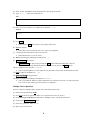
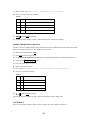
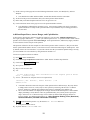
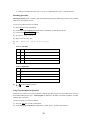
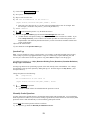
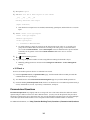
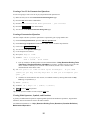
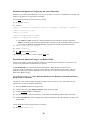
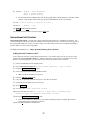
2) In the Ask box, press Enter (on the keyboard) twice after the question mark. 3) Type: PI = __ (notice the 2 underscores!) Ask: To calculate the radius of the Earth, you need to know the value for PI. What is it to 2 decimal places? PI = __ 4) In the Answer box, after the 3.14, add the answer modifier: | r=0 Answer: 3.14 | r=0 5) Press Save Don’t forget to Save the question or your changes will be lost! 6) View the question. 7) Notice that you get an input box next to PI = just as you designated. Test the question with both 3.12 and 3.14 as answers. Notice that this time, 3.12 is not correct. 8) Edit the question again and change the input box to: __5 9) Save and View the question Save and View is a short cut for pressing the Save button and then the View link. There are multiple ones on the page that all function the same just as is the case for the Save buttons. 10) Try typing this in the input box: 1234567 You’ve only changed the size of the input box, not the number of characters that the student can enter. 11) Edit the input box designation to: __5m 12) Save and View the question again. 13) Again, try typing the following in the input box: 1234567 You’ve now limited a student to typing a maximum of five characters in the box. (It really only needs to be 4, but we don’t want to give away the answer completely!) Multiple Choice Questions Now let’s add a new, multiple-choice question to the Static Earth Questions IU. 1) Return to the question editor (Edit). 2) Press New from the navigation bar (makes a new question in the same/current IU). 3) Under Select type of question to create choose “Multiple Choice” from the drop-down list. 4) Click on the Create Question button. 5) In the Description box, enter: oceans 6) Skip over the Variables box. 9