1
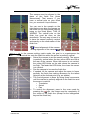
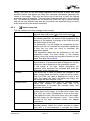
image will be placed corresponding to the mouse position in the main window; if
the mouse pointer was not in the main window, the image display will correspond
approximately to the zoom window (green rectangle).
Add a logo in WEB mode:
See chapter 4.9.6.
Web template:
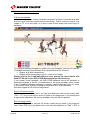
In WEB mode, a custom template composed of logos, free texts and data from
the race itself can be placed over the image. This is useful to generate a nice
image. The TemplateFullScreen software has to be used to modify or generate
800x600 templates.
Exit WEB mode:
Press the “Esc” key to exit the WEB mode and go back in the previous view.
Press “F9” key to go back in the view with the thumbnail or “Ctrl” + “F9” to go
back in the view with only the main image and the zoom (without the thumbnail),
see also 2.4.
Page 58
Version 1.8
3434.501.02












![English [2012v1]](http://vs1.manualzilla.com/store/data/005666127_1-015c2c1b906ab908850f1f1f8721a849-150x150.png)