1
23
Control
General information
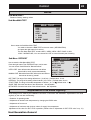
Menu Navigation
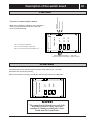
The right-hand button on the control panel is used to open the desired menu. The left-ha nd button is used to
return to the pr evious menu . The up and down buttons are used to navigate between the parameters of a menu.
A cursor (arrow) on the left-hand side of the display indica tes which menu can be opened . The up and down buttons
are also used if you wish to increase or reduce a preset value.
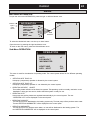
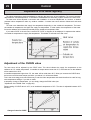
Display of current operating mode
During normal operation, the following in formation will be displayed:
• Desired (preset) room temperature
• Whether there is a heating demand or not. If there is, there will also be symbols
telling which heat source is working– heat pump or auxiliary heater or both (see ”Symbols” on page 6) .
OPER. AUTO
• Which operating mode has been selected In addition to this, the following messages may be displayed:
• PHASE SEQUENCE
The compressor in the heat pump is running in the wrong direction, which means that heat is produced by the
auxiliary heater only (see ”Alarm” on page 36).
• HIGH RETURN
The temperature of the water returning from the radiators is too high so the heat pump will not be allowed to
produce heat. (see ”Alarm” on p. 36).
• START
The heat pump is in the processs of starting. There is a 30 second delay bet- ween start of Brine sytem pump
and compressor.
• START_MIN
The heat pump will start in the number of minutes indicated in the display.