1
Digital Projection M-Vision
Cine LED User Manual
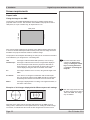
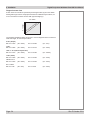
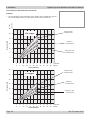
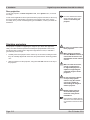
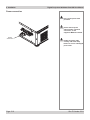
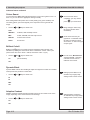
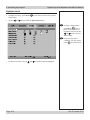
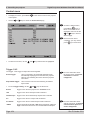
Examples of 4:3 images displayed with different aspect ratio settings
4:3
Native
2. Installation
Notes
The 4:3 image shown here has
far fewer pixels than the 1920 x
1080 of the DMD. Your image
may be different.
The 4:3 setting is best, unless there is some specific reason for wanting the smaller
Native image, for instance, to maintain the same scale as other images from the
same source.
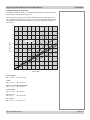
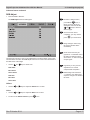
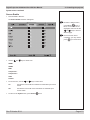
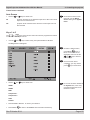
If you are using an anamorphic lens, the 4:3 Narrow setting should be used. The
lens will stretch the image to the correct width.
If you are using an anamorphic
lens, you will need to use the
4:3 Narrow setting to correct the
image.
4:3 Narrow
without anamorphic lens
4:3 Narrow
with anamorphic lens
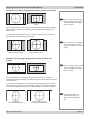
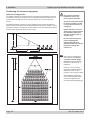
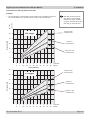
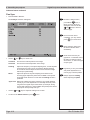
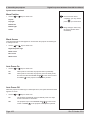
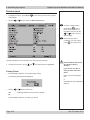
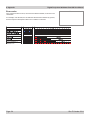
Examples of 2.35:1 images displayed with different aspect ratio
settings
The 2.35 image shown here has
far fewer pixels than the 1920 x
1080 of the DMD. Your image
may be different.
16:9
Native
The 16:9 setting is best, unless there is some specific reason for wanting the
smaller Native image, for instance, to maintain the same scale as other images from
the same source.
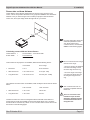
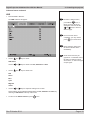
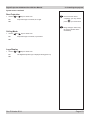
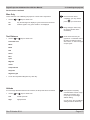
If you have an anamorphic lens, the Theaterscope setting would be a much better
option. Because it uses the whole of the DMD, it will be a much brighter image than
the letterboxed options shown above, and will fill a wider screen if this is available.
To take advantage of the
Theaterscope setting, you
MUST have an anamorphic
lens.
Theaterscope
without Anamorphic lens
Rev E October 2014
with Anamorphic lens,
stretched to fill wider screen
Page 2.3