1
IMPORTANT
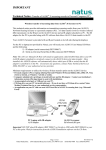
Technical Notice- Installing EchoLink™II to Personal Computer (PC)
Part I – Installation of EchoLink II,
Part II – Installation of USB-to-Serial Adaptor
Part VI – Data Transfer Instructions for Echo-Screen
Using EchoLink II via Serial to Serial cable, see
Part I – Installation of EchoLink II, and
Part VI – Data Transfer Instructions for Echo-Screen
Using EchoLink II via USB-to-Serial connector to Serial to Serial cable, see
Part I – Installation of EchoLink II, and
Part II – Installation of USB-to-Serial Adaptor
Part VI – Data Transfer Instructions for Echo-Screen
If you have any questions, contact Natus Technical Service at (888) 496-2887 or your
authorized service provider.
Part I
Installation instructions for EchoLink II program
Insert the EchoLink II installation CD-Rom into the CD-Rom drive of your personal computer.
The Installation CD is set to autorun upon insertion into your PC. After placing the CD in the
drive, the following message should appear:
If it does not, please determine what directory (C, D, E, or F) the CD-Rom drive is listed as.
It is commonly listed as the E:drive. Open the CD-Rom drive on your PC (commonly the E:
Disc) where the CD-Rom resides by double-clicking on the E: Disc icon titled EchoLink II.
See following picture (arrow points to CD-Rom).
Within EchoLink II disk, browse to EchoLink-setup.exe and double-click on the Setup icon:
Page 2 of 17
Natus Medical Inc. 1501 Industrial Road, San Carlos, CA 94070 USA
P/N 051815A
(650) 802-0400 Fax: (650) 802-0401