1
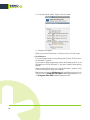
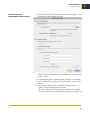
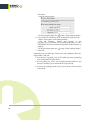
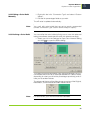
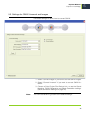
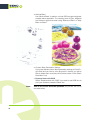
• Force to solid when
This option makes the separation with the highest percentage
solid (100%), to avoid visible white dots on the print, if either:
• the Color difference (between the original color and the color
build) after applying this option is less than the ∆E value you enter.
• the highest Ink value is higher than the percentage you enter.
Note:
This never makes the Black separation solid.
• Drop Black when
This option sets the Black separation to 0%, to avoid visible black
dots on the print, if either:
• the Color difference after applying this option is less than the
∆E value you enter.
• the Black Ink value is lower than the percentage you enter.
• Drop Minimum when
This option sets the separation with the lowest percentage to 0%,
to avoid visible small colored dots on the print, if either:
• the Color difference after applying this option is less than the
∆E value you enter.
• the lowest Ink value is lower than the percentage you enter.
24
Note:
This never sets the Black separation to 0%. If you wish to do that,
use the “Drop Black when” option.
Note:
These settings are applied differently to in-gamut and out-of-gamut
colors.
• For in-gamut colors, the settings will only be applied if the resulting
Delta E is under the number you specify.
• For out-of-gamut colors, the Delta E tolerance will be loosened
gradually as the color gets away from the gamut.
When a color is very far away from the gamut, the stabilize settings
will always be applied regardless of the Delta E tolerance (if the stabilize settings are enabled).