1
5.A. Detection of Amplified Fragments Using the Applied Biosystems® 3500 or 3500xL Genetic Analyzer
with 3500 Data Collection Software, Version 1.0 (continued)
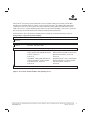
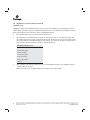
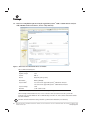
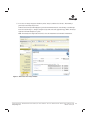
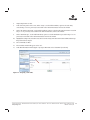
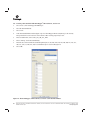
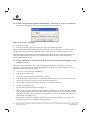
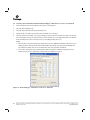
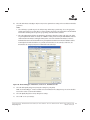
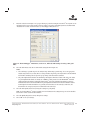
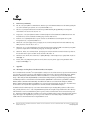
c. To create a new QC Protocol, navigate to the Library. Select “QC Protocols”, and then select “Create”.
Alternatively, a previously created QC Protocol may be used.
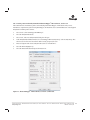
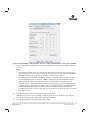
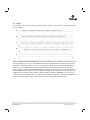
Assign a descriptive protocol name such as CC5 ILS 500 Y23. Select the size standard created in Step 2.b.
The settings for the QC protocol should be based on the internally validated conditions for the PowerPlex®
Y23 System on the Applied Biosystems® 3500 or 3500xL Genetic Analyzer. Figure 5 shows one option for
these settings.
9228TA
Note: Peak heights for the CC5 ILS 500 Y23 are generally lower than those for the other dyes. Therefore, the
threshold for the orange dye may be lower than that for the other dyes.
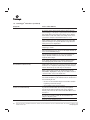
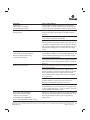
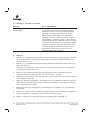
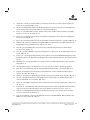
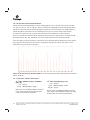
Figure 5. The Create New QC Protocol window.
20
Promega Corpora on · 2800 Woods Hollow Road · Madison, WI 53711-5399 USA · Toll Free in USA 800-356-9526 · 608-274-4330 · Fax 608-277-2516
TMD035 · Revised 3/15
www.promega.com