1
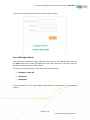
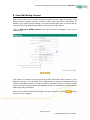
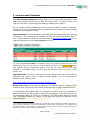
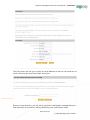
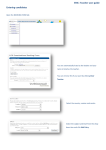
Customer Management Services User Manual – Customers 4 Retrieving your Login Details If you are unsure of your login details, you can access them easily in four simple steps: link on the Login page. You will then Click on the see the following: button (if you have Enter your Vendor Name and click the more than one Vendor Name, you may specify any one you wish). An email will be sent to the primary contact of the vendor account you specified. The email contains a link to a Password Retrieval page allowing you to securely retrieve your password details. Click on the link within the email sent to you. This will bring up the Password Retrieval page (see below): Enter your name and the merchant number in the fields provided. Ensure you enter the correct merchant number that has been assigned to your company by your acquiring bank. If you do not know the merchant Page 7 of 23 © Copyright Sage Pay Ltd 2009