1
SMOOTHING
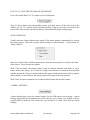
Smoothing allows you to smooth out the jerkiness of the mouse pointer movements. There are
eight possible settings:
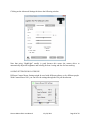
REVERSE HORIZONTAL MOVEMENT
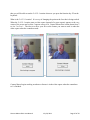
We think the most natural way to use Camera Mouse is for the video window to look like a
mirror. So that when you move your head to the right, the image of your head seems to follow
you to the right.
Some people prefer it reversed so that when you move your head to the right the head in the
image moves to the screen’s right which is to your left. The Reverse Horizontal Movement
checkbox allows you to reverse the horizontal movement.
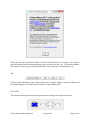
Note that this may be complicated by the Camera Settings. Most USB cameras have their own
Settings window. You can access this window by clicking on the Camera Settings button at the
bottom right of the Camera Mouse 2011 Settings window. There you’ll probably find a Mirror
Horizontal setting or something similar. We suggest you keep this camera setting off. It can get
unnecessarily confusing.
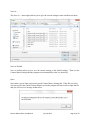
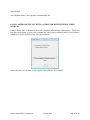
CLICKING
On start up, Clicking generally is off in Camera Mouse 2011.
Camera Mouse 2011 User Manual
July 24, 2011
Page 9 of 24