1
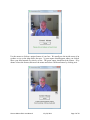
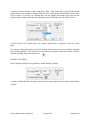
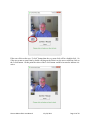
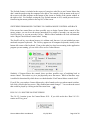
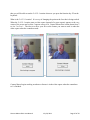
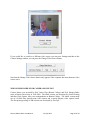
you can have the video displayed in a smaller window.
This window will always stay on top of any application on the desktop. This is useful, for
example, if you are monitoring the Camera Mouse program while someone else uses it. You can
drag the window down to say the bottom right of the screen and look at it now and then to see if
the tracking slips. You can still take control with the mouse and click on the smaller video
window to reset the tracking. To return the Camera Mouse window to its normal size click on
the button below the video image.
HAVING CAMERA MOUSE START UP AUTOMATICALLY WHEN YOU TURN ON
YOUR COMPUTER
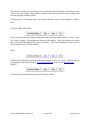
Any programs in the Startup folder are automatically launched when the computer is turned on.
To do this, first right click on the Camera Mouse 2011 shortcut icon on the screen and select
Copy in the resulting menu. Now go into the Windows Start menu in the bottom left of the
screen and select All Programs. Then right click on Startup and select Open in the resulting
menu. A window should open for the Startup programs. In that window right click and select
Paste.
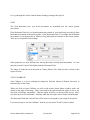
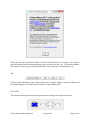
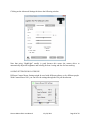
The Windows Start menu should look something like the screenshot on the next page. Camera
Mouse 2011 (and Dropbox) will be run automatically when you turn on the computer.
Camera Mouse 2011 User Manual
July 24, 2011
Page 6 of 24