1
-1-
M Consult the dealer or an experienced radio/television technician for help.
M Connect the equipment into an outlet on a circuit different
from that which the receiver is connected;
M Increase the separation between the equipment and receiver;
M Reorient or relocate the receiving antenna;
Note: This equipment has been tested and found to comply
with the limits for a Class B digital device, pursuant to Part
15 of the FCC Rules. These limits are designed to provide
reasonable protection against harmful interference in a
residential installation. This equipment generates, uses and
can radiate radio frequency energy, and if not installed and
used in accordance with the instruction manual, may cause
interference to radio communications. However, there is no
guarantee that interference will not occur in a particular
installation. If this equipment does cause harmful
interference to radio or television reception, which can be
determined by turning the equipment off and on, the user is
encouraged to try to correct the interference by one or more
of the following measures:
-2-
Note: The UH-204 can be connected to a USB 1.1 Host
Controller, but in that case, it only supports USB 1.1
speeds (1.5 - 12 Mbps).
M USB 2.0 Host Controller installed on the system.
Note: Only systems with a USB 2.0 driver installed can
support data transfer speeds of up to 480 Mbps; all
others only support speeds of up to 12 Mbps.
M Whistler; Windows 2000; Windows Me; Win98 SE; Mac OS
8.6 or higher
System Requirements
M Per Port Status LED Indicators
M Per Port Overcurrent Protection
M Four independent, fully functional, 480 Mbps, downstream
ports
M Supports transfer rates of 1.5 / 12 /480 Mbps
M Backward compatible with USB 1.1
M Fully compliant with the USB 2.0 specification
Features
The UH-204 provides one Upstream port, and four Downstream
ports, with LED indicators to display information about the power
status of each port. It supports high speed (480 Mbps), full
speed (12 Mbps) and low speed (1.5 Mbps) devices, and can be
daisy chained to provide as many ports as the user requires.
The UH-204 complies with the USB 2.0 standard. This
represents the second USB generation, and provides transfer
rates of up to 480Mbps. It is faster, more efficient, and more
capable than its predecessor, USB 1.1, yet is fully backward
compatible, so prior user investment in USB 1.1 peripherals is
not lost.
The UH-204 is a four port USB hub that serves as a cable
concentrator and bridge between the computer’s USB Host
Controller, and USB peripheral devices attached to the system.
Since many older computers don’t have USB connectors on
board and most new computers come with only one or two USB
ports, USB hubs have been developed to provide a means to
connect up all the USB peripherals that users may want to use.
Universal Serial Bus (USB) port technology has emerged in
response to the proliferation of external peripheral devices
(scanners, digital cameras, removable drives, etc.), that are
increasingly being connected to the latest generation of
computers. The USB behaves in a similar fashion to
conventional bus ports (i.e., serial, parallel, PS/2), but since it
does not require any IRQs, more devices can be attached to the
system, and the problem of IRQ conflict is eliminated.
Overview
2
1
3
4
1
-3-
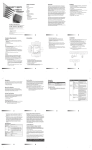
1. Downstream Ports (1 - 4)
Cables from USB peripherals can plug into any available port.
Rear View
4. Root (Upstream) Port
The cable that connects the hub to the comupter’s USB Host
Controller plugs in here.
3. Power Jack
The Power Adapter cable plugs in here.
M If an overcurrent condition between the unit and the downstream device occurs, the LED turns AMBER.
M A Port LED lights GREEN when the downstream peripheral device connected to its corresponding port is receiving power at the correct current level.
2. Port LEDs (1-4)
1. Power LED
Lights when the unit is receiving power from the power
source at the correct current level.
Front View