1
Operation
22
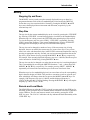
frequencies less than 1 Hz is equivalent to doing nothing. Extra cycles are not inserted or
deleted as part of the phase shift.
The current phase is stored as part of the instrument settings when the user stores and
recalls settings. However, the current phase only has meaning at the current frequency.
Therefore, the phase will only be recalled if the recall of settings does not alter the
current frequency and does not result in a phase shift larger than 360°. Otherwise, the
phase will be simply set to zero.
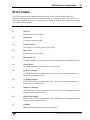
Secondary Functions
Most of the keys in the ENTRY section of the front panel have secondary functions
associated with them. The names of these functions are printed above the key. The ‘4’
key, for example, has FREQx2 above it.
To access these secondary functions, follow the instructions described in the Front-Panel
User Interface section at the beginning of this chapter. Details about each of the
functions follow.
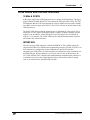
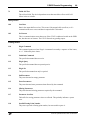
RUN, STOP, TOGGLE
Normally, the CG635 drives the front-panel outputs with square waves at the selected
frequency, phase, and amplitude settings. The STOP function causes the CG635 to
disable oscillation and force the outputs to a logic low state. When the outputs are in the
stopped state, the STOP LED will blink. Once outputs are stopped, the TOGGLE
function can be used to toggle the state of the outputs. The RUN function restores the
CG635 outputs to normal, running operation.
The run/stop state of the instrument is saved when instrument settings are saved.
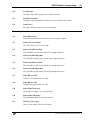
INIT
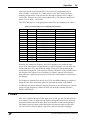
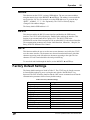
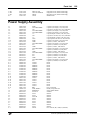
The INIT function causes the CG635 to return to default settings. This function is not
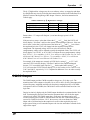
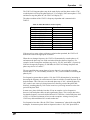
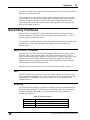
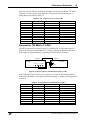
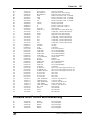
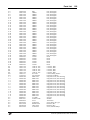
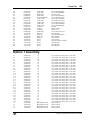
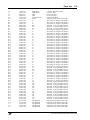
executed until the user presses ‘Hz.’ Table 15 itemizes the CG635 default settings. The
remote interface, GPIB address, and power-on status clear are not affected by this
command, however.
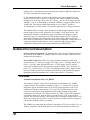
STATUS
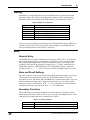
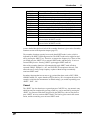
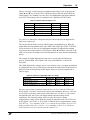
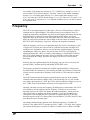
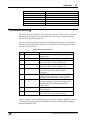
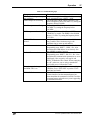
The STATUS function displays a number of instrument parameters which characterize
the current status of the CG635. The user can cycle through each of the parameters by
pressing the MODIFY ▲ and ▼ keys. The meaning of each of the parameters is
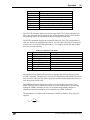
summarized in Table 13.
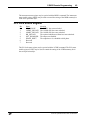
Table 13: Status Parameters
Label
STATUS
SYNTH
ERRORS
Description
CG635 serial poll status byte
Current lock state of CG635
Number of errors in the error buffer
CG635 Synthesized Clock Generator