1
Table of Contents
Part I. OD Scanner Instrument
A. Getting Started
1. Unpacking the Instrument
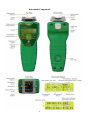
2. Instrument Components
3. Verification of Performance
B. Determining Biomass
1. Calibration Selection
2. Setting the Baseline
C. Working with the OD Scanner
1. Instrument Power
a. Battery State of Charge Indicator
b. Charging the Batteries
c. Configuring the Power Adapter
2. Information and Error Messages
3. Principles of Operation
4. Factory Default Calibrations
D. Compliance Testing
1. FCC
2. IC ICES-003 Annex
3. CE
Part II. OD Scanner User Interface Software
A. Minimum System Requirements
B. Conventions and Shortcuts
C. Software Installation
D. Connecting to the Instrument
E. Configuring the Instrument
1. Setting the Instrument Date and Time
2. Turning On/Off Audio
3. Deleting Measurements
4. Reset
5. Reboot
F. Working with the Measurement Data
1. Downloading Data
2. Sorting Data
3. Saving and Recalling Data
G. User Calibration
1. Generating New Calibrations
2. Modifying Calibrations
H. Help and Tips
I. Trouble-Shooting
End-User License Agreement
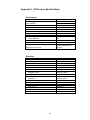
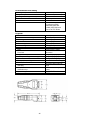
Appendix I. OD Scanner Specifications
Appendix II. Communication Trouble-Shooting
4
5
6
7
11
12
14
14
14
15
17
19
22
23
23
23
24
24
25
26
28
28
29
29
29
30
31
31
32
33
37
38
39
42
43
45